
U8000 Series - Audio Equipment FBT - Free user manual and instructions
Find the device manual for free U8000 Series FBT in PDF.


Pick your language and provide your email: we'll send you a specifically translated version.
| Product Type | Professional Audio Equipment |
| Brand | FBT |
| Model | U8000 Series |
| Channels | 8 input channels |
| Power Output | 500 W per channel (estimated) |
| Frequency Response | 20 Hz - 20 kHz |
| Dimensions (W x H x D) | 410 x 105 x 345 mm |
| Weight | 7.8 kg |
| Power Supply | 110-240 V AC, 50/60 Hz |
| USB Port | Yes, for playback and recording |
| Equalizer | 3-band EQ per channel |
| Effects | Built-in digital effects processor |
| Enclosure Material | Powder-coated steel chassis |
| Cooling | Variable-speed fan |
| Inputs | Balanced XLR and 1/4" TRS |
| Outputs | Balanced XLR, 1/4" TRS, plus |
| Maintenance | Wipe with a dry, soft cloth and avoid solvents. |
| Safety | Operate in a dry, ventilated area. |
| Spare Parts & Repairability | Repair service through FBT authorized centers. |
| General Information | Full user manual available in PDF (56 pages). |
Frequently Asked Questions - U8000 Series FBT
How do I connect a microphone to the FBT U8000 Series mixer?
Connect a microphone to any balanced XLR input on the mixer. Ensure the channel gain is set to minimum before powering on, then gradually raise gain to a suitable level.
Does the U8000 Series provide phantom power for condenser microphones?
Yes, the U8000 Series includes a phantom power switch that supplies 48V to the XLR inputs, ideal for condenser microphones. Activate it only when needed.
Can I record audio directly to a USB flash drive?
Yes, the built-in USB port allows direct recording of the main mix output to a USB flash drive. Simply insert a compatible drive and press record.
What is the correct power-on sequence for the device?
To avoid loud pops, connect all source devices and speakers first, then turn on the U8000 Series with master volume at minimum. After powering up, raise inputs and master volume gradually.
How can I prevent feedback during a live performance?
Position microphones away from speakers, use proper EQ settings (e.g., cut mid frequencies), and avoid excessive gain. Also, use narrow Q parametric EQ to notch problem frequencies.
What maintenance does the U8000 Series require?
Regularly wipe the chassis with a dry, soft cloth and ensure vents are free of dust. Do not use harsh chemicals; for deeper cleaning, consult the manual.
Are there software updates available for the U8000 Series?
FBT occasionally releases firmware updates for effects and USB functionality. Check the official FBT website for downloads and update instructions.
How do I set up the built-in effects processor?
The effects processor is accessed via the FX section on each channel. Choose a preset (e.g., reverb, delay) using the encoder, then adjust the send and return levels.
What type of power outlet should I use?
The unit has a universal power supply accepting 110-240 V AC. Always use a grounded outlet and avoid extension leads that may cause voltage drop.
Why is there no sound coming from the main outputs?
Check the master volume and mute buttons, ensure inputs are properly connected and not muted. Also verify that the output cables are in the correct jacks and speakers are powered on.
User questions about U8000 Series FBT
0 question about this device. Answer the ones you know or ask your own.
Ask a new question about this device
No questions yet. Be the first to ask one.
Download the instructions for your Audio Equipment in PDF format for free! Find your manual U8000 Series - FBT and take your electronic device back in hand. On this page are published all the documents necessary for the use of your device. U8000 Series by FBT.
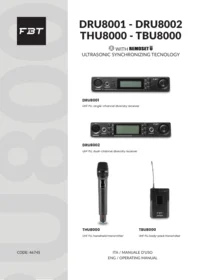
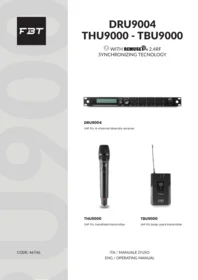
USER MANUAL U8000 Series FBT

Manual assistant
Powered by Anthropic
Waiting for your message
Product information
Brand : FBT
Model : U8000 Series
Category : Audio Equipment