NG01 - White noise machine Outline - Free user manual and instructions
Find the device manual for free NG01 Outline in PDF.
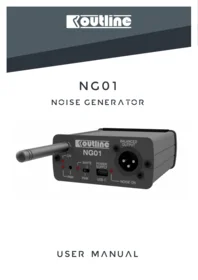


| Product Type | White noise machine / noise generator |
| Brand | Outline |
| Model | NG01 |
| Power Supply | USB-C connector with included power supply |
| Audio Output | XLR balanced output |
| White Noise Level | 0 dBu |
| Pink Noise Level | 3 dBu |
| Output Impedance | 680 Ω |
| Noise Types | White and Pink noise selectable via slide switch |
| Remote Control | Radio remote control included |
| Carrier Frequency | 433.92 MHz |
| Remote Control Range | Up to 75 m |
| Transmitter Power | 10 dBm |
| Receiver Sensitivity | -116 dBm |
| Remote Control Battery | CR-2032 button cell |
| Height | 40 mm |
| Width | 89 mm |
| Depth | 98 mm (without antenna) |
| Weight | 224 g |
| Front Panel Indicators | Power LED, Pairing LED, Pink noise LED, Output signal LED |
| Controls | Pairing button, White/Pink slide switch |
| Safety Features | Do not expose to rain or high humidity, proper grounding required |
| Compliance | CE marked, complies with EC/EU directives |
| What's in the Box | NG01 unit, antenna, radio control, USB power supply, USB-C cable, warranty certificate, operating manual |
| Disposal | WEEE directive, do not dispose with household waste |
Frequently Asked Questions - NG01 Outline
User questions about NG01 Outline
0 question about this device. Answer the ones you know or ask your own.
Ask a new question about this device
Download the instructions for your White noise machine in PDF format for free! Find your manual NG01 - Outline and take your electronic device back in hand. On this page are published all the documents necessary for the use of your device. NG01 by Outline.
USER MANUAL NG01 Outline
NG01
NOISE GENERATOR

SAFETY REGULATIONS
In order to avoid risks for the user's and other people's safety, as well as annulling the warranty, it is advisable to read the suggestions in this section for correct use of the product.
- Do not expose the unit to rain or use it in locations with a high humidity level.
- Ensure that no liquids or solid objects accidentally enter the unit; should this occur, stop using the unit and contact OUTLINE or specialist staff.
-
When connecting the unit, ALWAYS check ground connection as required by technical and safety norms.
-
If the original connector cable is worn or damaged, it must be replaced with another of the same type (in perfect condition).
- Carry out connections in an orderly manner, only allowing access to experienced specialist staff.
- The unit must only be opened and/or repaired by specialist staff.
- For any requirements of a technical nature, contact OUTLINE or authorized staff.
- The unit is dedicated to moving heavy or bulk objects. For this reason, it must be used under the supervision of experienced personnel.
DISPOSAL OF WASTE MATERIALS

Your product is designed and manufactured with high quality materials and components, which can be recycled and reused. When this crossed-out wheeled bin symbol is attached to a product, it means the product is covered by the European Directive 2012/19/EU and subsequent amendments. This means that the product must NOT be disposed of with other household-type
waste. It is the users' responsibility to dispose of their waste electrical and electronic equipment by handing it over to an approved reprocessor. For more information about where you can send your equipment for recycling, please contact your local distributor. The correct disposal of your old product will help prevent potential negative consequences for the environment and human health.
CONFORMITY AND WARRANTY

All the Outline electro-acoustic and electronic devices are in conformity with the provisions of EC/EU directives (as stated in our CE declaration of conformity).
The CE declaration of conformity is attached to the product warranty certificate and is shipped with the product.
SYSTEM DESCRIPTION

The Outline NG01 is a noise generator that can be controlled with a radio remote control.
The device can deliver White or Pink noise with XLR balanced Output and therefore it can be the
perfect companion to our new Globe Source Radiator measurement kit.
The device is powered by a USB-C cable.
UNPACKING
After unpacking the device, check very carefully for any damage. If any damage is found, please notify your dealer.
It is advisable to keep the packaging for use in the event of the unit being transported in the future.
The Outline NG01 unit is supplied with the following accessories:
- Antenna
- Radio control
- USB Power Supply
• USB-C Power Supply cable - Warranty certificate
- Operating manual
FRONT PANEL

- Antenna;
- Power LED;
- Pairing LED;
- Pairing procedure button;
- Pink noise selected LED;
The Outline NG01 is powered by simply plugging in the USB-C cable (7), as you can see from the Power LED (2).
The Output signal is disabled: to turn it on it is necessary to press the button 1 of the remote control. When the output signal is present the 'NOISE ON' LED (8) lights up.
To turn off the output signal press button 2 on the remote control.
- White/Pink noise switch;
- USB-C Power Supply connector;
- Output signal monitoring LED
- XLR Balanced Output
Buttons 3 and 4 are not used.
For better and stable performance of the output noise it is recommended to wait about two minutes. It is possible to select at any time between White and Pink noise using the PINK / WHITE slide switch (6).
The ‘PAIR’ button (4) allows you to pair the transmitter and receiver in case of battery change or connection loss.
PAIRING PROCEDURE
The device is supplied with transmitter-receiver pairing already carried out.
In case of battery replacement, new remote control or other unintentional loss of pairing it is necessary to proceed according to the following procedure:
- Turn on the generator;
- Press and release the 'PAIR' button with a small screwdriver, the LED 'PAIR' will blink once;
- Press the button 1 on the transmitter (remote
control) near the antenna for a few seconds;
- Reboot the device (via USB-C cable);
- Press and release the 'PAIR' button, wait 3 seconds and press it again, the LED 'PAIR' will blink twice;
- Press the button 2 on the transmitter for a few seconds;
- Reboot the device and check for correct operation.
UNPAIRING PROCEDURE
To erase the memory and remove all the stored transmitter pairings, the 'PAIR' button must be pressed for 10 seconds.
The LED will light up and when it is disconnected will blink 3 times to confirm memory erase has
been completed.
Please, note that erasing receivers memory will remove all the transmitter pairings.
It is not possible to erase single transmitter pairing.
TECHNICAL SPECIFICATIONS
| AUDIO | |
| Output | Balanced |
| White Noise Level | 0 dBu |
| Pink Noise Level | 3 dBu |
| Output Impedance | 680 Ω |
| RADIO | |
| Tx Power | 10 dBm |
| Rx Sensitivity | -116 dBm |
| Carrier Frequency | 433.92 MHz |
| Range | Up to 75 m |
| Button Cell | CR-2032 |
| PHYSICAL | |
| Height | 40 mm |
| Width | 89 mm |
| Depth | 98 mm (Without Antenna) |
| Weight | 224 g |
OVERALL DIMENSIONS

Outline
Outline carries out on-going research for product improvement. New materials, manufacturing methods and design upgrades are introduced to existing products without prior notice as a routine result of this philosophy. For this reason, any current Outline product may differ in some aspect from its description, but will always equal or exceed the original design specifications unless otherwise stated.


Brand : Outline
Model : NG01
Category : White noise machine