
Elegance THE-RA Setup - Electric heating Heatstrip - Free user manual and instructions
Find the device manual for free Elegance THE-RA Setup Heatstrip in PDF.


| Product Type | Infrared Radiant Heater |
| Brand | Heatstrip |
| Model | Elegance THE-RA Setup |
| Heating Technology | Infrared quartz element |
| Installation | Wall or ceiling mounted |
| Recommended Use | Indoor and sheltered outdoor areas |
| Control Options | Remote control and TuyaSmart app |
| Smart Integration | Compatible with Google Assistant |
| Timer Function | Yes, adjustable via remote (2H button) |
| Power Supply | 220-240V AC, 50/60Hz |
| Safety Features | Thermal cut-out and overheat protection |
| Ingress Protection | IP65 rated |
| Finish | Elegant low-glare design |
| Included Accessories | Remote control, mounting kit, user manual |
| Compatibility | Wi-Fi 2.4GHz network |
| Warranty | Check with retailer (typically 3-5 years) |
Frequently Asked Questions - Elegance THE-RA Setup Heatstrip
User questions about Elegance THE-RA Setup Heatstrip
0 question about this device. Answer the ones you know or ask your own.
Ask a new question about this device
Download the instructions for your Electric heating in PDF format for free! Find your manual Elegance THE-RA Setup - Heatstrip and take your electronic device back in hand. On this page are published all the documents necessary for the use of your device. Elegance THE-RA Setup by Heatstrip.
USER MANUAL Elegance THE-RA Setup Heatstrip
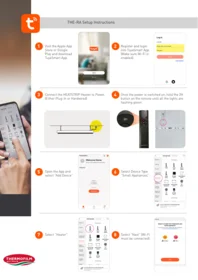
- Visit the Apple App Store or Google Play and download TuyaSmart App.

2 Register and login into TuyaSmart App. (Make sure Wi-Fi is enabled).

3 Connect the HEATSTRIP Heater to Power. (Either Plug-In or Hardwired)
4 Once the power is switched on, hold the 2H button on the remote until all the lights are flashing green.


5 Open the App and select "Add Device".

6 Select Device Type "Small Appliances".

7 Select "Heater".

8 Select "Next" (Wi-Fi must be connected).


7 Confirm the 3 indicator is blinking rapidly on the heater and select "Next" (If the LED lights are not blinking on the heater, you will need to hold down the 2H button on the remote until the 3 indicators are blinking).
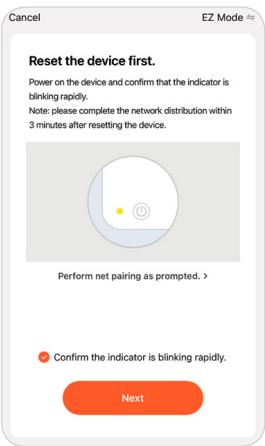
8 Once the pairing cycle has been completed, the App and HEATSTRIP Heater should be paired together.


Pairing with Google Assistant
- Download the Google Home app on the app store or Google Play
- Pair the Google device to the Google Home App
- Once paired, click on the TuyaSmart App.
- Select "Me"
- Select "Google Assistant"
- Select "Link with Google Assistant"
- Select "Agree and link"
- Choose device "Select HEATSTRIP Elegance"
- Pairing completed
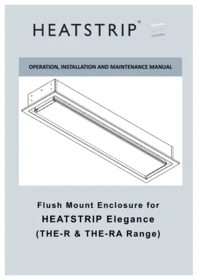

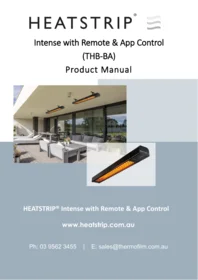
Brand : Heatstrip
Model : Elegance THE-RA Setup
Category : Electric heating