
CD Player - CD Player Atoll - Free user manual and instructions
Find the device manual for free CD Player Atoll in PDF.


Pick your language and provide your email: we'll send you a specifically translated version.
| Product Type | CD Player |
| Brand | Atoll |
| Model | CD Player |
| Frequency Response | 20 Hz - 20 kHz |
| Total Harmonic Distortion | < 0.005% |
| Signal-to-Noise Ratio | > 110 dB |
| DAC | 24-bit / 192 kHz high-resolution |
| Audio Outputs | Analog RCA, Coaxial Digital, Optical Digital |
| Power Consumption | 15 W |
| Dimensions (W x H x D) | 440 x 95 x 320 mm |
| Weight | 6.5 kg |
| Power Supply | 220-240 V, 50/60 Hz |
| Playback Functions | Play, Pause, Stop, Skip, Repeat, Shuffle |
| Remote Control | Yes |
| Display | Fluorescent front panel display |
| Construction | Aluminum front panel, anti-vibration chassis |
| Cleaning | Wipe with a dry, soft cloth |
| Safety | Operate in dry area, avoid liquids |
| Spare Parts | Available through authorized service centers |
| Repairability | Designed for component-level servicing |
Frequently Asked Questions - CD Player Atoll
How do I clean the CD player lens?
To clean the lens, use a specialized CD lens cleaner available at audio stores. Alternatively, you can gently blow air into the tray with a soft brush. Never use liquid cleaners directly.
Can I connect this CD player to my amplifier?
Yes, use the analog RCA outputs to connect to any amplifier's line input. For a digital connection, you can also use the coaxial or optical output to an amplifier with a built-in DAC.
Why does the CD player skip during playback?
Skipping can be caused by dirty or scratched discs. Check the disc surface and clean it. If the issue persists, try cleaning the laser lens or ensure the player is placed on a stable, vibration-free surface.
How do I use the repeat function?
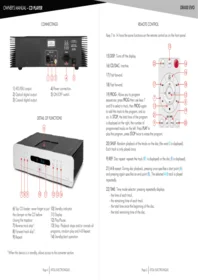
Press the Repeat button on the remote control to cycle through modes: repeat one, repeat all, and off. The current mode will be shown on the display.
Can I play MP3 CDs on this player?
This Atoll CD player is designed for standard audio CDs. It does not support MP3 files on data discs. For high-resolution audio, use the digital outputs with an external DAC.
What digital outputs are available?
The player includes both coaxial and optical digital outputs for connecting to a DAC or digital amplifier. This allows for a low-jitter signal transmission.
How do I set the remote control to work with the player?
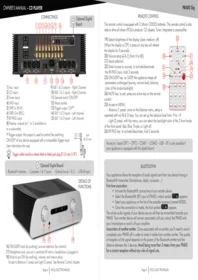
The remote control comes pre-programmed. Insert two AAA batteries, point the remote at the player, and press any button. If it does not respond, check the IR sensor is not obstructed.
What should I do if the CD player does not turn on?
First, check that the power cable is securely connected and the wall outlet is working. Ensure the standby switch on the front panel is in the ON position. If it still fails, contact an authorized service center.
Is it safe to leave the CD player plugged in?
Yes, the player has a standby mode with very low power consumption (< 0.5 W). For safety during thunderstorms or long absences, we recommend unplugging the unit.
Can I replace the laser lens myself?
No, the laser lens is a precision component that requires professional calibration. Any replacement should be done by an authorized Atoll service center to maintain performance and safety.
User questions about CD Player Atoll
0 question about this device. Answer the ones you know or ask your own.
Ask a new question about this device
No questions yet. Be the first to ask one.
Download the instructions for your CD Player in PDF format for free! Find your manual CD Player - Atoll and take your electronic device back in hand. On this page are published all the documents necessary for the use of your device. CD Player by Atoll.
USER MANUAL CD Player Atoll


Manual assistant
Powered by Anthropic
Waiting for your message
Product information
Brand : Atoll
Model : CD Player
Category : CD Player