ZDP486NRN - Cooker Monogram - Free user manual and instructions
Find the device manual for free ZDP486NRN Monogram in PDF.


Pick your language and provide your email: we'll send you a specifically translated version.
| Product type | Gas range |
| Brand | Monogram |
| Model | ZDP486NRN |
| Dimensions (W x D x H) | 121.9 x 68.6 x 91.4 cm |
| Approximate weight | 160 kg |
| Fuel type | Natural gas (convertible to propane) |
| Ignition | Electronic ignition |
| Cooktop | 6 gas burners |
| Maximum burner power | 17,000 BTU/h |
| Main oven | Convection, capacity 136 L |
| Auxiliary oven | Capacity 65 L |
| Grill | Central gas grill |
| Exterior material | Stainless steel |
| Oven doors | Tempered glass |
| Cleaning | Catalytic enamel interior |
| Safety | Control lock, automatic shut-off |
| Adjustable feet | Yes |
| Warranty | 2 years parts and labor |
| Repairability | Spare parts available |
| Manual | User manual in PDF |
Frequently Asked Questions - ZDP486NRN Monogram
How do I light the burners on my Monogram ZDP486NRN range?
To light a burner, press the control knob and turn it to the ignition position. The electric spark ignites the gas. If the burner does not light, wait a few seconds and try again.
How do I use the oven in convection mode?
Select the convection mode on the oven knob. Place the food in the preheated oven and adjust the temperature according to the recipe. The fan distributes the heat evenly.
How do I clean the cast iron grates on the cooktop?
The cast iron grates can be cleaned with a metal brush and hot soapy water. Dry them immediately to prevent rust, then apply a thin coat of oil.
Can I convert my range from natural gas to propane?
Yes, your range is convertible. Use the provided conversion kit and follow the instructions in the manual to replace the injectors. Call a technician if necessary.
What should I do if the oven does not heat?
Check that the oven is turned on and that the thermostat is set. If the problem persists, turn off the power and contact customer service.
How do I unlock the safety controls?
If the panel is locked, hold down the lock button for 3 seconds. Repeat to unlock.
What are the safety settings for children?
Use the child safety feature to lock the controls and prevent accidental use. See the manual to activate this feature.
How do I maintain the stainless steel?
Clean with a soft cloth and stainless steel cleaner. Rub in the direction of the grain to avoid streaks.
Where can I find spare parts for my model?
Parts are available from authorized Monogram dealers or by contacting customer service. Use the model number to find the correct part.
What is the capacity of the main oven?
The main oven has a capacity of 136 liters. See the manual for exact internal dimensions.
User questions about ZDP486NRN Monogram
0 question about this device. Answer the ones you know or ask your own.
Ask a new question about this device
No questions yet. Be the first to ask one.
Download the instructions for your Cooker in PDF format for free! Find your manual ZDP486NRN - Monogram and take your electronic device back in hand. On this page are published all the documents necessary for the use of your device. ZDP486NRN by Monogram.
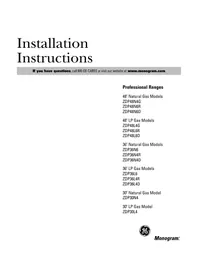
USER MANUAL ZDP486NRN Monogram
Manual assistant
Powered by Anthropic
Waiting for your message
Product information
Brand : Monogram
Model : ZDP486NRN
Category : Cooker