Premium 8SE - Tablet Nextbook - Free user manual and instructions
Find the device manual for free Premium 8SE Nextbook in PDF.


Pick your language and provide your email: we'll send you a specifically translated version.
| Product type | Touchscreen tablet |
| Brand | Nextbook |
| Model | Premium 8SE |
| Screen size | 8 inches (approximately 20.3 cm) |
| Screen resolution | 1280 x 800 pixels |
| Screen type | Capacitive multi-touch LCD |
| Processor | Quad-core 1.3 GHz (estimated) |
| RAM memory | 1 GB (estimated) |
| Storage capacity | 16 GB (estimated) |
| Operating system | Android |
| Wi-Fi connectivity | Yes, 802.11 b/g/n |
| Bluetooth connectivity | Yes |
| Battery | Rechargeable lithium-ion |
| Battery life | Approximately 6 hours (estimated) |
| Front camera | 0.3 megapixels |
| Rear camera | 2 megapixels |
| Headphone jack | 3.5 mm |
| Main functions | Internet browsing, multimedia playback, games and applications |
| Care and cleaning | Wipe with a soft, dry cloth |
| Safety | Do not expose to water or excessive heat |
| Spare parts and repairability | Contact customer service for any repairs |
| General information | Manual available online in PDF format |
Frequently Asked Questions - Premium 8SE Nextbook
How do I turn the tablet on and off?
Press and hold the power button located on the side of the device. To shut down, hold the button down and then select Power off from the menu that appears.
How do I transfer files between the tablet and a computer?
Connect the tablet to the computer using a USB cable. On the tablet, pull down the notification panel and select File transfer (MTP). The computer will then detect the tablet as a storage device.
What should I do if the screen is frozen or unresponsive?
If the screen becomes unresponsive, press and hold the power button for about 10 seconds to force a restart. If the problem persists, perform a hard reset (see the manual).
How can I extend battery life?
Reduce screen brightness, disable Wi-Fi and Bluetooth when not in use, and close background apps. Use power saving mode in the settings.
How can I increase storage capacity?
The tablet has a microSD card slot. Insert a microSD card up to 32 GB to expand storage capacity. Photos, videos, and documents can be moved to the card.
Is it possible to connect the tablet to a TV?
Yes, if the tablet has an HDMI output or MHL compatibility. You can also use a wireless adapter such as Miracast or Chromecast to cast the screen to a compatible TV.
How do I reset the tablet to factory settings?
Go to Settings > Backup and reset > Factory data reset. This operation erases all personal data. Back up your files before proceeding.
How do I safely clean the touchscreen?
Turn off the tablet and use a soft, slightly damp cloth (or a special screen wipe). Avoid harsh chemicals and never spray liquid directly onto the screen.
What multimedia file formats are supported?
The tablet supports common video formats such as MP4, AVI, and MKV, audio formats such as MP3, WAV, and FLAC, as well as JPEG, PNG, and BMP images. Use a compatible player for certain codecs.
Where can I find the complete user manual?
The complete user manual is available for free download in PDF format at notice-facile.com. Visit your device page to access the document.
User questions about Premium 8SE Nextbook
0 question about this device. Answer the ones you know or ask your own.
Ask a new question about this device
No questions yet. Be the first to ask one.
Download the instructions for your Tablet in PDF format for free! Find your manual Premium 8SE - Nextbook and take your electronic device back in hand. On this page are published all the documents necessary for the use of your device. Premium 8SE by Nextbook.
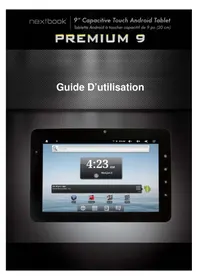
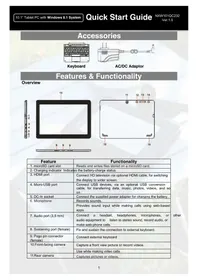
USER MANUAL Premium 8SE Nextbook

Manual assistant
Powered by Anthropic
Waiting for your message
Product information
Brand : Nextbook
Model : Premium 8SE
Category : Tablet