
DVB 269 T2PVR - Receiver GoGen - Free user manual and instructions
Find the device manual for free DVB 269 T2PVR GoGen in PDF.


Pick your language and provide your email: we'll send you a specifically translated version.
| Product Type | Digital Terrestrial Receiver with PVR |
| Model | DVB 269 T2PVR |
| Brand | GoGen |
| Tuner Type | DVB-T/T2, MPEG-2/MPEG-4, H.264 |
| Signal Precision | Full HD 1080p output |
| PVR Function | USB recording and time shift |
| USB Port | 1x USB 2.0 for storage and multimedia |
| Video Output | HDMI, Composite (RCA) |
| Audio Output | HDMI, Digital Coaxial, Analog Stereo |
| Memory | 256 MB RAM, 4 GB Flash storage |
| Power Supply | 5V DC, 1A via external adapter |
| Power Consumption | Max 10W (typical) |
| Dimensions (W x D x H) | 145 x 85 x 35 mm |
| Weight | 0.2 kg |
| Remote Control | IR remote included (batteries not supplied) |
| Channel Search | Automatic digital channel scan |
| Timer Recording | Multiple event timer (up to 8 events) |
| Media Playback | USB playback of MP3, JPEG, MKV, AVI, MP4 |
| Maintenance | Clean with a soft dry cloth; do not use liquids |
| Safety Certifications | CE, RoHS |
| Repair and Spare Parts | No user-serviceable parts; contact GoGen service center |
Frequently Asked Questions - DVB 269 T2PVR GoGen
How do I connect the DVB 269 T2PVR to my television?
Use the included HDMI cable to connect the receiver to an HDMI input on your TV. Alternatively, use the composite RCA connectors if your TV is older. Then connect the antenna cable to the ANT IN socket. Plug in the power adapter and press the power button on the remote. Select the correct HDMI or AV input on your TV.
How do I perform a channel scan?
Press the MENU button on the remote, go to Settings, then choose Channel Search. Select Auto Scan to search all available DVB-T/T2 channels. After scanning, the channels will be saved automatically.
How do I record a program to a USB drive?
Insert a compatible USB drive into the USB port. While watching a program, press the REC button on the remote to start recording. Press STOP to end and save the recording. The file will be stored on the USB drive.
What USB drives are compatible with the PVR function?
Use a USB 2.0 or higher device with FAT32 file system for reliable recording. Storage capacity from 4GB to 32GB is recommended. Higher capacity drives may need to be partitioned or formatted to FAT32.
How does the time shift feature work?
The Time Shift feature pauses live TV and buffers the broadcast. When you press PAUSE, the receiver starts saving the stream to the USB drive. When you press PLAY, playback resumes from the pause point. This requires a connected USB drive.
The remote control is unresponsive. What should I check?
First, check that the remote control has batteries installed correctly. Ensure there are no obstacles between the remote and the receiver. Point the remote directly at the IR sensor on the front panel. If the problem persists, try replacing the batteries.
Can I play videos from a USB stick?
Yes, the USB port supports media playback. Insert a USB drive and press the MEDIA button on the remote. The receiver can play video files like MKV, AVI, MP4 and audio files like MP3 as well as JPEG photos.
How do I set a timer recording for a future program?
Press GUIDE to open the Electronic Program Guide. Select the program you want to record and press OK to set a timer. You can also add a manual timer via the Timer menu in the settings. Confirm the event and ensure the USB drive is inserted.
How do I update the firmware of the receiver?
Check the GoGen website for the latest firmware for the DVB 269 T2PVR. Download the update file, copy it to a FAT32-formatted USB stick. Plug it into the receiver, go to Settings > Software Update and select USB to start the update. Do not disconnect power during the process.
How do I reset the receiver to factory settings?
Go to Settings and select Factory Reset. Confirm the action and the receiver will reset to default settings, including channel lists. You will need to rescan channels after the reset.
User questions about DVB 269 T2PVR GoGen
0 question about this device. Answer the ones you know or ask your own.
Ask a new question about this device
No questions yet. Be the first to ask one.
Download the instructions for your Receiver in PDF format for free! Find your manual DVB 269 T2PVR - GoGen and take your electronic device back in hand. On this page are published all the documents necessary for the use of your device. DVB 269 T2PVR by GoGen.
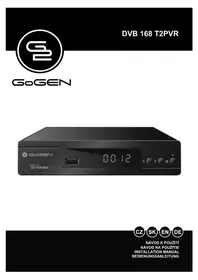
USER MANUAL DVB 269 T2PVR GoGen
Manual assistant
Powered by Anthropic
Waiting for your message
Product information
Brand : GoGen
Model : DVB 269 T2PVR
Category : Receiver