
DVR 940HD - Video camera VIVITAR - Free user manual and instructions
Find the device manual for free DVR 940HD VIVITAR in PDF.


Pick your language and provide your email: we'll send you a specifically translated version.
| Product Type | Digital video camera |
| Brand | VIVITAR |
| Model | DVR 940HD |
| Sensor Resolution | 9.0 megapixels (interpolated) |
| Video Resolution | HD 720p (1280 x 720) at 30 fps |
| Still Photo Resolution | 9.0 MP (JPEG) |
| Lens | Fixed focus, f/3.0 |
| Zoom | 4x digital zoom |
| LCD Screen | 2.7-inch TFT color display |
| Storage Media | SD/SDHC memory card (up to 32GB) |
| File Formats | AVI (MJPEG) video, JPEG still images |
| Connectivity | USB 2.0, AV output |
| Power Source | Rechargeable lithium-ion battery (3.7V, 700mAh) |
| Dimensions | 4.4 x 2.6 x 1.5 inches (112 x 66 x 38 mm) |
| Weight | 5.3 oz (150 g) with battery |
| Main Functions | Video recording, still photo capture, playback, digital zoom, built-in microphone and speaker |
| Cleaning and Maintenance | Wipe exterior with a soft dry cloth; avoid using solvents or abrasive cleaners |
| Safety | Do not expose to water, moisture, or extreme heat; keep away from direct sunlight |
| Spare Parts and Repairability | Batteries, chargers, USB cables, and LCD replacement parts available from online retailers |
| General Information | Full user manual in English available for free download at notice-facile.com |
Frequently Asked Questions - DVR 940HD VIVITAR
How do I transfer videos and photos to my computer?
Use the supplied USB cable to connect the camera to your computer. Turn on the camera and set the mode switch to Playback mode. Your computer will recognize the camera as a removable drive, allowing you to copy files directly.
What memory card is compatible with the DVR 940HD?
The camera supports SD and SDHC memory cards up to 32GB. For best performance, use a Class 4 or higher card.
How long does the battery last?
The built-in lithium-ion battery provides approximately 60-90 minutes of continuous recording, depending on usage and screen brightness.
Can I use the camera while it is charging?
Yes, you can operate the camera while connected to the AC adapter, but this may cause the camera to warm up. It is recommended to charge fully before extended use.
How do I set the video resolution?
Press the Menu button, navigate to the Video Resolution setting, and choose between HD 720p or VGA quality. Higher resolution uses more memory card space.
Why is my video blurry?
The camera has a fixed focus lens. Make sure you are at least 1 meter away from the subject. Clean the lens with a soft cloth and ensure you are holding the camera steady.
How do I connect the camera to a TV?
Use the included AV cable to connect the camera's AV output jack to the composite input on your TV. Set the TV to the correct input channel.
Can I take still photos while recording video?
No, the DVR 940HD does not support capturing still photos during video recording. You must stop recording to take a photo.
How do I format the memory card?
In the camera's Menu system, select Format and confirm. This will erase all data on the card. Always back up important files before formatting.
What should I do if the camera does not turn on?
Make sure the battery is charged and inserted correctly. If the problem persists, try resetting the camera by removing the battery for a few minutes and reinserting it. If still not working, contact support.
User questions about DVR 940HD VIVITAR
0 question about this device. Answer the ones you know or ask your own.
Ask a new question about this device
No questions yet. Be the first to ask one.
Download the instructions for your Video camera in PDF format for free! Find your manual DVR 940HD - VIVITAR and take your electronic device back in hand. On this page are published all the documents necessary for the use of your device. DVR 940HD by VIVITAR.
USER MANUAL DVR 940HD VIVITAR
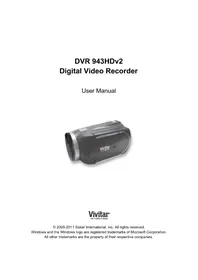
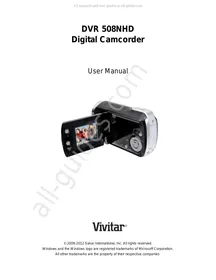
Manual assistant
Powered by Anthropic
Waiting for your message
Product information
Brand : VIVITAR
Model : DVR 940HD
Category : Video camera