
CQ-D7400W - Car Radio PANASONIC - Free user manual and instructions
Find the device manual for free CQ-D7400W PANASONIC in PDF.


Pick your language and provide your email: we'll send you a specifically translated version.
| Product Type | Car Radio / CD Receiver |
| Brand | Panasonic |
| Model | CQ-D7400W |
| Chassis Size | 1-DIN (Standard 178 x 50 mm) |
| Dimensions (W x H x D) | 178 x 50 x 160 mm |
| Weight | 1.5 kg |
| Power Supply | 12V DC (Negative Ground) |
| Maximum Power Output | 45 W x 4 channels |
| Radio Tuner | AM/FM with RDS (Radio Data System) |
| Preset Stations | 30 (18 FM, 12 AM) |
| CD Playback | CD, CD-R, CD-RW compatible |
| Audio Controls | Bass, Treble, Balance, Fader (adjustable) |
| Built-in Equalizer | Yes (multiple preset curves) |
| Display | LCD with adjustable backlight |
| Detachable Faceplate | Yes, for theft protection |
| Remote Control | Included for remote operation |
| Clock | Built-in digital clock |
| Installation Depth | 160 mm |
| Operating Temperature | -10°C to +60°C |
| Cleaning Instructions | Wipe faceplate with soft, dry cloth; avoid solvents |
| Security | Detachable faceplate with carrying case |
| Spare Parts | Available through authorized Panasonic service centers |
| Repairability | Serviceable by qualified technicians; refer to manual |
Frequently Asked Questions - CQ-D7400W PANASONIC
How do I set the clock on my Panasonic CQ-D7400W?
Press and hold the DISP button until the hour digits flash. Rotate the VOL knob to set the hour, then press DISP again to set the minutes. Repeat the same process to adjust the minutes. Press DISP once more to confirm and exit clock setting mode.
Can I store radio stations in the preset memory?
Yes. Tune to the desired station using SEEK or MANUAL mode, then press and hold one of the PRESET buttons (1-6) for a few seconds until the display blinks. The station is now stored. Repeat for other presets. You can manually or automatically store up to 30 stations.
What should I do if the CD skips or does not play properly?
First, clean the CD disc with a soft, lint-free cloth from the center outward. Check that the disc is not scratched or warped. Ensure the disc is properly inserted with the label side up. If the issue persists, try ejecting and reinserting the disc. Avoid using discs with adhesive labels or cracks.
How do I remove the detachable faceplate for security?
Press the OPEN button to lower the faceplate, then slide it to the left or right as shown in the manual. Pull the faceplate straight out. Store it in the supplied carrying case to avoid damage. To reinstall, align the guides and push until it clicks securely.
What is the maximum power output of this car radio?
The Panasonic CQ-D7400W delivers 45 watts maximum power per channel across 4 channels, providing a total of up to 180 watts peak output. This is typical for aftermarket car stereo units.
Can I play burned CDs (CD-R or CD-RW) in the CQ-D7400W?
Yes, the unit supports playback of CD-R and CD-RW discs. However, for best compatibility, use high-quality discs and finalize the recording session. Multi-session discs may not always work, so it is recommended to burn a standard audio CD format.
How do I adjust the bass and treble tones?
Press the AUDIO button repeatedly to cycle through subwoofer, bass, treble, balance, and fader modes. Use the VOL knob to increase or decrease the selected setting. The chosen adjustment is automatically saved after a few seconds.
Does the radio have RDS functions and how can I use them?
Yes, the unit supports RDS (Radio Data System) for FM stations. It can display station names, traffic announcements, and allow you to search for stations by program type. Press the RDS button to activate RDS mode, then use the PTY or TA buttons to access specific features.
How should I clean and maintain my car radio?
Use a soft, dry cloth to wipe the faceplate and controls. Do not use chemical solvents, alcohol, or abrasive cleaners, as they may damage the surface. Keep the faceplate in its carrying case when removed. Periodically check that the wiring connections are secure and the unit is properly grounded.
What should I check if the car radio does not turn on?
First, verify that the car ignition is in the ACC or ON position. Check the car fuse connected to the radio circuit, as a blown fuse is a common cause. Ensure the wiring harness is securely plugged into the back of the unit. Also, confirm that the unit's own fuse (if present) is intact. If all these are correct, consult the installation manual or a professional installer.
User questions about CQ-D7400W PANASONIC
0 question about this device. Answer the ones you know or ask your own.
Ask a new question about this device
No questions yet. Be the first to ask one.
Download the instructions for your Car Radio in PDF format for free! Find your manual CQ-D7400W - PANASONIC and take your electronic device back in hand. On this page are published all the documents necessary for the use of your device. CQ-D7400W by PANASONIC.
USER MANUAL CQ-D7400W PANASONIC
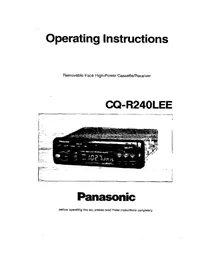
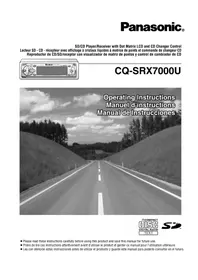

Manual assistant
Powered by Anthropic
Waiting for your message
Product information
Brand : PANASONIC
Model : CQ-D7400W
Category : Car Radio