
CQ-C9800U - Car Radio PANASONIC - Free user manual and instructions
Find the device manual for free CQ-C9800U PANASONIC in PDF.


Pick your language and provide your email: we'll send you a specifically translated version.
| Product Type | Car Radio with CD Player |
| Brand | Panasonic |
| Model | CQ-C9800U |
| Dimensions (W x H x D) | 178 mm x 50 mm x 160 mm |
| Weight | 1.5 kg |
| Power Supply | 12V DC (negative ground) |
| Max Power Output | 4 x 50 Watts (peak) |
| RMS Power Output | 4 x 20 Watts |
| Disc Compatibility | CD, CD-R, CD-RW |
| Tuner Bands | FM/AM with RDS |
| Preset Stations | 18 FM, 6 AM |
| Audio Features | Built-in amplifier, fader, balance, bass and treble controls |
| Display | LCD with adjustable backlight |
| Line Outputs | 2-channel preamp output (RCA) |
| Steering Wheel Control Compatibility | Available with optional adapter |
| Detachable Faceplate | Yes, with safety lock |
| Maintenance | Clean with soft dry cloth; avoid solvents |
| Repair and Spare Parts | Contact Panasonic authorized service center for genuine parts |
Frequently Asked Questions - CQ-C9800U PANASONIC
How do I install the Panasonic CQ-C9800U in my car?
First, disconnect the negative battery terminal. Connect the wiring harness to your vehicle's ISO connectors, matching the color codes. Attach the mounting brackets and slide the unit into the DIN slot. Do not force the unit; ensure the chassis is securely fastened.
Can I connect an external amplifier to this radio?
Yes, the CQ-C9800U has a 2-channel RCA preamp output. Connect the left and right outputs to your amplifier's input using quality RCA cables. Make sure the amplifier's input level matches the head unit's output.
Does the CQ-C9800U support MP3 playback?
No, this model only plays standard audio CDs, CD-R and CD-RW discs. It does not support MP3 or other compressed audio formats.
How can I reset the radio if it stops working?
Press the RESET button located on the front panel (near the volume knob) using a pointed object. This will restore factory defaults. If the problem persists, check the vehicle's fuse and wiring connections.
What is the power output of the built-in amplifier?
The built-in amplifier delivers 20 watts RMS per channel (4 channels) and up to 50 watts peak power per channel. This is sufficient for standard aftermarket speakers.
How do I set the clock on this Panasonic radio?
Press and hold the CLK button for 2 seconds. The hour digits will blink; rotate the volume knob to adjust. Press CLK again to switch to minutes, adjust, and press CLK once more to save.
Does the unit have a removable faceplate to prevent theft?
Yes, the faceplate is detachable. To remove, press the RELEASE button and pull the faceplate outward. Store it in the protective case when away from the vehicle.
How can I improve FM radio reception?
Ensure the antenna cable is firmly connected and the antenna is fully extended. If reception remains weak, consider using an amplified antenna or install a signal booster compatible with your vehicle.
What should I do if the CD does not play or skips?
First, inspect the disc for scratches or dirt. Clean it with a soft cloth from the center outward. Also, avoid using CDs with labels or damaged edges. If the issue continues, the laser lens may need cleaning with a lens cleaning disc.
Is the CQ-C9800U compatible with steering wheel audio controls?
The radio itself does not directly support steering wheel controls. However, you can use an aftermarket adapter specifically designed for Panasonic units to retain these controls when installed professionally.
User questions about CQ-C9800U PANASONIC
0 question about this device. Answer the ones you know or ask your own.
Ask a new question about this device
No questions yet. Be the first to ask one.
Download the instructions for your Car Radio in PDF format for free! Find your manual CQ-C9800U - PANASONIC and take your electronic device back in hand. On this page are published all the documents necessary for the use of your device. CQ-C9800U by PANASONIC.
USER MANUAL CQ-C9800U PANASONIC
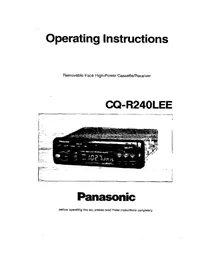
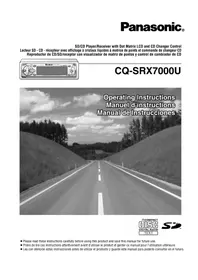

Manual assistant
Powered by Anthropic
Waiting for your message
Product information
Brand : PANASONIC
Model : CQ-C9800U
Category : Car Radio