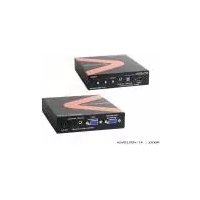
AT-HD520 - Audio/video converter Lenexpo - Free user manual and instructions
Find the device manual for free AT-HD520 Lenexpo in PDF.


Pick your language and provide your email: we'll send you a specifically translated version.
| Product Type | Audio/Video Converter |
| Brand | Lenexpo |
| Model | AT-HD520 |
| Input Connection | HDMI (female) |
| Output Connection | Composite video (RCA) + Stereo audio (L/R RCA) |
| Supported Input Resolutions | 480p, 576p, 720p, 1080p |
| Output Video Format | 480i (NTSC) or 576i (PAL) |
| Audio Output | Stereo analog (L/R) |
| Power Supply | USB 5V DC or 5V DC adapter (not included) |
| Power Consumption | 2W max |
| Dimensions (L x W x H) | 85 x 55 x 25 mm |
| Weight | 120 g |
| Housing Material | ABS plastic |
| Color | Black |
| Connectors | 1x HDMI input, 3x RCA output (video, L, R) |
| LED Indicators | Power LED and Signal LED |
| Plug & Play | Yes, no drivers required |
| Supported TV Systems | NTSC and PAL |
| Operating Temperature | 0°C to 45°C |
| Storage Temperature | -10°C to 60°C |
| Maintenance | Wipe with a dry, soft cloth |
| Safety | Use only specified power adapter; avoid moisture |
| Spare Parts | Not user-replaceable; contact seller for support |
| Repairability | Non-serviceable; covered by warranty |
Frequently Asked Questions - AT-HD520 Lenexpo
How do I connect the AT-HD520 converter?
Connect an HDMI cable from your source device (e.g., laptop, game console) to the HDMI input of the AT-HD520. Then connect the included RCA cable to the composite video output (yellow) and the audio outputs (white and red) to your TV or projector. Finally, power the unit via the USB port using a 5V adapter or a USB port on your TV.
Why is there no video signal on my TV?
First, ensure the AT-HD520 is powered and the Power LED is lit. Check that the HDMI source is sending a signal and that the converter is set to the correct output format (NTSC or PAL) matching your TV. Try switching the PAL/NTSC switch on the device. Also verify that the RCA cables are firmly connected to the yellow video input on your TV.
Does this converter support 1080p input?
Yes, the AT-HD520 accepts HDMI input up to 1080p. However, the output is always standard definition (480i or 576i), because composite video cannot carry high-definition signals. The converter downscales the picture to match the output format.
Can I use it with a DVD player?
Absolutely. If your DVD player has an HDMI output, you can connect it to the AT-HD520 and convert the signal to composite video for older TVs. Simply set the DVD player to a compatible output resolution, such as 480p or 576p, for best results.
How do I switch between PAL and NTSC?
The AT-HD520 has a small toggle switch or recessed button labeled PAL/NTSC. Use a pointed object to switch it according to your region. In North America, select NTSC; in Europe and most other countries, select PAL. Make sure the TV is set to the same standard.
Does it require a power supply?
Yes, the converter needs 5V DC power. It can be powered via the built-in USB cable connected to a USB charger or to a USB port on your TV, computer, or power bank. The package may include a USB power adapter, but not all units do—check the manual.
What cables are included in the box?
Typically, the AT-HD520 comes with a USB power cable and a composite video/audio cable (yellow, white, red). It does not include an HDMI cable, so you will need to purchase one separately. Some bundles may include an RCA adapter, so verify the package contents.
Can I connect it to a projector?
Yes, if your projector has composite video input (RCA jack), you can use the AT-HD520 to convert an HDMI signal. Connect the yellow RCA plug to the projector's video input and the white/red plugs to the audio inputs. Make sure the projector is set to the correct input source.
What should I do if there is no sound?
Check that the white and red RCA cables are connected to the audio inputs on your TV or amplifier. Ensure the source device is not muted and is outputting audio via HDMI. The converter extracts the audio and outputs it as analog stereo, so if you only connected the yellow video cable, no sound will play.
Is this device compatible with laptops?
Yes, the AT-HD520 works with any device that has an HDMI output, including laptops, desktops, tablets, and smartphones (with appropriate adapter). Simply plug in the HDMI cable and power the converter. No software or drivers are needed; it works as a plug-and-play device.
User questions about AT-HD520 Lenexpo
0 question about this device. Answer the ones you know or ask your own.
Ask a new question about this device
No questions yet. Be the first to ask one.
Download the instructions for your Audio/video converter in PDF format for free! Find your manual AT-HD520 - Lenexpo and take your electronic device back in hand. On this page are published all the documents necessary for the use of your device. AT-HD520 by Lenexpo.
USER MANUAL AT-HD520 Lenexpo

Manual assistant
Powered by Anthropic
Waiting for your message
Product information
Brand : Lenexpo
Model : AT-HD520
Category : Audio/video converter