
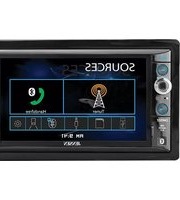
VX3528 - Receiver JENSEN - Free user manual and instructions
Find the device manual for free VX3528 JENSEN in PDF.


Pick your language and provide your email: we'll send you a specifically translated version.
| Product Type | Multimedia Receiver |
| Brand | JENSEN |
| Model | VX3528 |
| Display Type | Touchscreen LCD |
| Screen Size | 3.5 inches |
| Audio Power Output | 4 x 50 watts (peak) |
| Tuner Bands | AM/FM with RDS |
| Bluetooth Connectivity | Hands-free calls and audio streaming |
| USB Port | 1 x front USB for media playback |
| SD Card Slot | Supports microSD cards |
| Rear Camera Input | 1 x RCA video input for backup camera |
| Remote Control | Included wireless remote |
| Dimensions (W x H x D) | 178 x 100 x 75 mm (double-DIN) |
| Weight | 1.5 kg |
| Power Supply | 12V DC (negative ground) |
| Fuse Rating | 10A blade fuse |
| Operating Temperature | -20°C to +60°C |
| Installation Size | Standard double-DIN (ISO 7736) |
| Cleaning and Maintenance | Wipe with a soft dry cloth; do not use solvents |
| Safety Warnings | Install securely, use correct fuse, avoid water exposure |
| Spare Parts and Reparability | No user-serviceable parts; contact qualified service |
Frequently Asked Questions - VX3528 JENSEN
How do I install the Jensen VX3528 receiver in my car?
First, disconnect the negative battery terminal. Then, connect the wiring harness to your vehicle's stereo harness. Mount the unit using the supplied brackets, ensuring it fits securely in a double-DIN slot. Finally, reconnect the battery and test the receiver.
Why is my Bluetooth not working on the VX3528?
Make sure your phone's Bluetooth is enabled and is within range. On the receiver, press the Bluetooth button to enter pairing mode. Look for 'JENSEN VX3528' on your phone and select it. If the issue persists, try deleting the pairing from both devices and repeat the process.
How can I reset the VX3528 to factory defaults?
Locate the Reset button on the front panel or behind the detachable faceplate. Use a pen tip or a paperclip to press and hold the button for a few seconds. The receiver will restart and restore all settings to factory defaults.
Can I connect a backup camera to the VX3528?
Yes, the VX3528 has a dedicated rear camera input (yellow RCA connector). Connect the camera's video cable to this input and enable the camera feature in the settings menu. When you shift into reverse, the screen will automatically display the camera feed if wired properly.
What audio formats are supported via USB or SD card?
The receiver supports common formats such as MP3, WMA, and FLAC (up to 48 kHz sample rate). Insert a USB drive or microSD card with your music files, and select the corresponding source to browse and play them.
How do I adjust the sound settings (bass, treble, balance)?
Press the Sound or EQ button on the unit or remote. Use the on-screen menus to adjust bass, treble, balance, and fader. You can also select from preset equalizer curves or create a custom one using the User EQ option.
Why does the radio reception seem poor?
Check that the vehicle's antenna is fully connected and extended. In areas with weak signals, try selecting Mono mode instead of Stereo, which can reduce noise. Also, ensure the antenna ground is secure.
How do I clean and maintain the VX3528?
Use a soft, dry microfiber cloth to wipe the screen and buttons. Avoid using harsh chemicals or abrasive cleaners, as they may damage the coating. Periodically check the wiring connections to ensure they remain secure.
Is the VX3528 compatible with steering wheel controls?
It may be compatible if your vehicle supports aftermarket adapters. You will need an SWC (Steering Wheel Control) adapter that connects to the receiver's wiring harness. Refer to the manual or consult an installer to verify compatibility.
What is the warranty on the Jensen VX3528?
Most Jensen products come with a 1-year limited warranty against defects in materials and workmanship. To claim service, keep your original receipt and contact the dealer where you purchased the unit or Jensen customer support for further assistance.
User questions about VX3528 JENSEN
0 question about this device. Answer the ones you know or ask your own.
Ask a new question about this device
No questions yet. Be the first to ask one.
Download the instructions for your Receiver in PDF format for free! Find your manual VX3528 - JENSEN and take your electronic device back in hand. On this page are published all the documents necessary for the use of your device. VX3528 by JENSEN.
USER MANUAL VX3528 JENSEN



Manual assistant
Powered by Anthropic
Waiting for your message
Product information
Brand : JENSEN
Model : VX3528
Category : Receiver