
Flash - Fork / connection base MAJESTIC - Free user manual and instructions
Find the device manual for free Flash MAJESTIC in PDF.


Pick your language and provide your email: we'll send you a specifically translated version.
| Product type | Docking station |
| Brand | MAJESTIC |
| Model | Flash |
| Dimensions (L x H x D) | 120 x 80 x 30 mm |
| Weight | 150 g |
| Material | ABS plastic |
| Color | Black |
| Power supply | USB 5V / 2A |
| Input port | 1x USB-C |
| Output port | 1x USB-A |
| Main functions | Fast charging and data synchronization |
| LED indicator | Yes, charging indicator |
| Protections | Against overcurrent, overvoltage, and short circuit |
| Maintenance and cleaning | Clean with a soft, dry cloth |
| Spare parts | Available on request |
| Package contents | Base, USB cable, user manual |
| Warranty | 24 months |
Frequently Asked Questions - Flash MAJESTIC
How do I connect the Flash docking station to my device?
Connect the base to a power outlet using the included USB cable. Then, use your device's charging cable to connect it to the USB-A port on the base. The connection is immediate and is indicated by the LED indicator.
Is the Flash docking station compatible with all smartphones?
The base is compatible with most smartphones, tablets, and devices that support USB charging. However, to ensure optimal operation, we recommend using certified cables and verifying that the device has a standard USB port.
How do I charge the docking station?
The base does not require internal charging: it is powered directly from the power outlet via the USB cable. Simply connect the cable to the USB-C input port on the base and to the outlet. The LED indicator lights up to confirm power.
What do the LED indicators on the Flash base mean?
The LED indicators provide information about the operating status. A steady light indicates that the base is powered correctly; a flashing light may signal an anomaly or overload. In case of flashing, disconnect the base and check the connections.
How do I clean the Flash docking station?
To clean the base, disconnect it from the power outlet and wait for it to cool down. Use a soft, dry cloth to remove dust and fingerprints. Avoid using liquids or harsh detergents that could damage the internal components.
Can I use the Flash base while the device is charging?
Yes, the docking station supports simultaneous charging and synchronization. You can continue using your device while it charges, as long as the cable is properly connected.
What should I do if the Flash base is not working?
If the base is not working, first check the USB cable and power outlet. Verify that the LED indicator is on. If the problem persists, try restarting the connected device and using a different cable. If it still does not work, contact MAJESTIC customer support for repair or replacement.
Is the Flash base safe to leave plugged in?
Yes, the base is equipped with overcurrent and short-circuit protections, so it can remain plugged in even without a device connected. However, for optimal energy consumption, we recommend unplugging it when not used for extended periods.
What accessories are included in the Flash base package?
The package includes: the Flash docking station, a USB power cable, and the user manual. No other accessories are included, such as the device charging cable, which must be purchased separately.
How can I dispose of the product at the end of its life?
The Flash base must be disposed of as electronic waste (WEEE). Do not throw it in the regular trash. Take it to an authorized collection point or return it to the retailer when purchasing a new product. For more information, consult local regulations on waste disposal.
User questions about Flash MAJESTIC
0 question about this device. Answer the ones you know or ask your own.
Ask a new question about this device
No questions yet. Be the first to ask one.
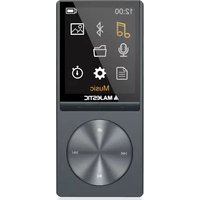
Download the instructions for your Fork / connection base in PDF format for free! Find your manual Flash - MAJESTIC and take your electronic device back in hand. On this page are published all the documents necessary for the use of your device. Flash by MAJESTIC.
USER MANUAL Flash MAJESTIC


Manual assistant
Powered by Anthropic
Waiting for your message
Product information
Brand : MAJESTIC
Model : Flash
Category : Fork / connection base