
CPX 4 - Receiver CREST AUDIO - Free user manual and instructions
Find the device manual for free CPX 4 CREST AUDIO in PDF.


Pick your language and provide your email: we'll send you a specifically translated version.
| Product Type | Professional Audio Receiver |
| Brand | Crest Audio |
| Model | CPX 4 |
| Number of Channels | 4 |
| Power Output per Channel | 100 W RMS at 8 ohms |
| Frequency Response | 20 Hz – 20 kHz (±0.5 dB) |
| Total Harmonic Distortion | < 0.05% |
| Signal-to-Noise Ratio | > 100 dB |
| Audio Inputs | 4 x Stereo RCA, 2 x Optical, 1 x Coaxial |
| Audio Outputs | 4 x Speaker binding posts, 1 x Preamp out |
| Speaker Impedance | 4 – 16 ohms |
| Dimensions (W x H x D) | 482 x 88 x 320 mm |
| Weight | 8.5 kg |
| Power Supply | 100 – 240 V AC, 50/60 Hz |
| Power Consumption | 500 W max |
| Cooling | Automatic dual fan |
| Remote Control | Infrared, included |
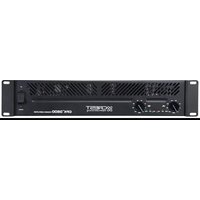
| Rack Mountable | Yes, 2U |
| Protection Features | Overload, short circuit, thermal |
| Cleaning | Wipe with dry cloth; avoid solvents |
| Safety | Ensure proper ventilation; keep away from moisture |
| Spare Parts Availability | Through authorized service centers |
| Repairability | Modular design with replaceable modules |
Frequently Asked Questions - CPX 4 CREST AUDIO
How do I connect speakers to the CPX 4?
Connect each speaker to the corresponding speaker output terminal. Ensure the impedance is between 4 and 16 ohms and turn off the receiver before making connections.
What is the maximum power output of the CPX 4?
The CPX 4 delivers 100 watts RMS per channel at 8 ohms, or 150 watts at 4 ohms. This is sufficient for most home and small venue setups.
Can I use the CPX 4 with a home theater system?
Yes, the CPX 4 can be integrated into a home theater by connecting it to your AV processor and using the analog outputs. It offers clean, reliable amplification for multi-channel audio.
How do I set up the receiver for a live event?
For live events, place the CPX 4 in a well-ventilated rack, connect your mixer's main outputs to the line inputs, and adjust the gain levels to avoid clipping. Use the built-in protection features to ensure safe operation.
What does the protection LED indicate?
The protection LED lights up when the receiver detects overload, short circuit, or overheating. If it stays lit, turn off the device and check the speaker connections and ventilation.
How do I clean and maintain the CPX 4?
Disconnect the power and wipe the exterior with a soft, dry cloth. Do not use liquids or sprays. Periodically check the fans for dust buildup and clean them gently.
Can I mount the receiver in a standard rack?
Yes, the CPX 4 is rack-mountable and fits in a 2U space. Use proper rack screws and ensure adequate airflow around the unit.
What types of audio inputs are supported?
The CPX 4 features 4 stereo RCA inputs, 2 optical digital inputs, and 1 coaxial digital input, allowing connection to CD players, mixers, TVs, and other audio sources.
Is it possible to chain multiple CPX 4 units?
Yes, you can connect multiple CPX 4 units by using the preamp output to feed additional amplifiers. This allows you to expand the number of amplified channels.
Where can I find a replacement remote control?
Replacement remote controls are available through authorized Crest Audio dealers or directly from the manufacturer. You can also use a universal remote with the correct IR codes.
User questions about CPX 4 CREST AUDIO
0 question about this device. Answer the ones you know or ask your own.
Ask a new question about this device
No questions yet. Be the first to ask one.
Download the instructions for your Receiver in PDF format for free! Find your manual CPX 4 - CREST AUDIO and take your electronic device back in hand. On this page are published all the documents necessary for the use of your device. CPX 4 by CREST AUDIO.
USER MANUAL CPX 4 CREST AUDIO



Manual assistant
Powered by Anthropic
Waiting for your message
Product information
Brand : CREST AUDIO
Model : CPX 4
Category : Receiver