
AW2400 - Voice recorder YAMAHA - Free user manual and instructions
Find the device manual for free AW2400 YAMAHA in PDF.


Pick your language and provide your email: we'll send you a specifically translated version.
| Product type | 24-track digital audio workstation / voice recorder |
| Brand | Yamaha |
| Model | AW2400 |
| Recording media | 20GB internal hard disk |
| Optical drive | Built-in CD-RW drive for burning and playback |
| Number of tracks | 24 playback tracks (12 at a time during recording) |
| Recording quality | 16-bit linear PCM, 44.1 kHz sampling |
| Input channels | 8 mono input channels with phantom power |
| Effects | Built-in digital effects: reverb, delay, EQ, compression |
| Display | 5.7-inch color LCD display |
| Dimensions | 445 x 132 x 434 mm (17.5 x 5.2 x 17.1 inches) |
| Weight | 7.5 kg (16.5 lbs) |
| Power supply | AC adapter (included) or rechargeable battery option |
| Power consumption | 35 W |
| Main functions | Multitrack recording, editing, mixing, mastering, song creation |
| Maintenance and cleaning | Use a soft dry cloth; avoid solvents; clean the CD lens with a lens cleaner |
| Safety precautions | Keep away from moisture; do not disassemble; use only specified power supply |
| Spare parts and repairability | Replacement hard disk/optical drive available via Yamaha service centers |
| General information | Compatible with Yamaha AW series accessories and Cubase AI software |
Frequently Asked Questions - AW2400 YAMAHA
How do I transfer recordings from the AW2400 to my computer?
You can transfer recordings by connecting the AW2400 to your computer via USB or by burning audio files to a CD-RW using the built-in drive. The included Cubase AI software helps you import and edit the files.
Can the AW2400 be used as an audio interface?
Yes, the AW2400 can function as a USB audio interface. This allows you to record its inputs directly into a DAW on your computer in real time.
How do I back up my recordings safely?
Use the built-in CD burner to burn your projects to CD-R or CD-RW. You can also connect the unit to a computer via USB and copy the project files to your hard drive for additional backup.
What is the maximum recording time available?
With a 20GB hard disk and 16-bit/44.1kHz recording, you can record roughly 40 hours of 8-track simultaneous audio. Recording with fewer tracks extends the recording time proportionally.
Does the AW2400 provide phantom power?
Yes, each of the 8 input channels has a switchable 48V phantom power supply, which is essential for condenser microphones.
How can I update the firmware of my AW2400?
Download the latest firmware from the Yamaha website to a compatible CompactFlash card, insert the card, and use the update function in the system menu. Follow the instructions in the manual.
Can I edit recorded tracks without losing the original audio?
Yes, the AW2400 offers non-destructive editing. You can cut, copy, paste and move sections with full undo capability, so your original recordings remain intact until you finalize the song.
How do I reset the AW2400 to factory settings?
While the device is off, hold down the UTILITY button and then power on. From the menu select Initialize to restore all settings to their factory defaults. Remember to back up your projects first.
Is there a vocal cancel function on the AW2400?
Yes, the Center Cancel feature works on played-back commercial audio CDs, allowing you to suppress the centered vocal track for practice or karaoke. It does not affect your own recordings.
How should I clean and maintain the AW2400?
Use a soft, dry cloth to clean the exterior and display. Avoid water and chemical cleaners. For the built-in CD lens, use a commercial lens cleaner disc periodically to keep playback and burning reliable.
User questions about AW2400 YAMAHA
0 question about this device. Answer the ones you know or ask your own.
Ask a new question about this device
No questions yet. Be the first to ask one.
Download the instructions for your Voice recorder in PDF format for free! Find your manual AW2400 - YAMAHA and take your electronic device back in hand. On this page are published all the documents necessary for the use of your device. AW2400 by YAMAHA.
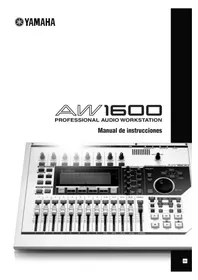
USER MANUAL AW2400 YAMAHA
Manual assistant
Powered by Anthropic
Waiting for your message
Product information
Brand : YAMAHA
Model : AW2400
Category : Voice recorder