
VSFHP3802AS - Pumps Jandy - Free user manual and instructions
Find the device manual for free VSFHP3802AS Jandy in PDF.


Pick your language and provide your email: we'll send you a specifically translated version.
| Product Type | Variable speed pool pump |
| Brand | Jandy |
| Model | VSFHP3802AS |
| Horsepower | 2.7 HP (variable speed) |
| Voltage | 230 V AC |
| Frequency | 60 Hz |
| Phase | Single phase |
| Max Flow Rate | 95 GPM |
| Connection Size | 2 inch slip or thread |
| Pump Housing Material | Reinforced thermoplastic |
| Strainer Basket | Large capacity with see-through lid |
| Control Interface | Digital keypad with LCD display |
| Automation Compatibility | Jandy AquaLink RS |
| Energy Efficiency | Up to 80% energy savings compared to single-speed pumps |
| Certifications | UL listed, Energy Star Most Efficient |
| Dimensions (L x W x H) | 24.5 x 12.8 x 14.9 inches (62 x 32.5 x 37.8 cm) |
| Weight | 55 lbs (25 kg) |
| Operating Temperature Range | 32°F to 110°F (0°C to 43°C) |
| Warranty | 3-year limited residential warranty |
| Installation Type | In-ground and above-ground swimming pools |
| Maintenance Requirements | Clean strainer basket monthly, inspect seals annually |
Frequently Asked Questions - VSFHP3802AS Jandy
How do I prime the VSFHP3802AS pump?
Remove the strainer basket lid and fill the pump housing with water until it reaches the inlet port. Replace the lid and ensure it is sealed. Turn on the pump and it should prime automatically within a few minutes. If not, check for air leaks in the suction line.
How to set a custom speed on the pump?
Press the 'Speed' button on the control pad. Use the up/down arrows to adjust the desired speed in RPM. Confirm by pressing 'Enter'. You can program up to 8 different speeds for different applications like filtration, heating, or cleaning.
Can I connect this pump to my Jandy AquaLink system?
Yes, the VSFHP3802AS is compatible with Jandy AquaLink RS automation. Connect the pump to the automation panel using the communication cable, then you can control speeds and schedules from your AquaLink control panel or mobile app.
Why is my pump not starting?
First, check that power is reaching the pump and the breaker is not tripped. Verify that the pump is primed and the strainer basket is not clogged. Also check the door switch on the strainer lid. If the display shows an error code, consult the troubleshooting section of the manual.
How often should I clean the pump strainer basket?
Check the strainer basket weekly and clean it when debris accumulates. A clogged basket reduces flow and makes the pump work harder. Remove the basket, rinse it with a hose, and snap it back into place. Never operate the pump without the basket installed.
What is the procedure for winterizing this pump?
Drain all water from the pump by removing the drain plugs. Remove the strainer basket and store it separately. Cover the pump to protect it from rain and snow. Make sure the plumbing is also drained to prevent freezing damage.
Can I run the pump at low speed 24/7?
Yes, running at low speed is energy efficient and helps keep the water clear and circulating. A typical schedule is 8 hours at low speed and 4 hours at higher speed for skimming and heating. This reduces energy costs while maintaining water quality.
What do the error codes on the display mean?
Common error codes include E1 (overload), E2 (over temperature), E3 (dry run), and E4 (phase loss). Refer to the manual for a full list. Most errors require checking wiring, voltage, and water flow. If the issue persists, contact a qualified pool technician.
How do I reset the pump to factory defaults?
Turn off the pump and wait 10 seconds. Press and hold the 'Stop' button for 5 seconds until the display shows 'rES'. Confirm by pressing 'Enter'. This restores all settings to factory defaults.
What is the recommended maintenance for the pump seal?
Inspect the shaft seal annually for cracks or leakage. If you notice water dripping from the motor, replace the seal immediately. Always follow the instructions in the manual and consider using a seal kit designed for the VSFHP3802AS.
User questions about VSFHP3802AS Jandy
0 question about this device. Answer the ones you know or ask your own.
Ask a new question about this device
No questions yet. Be the first to ask one.
Download the instructions for your Pumps in PDF format for free! Find your manual VSFHP3802AS - Jandy and take your electronic device back in hand. On this page are published all the documents necessary for the use of your device. VSFHP3802AS by Jandy.
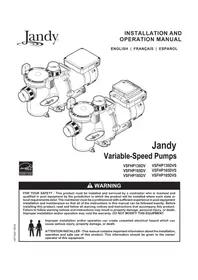
USER MANUAL VSFHP3802AS Jandy



Manual assistant
Powered by Anthropic
Waiting for your message
Product information
Brand : Jandy
Model : VSFHP3802AS
Category : Pumps