
MID7005-4G - Tablet COBY - Free user manual and instructions
Find the device manual for free MID7005-4G COBY in PDF.


Pick your language and provide your email: we'll send you a specifically translated version.
| Product Type | Tablet |
| Brand | COBY |
| Model | MID7005-4G |
| Display Size | 7 inches |
| Display Resolution | 1024 x 600 pixels (WSVGA) |
| Touchscreen | Capacitive multi-touch |
| Operating System | Android 4.2 Jelly Bean |
| Processor | 1.2 GHz Quad-Core |
| RAM | 1 GB |
| Internal Storage | 8 GB |
| Expandable Storage | microSD up to 32 GB |
| Rear Camera | 2 MP |
| Front Camera | 0.3 MP (VGA) |
| Connectivity | Wi-Fi 802.11 b/g/n, Bluetooth 4.0, 4G LTE |
| SIM Support | Micro-SIM slot for cellular data |
| Battery Capacity | 2800 mAh (estimated) |
| Charging | 5V 2A DC adapter |
| Dimensions (W x D x H) | 190 x 115 x 10.5 mm (approx.) |
| Weight | 300 g (approx.) |
| Care and Cleaning | Wipe the screen and body with a soft, dry microfiber cloth. Do not use harsh chemicals. |
| Safety Instructions | Avoid exposure to extreme temperatures. Use the provided charger only. Do not attempt to disassemble the device. |
| Spare Parts & Repairability | The battery and display are replaceable by a qualified technician. Original accessories and parts can be ordered from COBY service centers. |
| General Information | Built-in stereo speakers, 3.5 mm headphone jack, microphone, and G-sensor for auto-rotation. |
Frequently Asked Questions - MID7005-4G COBY
How do I insert a SIM card for 4G connectivity?
Turn off the device, locate the SIM slot (usually on the side or under a cover). Insert a Micro-SIM card with the gold contacts facing down. Power on and go to Settings > Network to configure the APN if necessary. The tablet supports 4G LTE for high-speed data.
How can I increase the storage space?
The internal storage is 8 GB. You can insert a microSD card up to 32 GB into the expansion slot. To set it as default storage, go to Settings > Storage and select the SD card. Move apps and media files to the card to free space.
How do I reset my tablet to factory settings?
To perform a factory reset, first back up your data. Then go to Settings > Backup & Reset > Factory Data Reset, or in recovery mode: turn off the device, press and hold volume up and power buttons together, select 'wipe data/factory reset'. Confirm with volume buttons and power button.
Does this tablet support phone calls?
Yes, with a 4G SIM card inserted, the MID7005-4G can make voice calls using a compatible headset or speakerphone. The call function may require the use of third-party dialer apps or built-in dialer depending on the firmware version.
How do I update the Android software?
Check for updates by going to Settings > About Device > Software Updates. Ensure Wi-Fi or 4G is connected and battery life is above 50%. To manually update, download the official firmware from COBY's website and follow the instructions in the manual.
How can I improve battery life?
To extend battery life, reduce screen brightness, turn off unused radios (4G, Bluetooth), close background apps, and activate power saving mode within Settings > Battery. Also, avoid exposing the device to high temperatures.
What types of video and audio files are supported?
The tablet supports common formats including MP4, AVI, MKV for video, and MP3, WAV, FLAC for audio. You can download third-party players from the Play Store for additional format support.
Can I connect the tablet to a TV?
The MID7005-4G does not have an HDMI port, but you can mirror the screen using a Miracast or DLNA adapter, or stream media via Google Cast to compatible Smart TVs. Some apps also allow wireless display.
How do I clean the tablet safely?
Turn off the tablet and unplug it. Use a soft, dry microfiber cloth to wipe the screen and casing. For stubborn stains, lightly dampen the cloth with water. Never use chemicals, alcohol, or abrasive materials, and avoid getting moisture in ports.
My tablet is frozen. What should I do?
If the screen is unresponsive, perform a soft reset by holding the power button for 10 seconds until the device restarts. If that fails, press and hold the power and volume down buttons simultaneously for 15 seconds to force a reboot.
User questions about MID7005-4G COBY
0 question about this device. Answer the ones you know or ask your own.
Ask a new question about this device
No questions yet. Be the first to ask one.
Download the instructions for your Tablet in PDF format for free! Find your manual MID7005-4G - COBY and take your electronic device back in hand. On this page are published all the documents necessary for the use of your device. MID7005-4G by COBY.
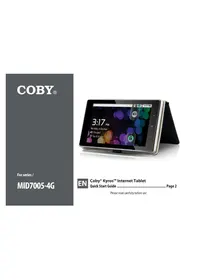
USER MANUAL MID7005-4G COBY



Manual assistant
Powered by Anthropic
Waiting for your message
Product information
Brand : COBY
Model : MID7005-4G
Category : Tablet