
75102RM - Clock AcuRite - Free user manual and instructions
Find the device manual for free 75102RM AcuRite in PDF.


Pick your language and provide your email: we'll send you a specifically translated version.
| Product Type | Alarm Clock |
| Brand | AcuRite |
| Model | 75102RM |
| Display | Digital LCD |
| Backlight | Illuminated display with adjustable brightness |
| Time Format | 12-hour or 24-hour selectable |
| Atomic Time Setting | Yes, with automatic radio-controlled synchronization |
| Time Zones | Selectable (Atlantic, Eastern, Central, Mountain, Pacific, Yukon, Alaska, Hawaii, Newfoundland) |
| Daylight Saving Time | Automatic adjustment, can be disabled |
| Alarm | Single alarm with snooze function |
| Snooze | Yes, with 5-minute snooze interval |
| Date Display | Month, day, and day of week |
| Indoor Temperature | Displayed in °F or °C |
| Power Source | 2 x AA batteries (not included) |
| Dimensions | Approximately 5.5 x 2.8 x 1.3 inches |
| Weight | Approximately 4.2 ounces (without batteries) |
| Mounting Options | Tabletop stand or wall mount hole |
| Operating Temperature | Indoor: 32°F to 122°F (0°C to 50°C) |
| Manual | 12-page PDF user manual available for free download |
Frequently Asked Questions - 75102RM AcuRite
How do I set the time on my AcuRite 75102RM clock?
The clock will automatically set itself when it receives a radio-controlled time signal. To manually set the time when the atomic signal is unavailable, simply press and hold the Set button until the hour digit flashes, then use the + / - buttons to adjust. Press Set again to confirm and move to minutes.
How do I switch between 12-hour and 24-hour time format?
Press and hold the Set button for 3 seconds to enter time-setting mode. Continue pressing Set until the time format option appears (12H or 24H). Use the + / - buttons to toggle between formats, then press Set to confirm.
How do I set the alarm on the 75102RM?
To set the alarm, press the Alarm button. The alarm time will flash. Use the + / - buttons to set the hour and minutes. Press Alarm again to save and activate the alarm. The alarm icon will appear on the display.
How do I use the snooze function?
When the alarm sounds, press the Snooze button (often located on the top or back) to silence it for 5 minutes. The alarm will sound again after the snooze interval. You can repeatedly press snooze to delay the alarm.
Why is my atomic clock not receiving the radio signal?
The radio signal reception can be blocked by distance, interference from electronics, or poor weather. Ensure the clock is placed near a window facing Fort Collins, Colorado (for North America). Keep it at least 3 feet from electrical devices like TVs and computers. To force a new reception, press the Reception button or remove and reinsert the batteries.
How often does the clock attempt to synchronize with the atomic signal?
The clock performs a reception check automatically every 2 hours when battery power is sufficient, and more frequently right after battery installation. If the signal is not received, it will retry periodically until successful.
What type of batteries does the AcuRite 75102RM use?
The clock requires 2 x AA alkaline batteries (not included). Use new batteries and avoid mixing old and new. For best performance, replace the batteries at least once a year or when the low-battery icon appears.
How do I change the batteries?
Locate the battery compartment on the back of the clock. Slide the cover open, remove the old batteries, insert two new AA batteries ensuring the correct polarity (+/-), and close the cover. The clock will automatically restart and search for the atomic signal.
How do I reset the clock to factory settings?
To perform a full reset, remove the batteries, wait 30 seconds, then reinsert them. This will clear all settings and trigger a new atomic signal search. You will need to re-enter the time format, time zone, and alarm settings.
Does the clock have a backlight that stays on?
The LCD display has a backlight that activates when the Light button is pressed. To keep it on for a few seconds, press the button and the backlight will remain lit for 5 to 10 seconds. It is not intended for continuous operation to save battery life.
User questions about 75102RM AcuRite
0 question about this device. Answer the ones you know or ask your own.
Ask a new question about this device
No questions yet. Be the first to ask one.
Download the instructions for your Clock in PDF format for free! Find your manual 75102RM - AcuRite and take your electronic device back in hand. On this page are published all the documents necessary for the use of your device. 75102RM by AcuRite.
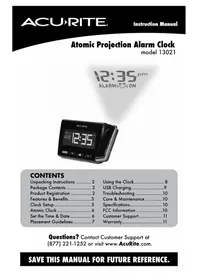
USER MANUAL 75102RM AcuRite



Manual assistant
Powered by Anthropic
Waiting for your message
Product information
Brand : AcuRite
Model : 75102RM
Category : Clock