
SIM100 - Ice Maker SWAN - Free user manual and instructions
Find the device manual for free SIM100 SWAN in PDF.


Pick your language and provide your email: we'll send you a specifically translated version.
| Product Type | Ice Maker |
| Brand | SWAN |
| Model | SIM100 |
| Color | White |
| Ice Making Capacity | 12 kg per 24 hours |
| Ice Cube Size | Two sizes (small/large) |
| Water Tank Capacity | 2.2 L |
| Refrigerant | R600a |
| Power Supply | 220-240 V, 50 Hz |
| Power Consumption | 100 W |
| Dimensions (W x D x H) | 22 x 30 x 32 cm |
| Weight | 8.5 kg |
| Noise Level | Less than 45 dB |
| Control Panel | Touch panel with LED indicators |
| Ice Making Timer | Approximately 8 minutes per batch |
| Self-Cleaning Function | Yes |
| Water Level Indicator | Yes |
| Safety Features | Automatic shut-off when full, overheat protection |
| Maintenance | Detachable drip tray and drain plug for easy cleaning |
| Repairability | Replaceable water pump and motor, spare parts available |
| Certifications | CE certified |
| Included in Box | Ice maker, ice scoop, user manual |
Frequently Asked Questions - SIM100 SWAN
How do I use the SWAN SIM100 ice maker for the first time?
Before first use, remove all packaging and wash the ice basket and water tank with warm soapy water. Rinse thoroughly, then place the unit on a level surface. Fill the water tank with cold drinking water up to the MAX line, plug in the power supply, and press the ON button. The machine will start making ice automatically.
How long does it take to make ice?
The SWAN SIM100 makes a batch of ice cubes in approximately 8 to 10 minutes, depending on the ambient temperature and water temperature. The first batch may take slightly longer.
How do I clean the ice maker?
Clean the ice maker regularly by unplugging it and removing the ice basket. Wipe the interior and exterior with a damp cloth. Use a mild detergent if necessary, but avoid abrasive cleaners. For a deeper clean, use the self-cleaning function if available, or run a vinegar-water solution through the machine followed by fresh water.
What should I do if the ice maker is not making ice?
First, check that the water tank is filled to at least the minimum level. Ensure the power cord is properly connected and the machine is turned on. If the room temperature is too high (above 32°C), the cooling system may struggle—move the unit to a cooler area. Also, clean the condenser if it is dusty. If the problem persists, contact customer support.
How often should I descale the ice maker?
Descaling should be done every 2 to 4 weeks, depending on the hardness of your water. If you notice reduced ice production or unusual noise, it likely needs descaling. Use a descaling solution or a mixture of white vinegar and water, then run the machine without ice basket, followed by several rinse cycles.
Can I use the SIM100 to chill drinks directly?
No, the SWAN SIM100 is specifically designed to produce ice cubes, not to chill beverages directly. You need to transfer the ice cubes to your drinks. Do not pour liquids into the ice basket.
How should I store the ice cubes?
Ice cubes should be stored in the insulated ice basket in the freezer. If you don't use them immediately, they will melt in the basket. To keep them longer, transfer them to airtight bags or containers and place them in the freezer.
What is the maximum water level?
The water tank has a maximum fill line marked 'MAX'. Do not exceed this level, as it can cause water to overflow during operation. The tank capacity is approximately 2.2 liters.
Is the SIM100 ice maker portable?
Yes, the compact size and carrying handle (if present) make it easy to move. However, it is a countertop appliance and should be used on a flat, stable surface. Always unplug it before moving.
How do I change the ice cube size?
The SIM100 allows you to select between small and large ice cubes. Locate the 'SELECT' button on the control panel and press it to toggle between sizes. The corresponding LED indicator will show your selection.
User questions about SIM100 SWAN
0 question about this device. Answer the ones you know or ask your own.
Ask a new question about this device
No questions yet. Be the first to ask one.
Download the instructions for your Ice Maker in PDF format for free! Find your manual SIM100 - SWAN and take your electronic device back in hand. On this page are published all the documents necessary for the use of your device. SIM100 by SWAN.
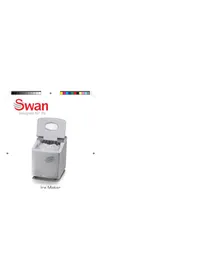
USER MANUAL SIM100 SWAN
Manual assistant
Powered by Anthropic
Waiting for your message
Product information
Brand : SWAN
Model : SIM100
Category : Ice Maker