
VDR-M53PP - VCR PANASONIC - Free user manual and instructions
Find the device manual for free VDR-M53PP PANASONIC in PDF.


Pick your language and provide your email: we'll send you a specifically translated version.
| Type of product | VCR (Video Cassette Recorder) |
| Brand | Panasonic |
| Model | VDR-M53PP |
| Color system | NTSC |
| Video heads | 4-head helical scanning system |
| Audio system | 2-head Hi-Fi stereo |
| Tape formats | VHS, VHS-C via adapter |
| Playback speeds | SP, LP, EP |
| Recording speeds | SP, LP, EP |
| Max recording time | 6 hours (EP mode with T-120 tape) |
| Timer recording | 8 programs / 1 month |
| Search functions | Index search, VISS, blank search |
| Connections | RF antenna input/output, AV input/output, S-Video output |
| Dimensions (W x H x D) | Approx. 430 x 95 x 280 mm |
| Weight | Approx. 4.2 kg |
| Power supply | AC 110-240V, 50/60 Hz |
| Power consumption | 22 W (operation), 3 W (standby) |
| Remote control | Wireless infrared remote included |
| Care and maintenance | Clean video heads with a cleaning cassette when playback is unclear |
| Safety | Keep away from moisture and heat; use indoors only |
| Spare parts | Remote control, RF cable, AV cable available from Panasonic service centers |
| General info | Analog VHS playback and recording with timer functions |
Frequently Asked Questions - VDR-M53PP PANASONIC
How do I set the clock on my Panasonic VDR-M53PP VCR?
Press MENU, select CLOCK, then use the CH buttons to set hour and minute. Press OK to confirm. Clock setting is necessary for timer recording.
How do I record a television program?
Insert a VHS tape, tune to the desired channel, and press REC. For timer recording, use the Timer Record menu.
Why is the playback picture fuzzy?
A fuzzy picture often indicates dirty video heads. Use a dry cleaning cassette to gently clean the heads. Also ensure the tracking is set to automatic.
How do I connect the VCR to my TV?
Use the RF cable to connect the antenna output to the TV's antenna input, or use AV cables for better quality. Select the correct input on your TV.
Can I play VHS-C tapes in this VCR?
Yes, insert a VHS-C cassette into a VHS-C cassette adapter, then load it like a standard VHS tape.
How do I use the timer recording feature?
Press TIMER, select a program number, set the date, start/end times, and channel. Confirm with OK. The VCR will automatically switch on to record.
What does the VISS index search do?
VISS (VHS Index Search System) records a mark at each recording start, allowing you to jump to the beginning of a recording with the INDEX button.
How do I set the remote control to operate my TV?
The remote can control basic TV functions. Refer to the manual for the TV code list and enter the correct code using the SETUP button.
What maintenance does the VCR need?
Periodically clean the video heads and tape transport paths with a cleaning cassette. Keep the VCR free from dust and avoid placing it in humid environments.
The VCR does not power on. What should I check?
First check the AC power cord and wall outlet. Then ensure the VCR is not in timer standby mode. Press the POWER button on the front panel.
User questions about VDR-M53PP PANASONIC
0 question about this device. Answer the ones you know or ask your own.
Ask a new question about this device
No questions yet. Be the first to ask one.
Download the instructions for your VCR in PDF format for free! Find your manual VDR-M53PP - PANASONIC and take your electronic device back in hand. On this page are published all the documents necessary for the use of your device. VDR-M53PP by PANASONIC.
USER MANUAL VDR-M53PP PANASONIC
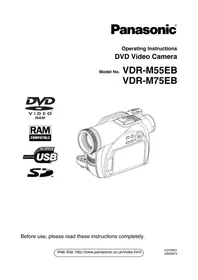
Manual assistant
Powered by Anthropic
Waiting for your message
Product information
Brand : PANASONIC
Model : VDR-M53PP
Category : VCR