
NV-SD207EE - VCR PANASONIC - Free user manual and instructions
Find the device manual for free NV-SD207EE PANASONIC in PDF.


Pick your language and provide your email: we'll send you a specifically translated version.
| Product Type | VHS video cassette recorder |
| Brand | Panasonic |
| Model | NV-SD207EE |
| Video System | PAL VHS |
| Video Heads | 4 video heads |
| Audio System | Hi-Fi stereo with Dolby NR |
| Tuner | Built-in analogue tuner, 99 presets |
| Timer Programming | 1 year / 8 events |
| On-Screen Display | Multi-language menu |
| Playback Functions | Play, reverse, still, slow, frame advance |
| Recording Functions | One-touch recording, auto repeat |
| Remote Control | Infrared, full function |
| Connectors | 21-pin SCART, RF in/out |
| Power Supply | AC 220–240 V, 50 Hz |
| Power Consumption | Approx. 25 W (operating), 3 W (standby) |
| Dimensions (W x H x D) | Approx. 430 x 95 x 270 mm |
| Weight | Approx. 4.6 kg |
| Safety | CE-marked, double insulated |
| Maintenance | Clean video heads with head-cleaning cassette |
| Spare Parts & Repairability | Available via Panasonic service centers |
Frequently Asked Questions - NV-SD207EE PANASONIC
How do I set the clock on my Panasonic NV-SD207EE VCR?
Press the MENU button, select CLOCK, and use +/- or UP/DOWN keys to set the date and time. Confirm with OK. If the VCR has Auto Clock, it may sync via the broadcaster.
What type of batteries does the remote control require?
The remote control uses two AA (R6) batteries. Open the battery compartment on the back of the remote, insert the batteries with correct polarity, and close the lid.
How can I connect the VCR to my TV?
Use the included 21-pin SCART cable for the best audio/video quality. Connect one end to the VCR's AV2 connector and the other to a matching socket on your TV. Alternatively, connect the RF antenna cable and tune the TV to the VCR's output channel.
How do I program a timed recording?
Press MENU, choose TIMER, then set the date, start and end times, and channel. Use OTR (One-Touch Recording) for quick start times. Ensure the clock is set correctly before programming.
What should I do if the picture is noisy or unstable during playback?
First try adjusting the tracking with the remote's TRACKING buttons. If the problem persists, clean the video heads using a suitable head-cleaning cassette. Damaged or worn tapes may also cause noise.
Can this VCR play S-VHS tapes?
No, the NV-SD207EE is designed for standard VHS tapes only. It cannot play S-VHS or VHS-C (without an adapter) tapes properly.
How do I clean the video heads?
Use a head-cleaning cassette designed for VHS decks. Insert it and let it run for a few seconds. For stubborn dirt, consult a professional, as opening the unit may void the warranty.
Is there a child lock function?
Some Panasonic models have a child lock in the menu. Check MENU for "LOCK" or "CHILD SAFETY". If available, enter a 4-digit code to restrict usage. This manual page does not confirm it for all models.
What is the standby power consumption?
In standby mode, the VCR consumes about 3 W. To save energy, unplug it when not in use for extended periods.
Where can I find spare parts and repairs?
Contact an authorized Panasonic service center. Common spare parts like remote controls, belts, and pinch rollers are available. Provide the model number NV-SD207EE when ordering.
User questions about NV-SD207EE PANASONIC
0 question about this device. Answer the ones you know or ask your own.
Ask a new question about this device
No questions yet. Be the first to ask one.
Download the instructions for your VCR in PDF format for free! Find your manual NV-SD207EE - PANASONIC and take your electronic device back in hand. On this page are published all the documents necessary for the use of your device. NV-SD207EE by PANASONIC.
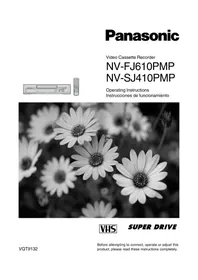
USER MANUAL NV-SD207EE PANASONIC
Manual assistant
Powered by Anthropic
Waiting for your message
Product information
Brand : PANASONIC
Model : NV-SD207EE
Category : VCR