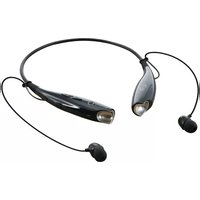
IAEB6 - Headphones iLive - Free user manual and instructions
Find the device manual for free IAEB6 iLive in PDF.


Pick your language and provide your email: we'll send you a specifically translated version.
| Product Type | On-Ear Wireless Headphones |
| Brand | iLive |
| Model | IAEB6 |
| Color | Black |
| Connectivity | Bluetooth 5.0 |
| Wireless Range | Up to 33 ft / 10 m |
| Battery Type | Rechargeable lithium-ion (300 mAh) |
| Battery Life | Up to 12 hours at 50% volume |
| Charging Time | Approx. 2 hours |
| Charging Port | Micro USB |
| Driver Size | 40 mm |
| Frequency Response | 20 Hz - 20 kHz |
| Impedance | 32 ohms |
| Built-in Microphone | Yes, with hands-free calling |
| Controls | On-ear buttons for volume, track skip, and calls |
| Foldable Design | Yes, compact for travel |
| Weight | Approx. 7 oz / 200 g |
| Dimensions | 7.3 x 6.1 x 3.0 in / 18.5 x 15.5 x 7.6 cm |
| Care | Clean with a soft, dry cloth |
| Safety | Keep volume at safe levels to protect hearing |
| Spare Parts | Replacement ear cushions are available online |
| Repairability | Ear pads are user-replaceable; other repairs should be done by a professional |
| Compatibility | Works with smartphones, tablets, and laptops with Bluetooth |
Frequently Asked Questions - IAEB6 iLive
How do I pair my iLive IAEB6 headphones with my phone?
Turn on the headphones by pressing and holding the power button until the LED flashes red and blue. Then enable Bluetooth on your phone and select IAEB6 from the available devices. If prompted, enter 0000 as the PIN. The headphones will be connected once the LED stops flashing.
How long does the battery last and how do I charge it?
The built-in battery provides up to 12 hours of playback after a full charge. To charge, connect the included Micro USB cable to the charging port and a USB power source. The LED indicator will turn red while charging and blue or turn off when fully charged, usually after about 2 hours.
Can I use the headphones while they are charging?
Yes, you can use the headphones in wired mode or while charging, but for safety and to avoid overworking the battery, it is recommended not to use them during charging. Bluetooth playback may be disabled while charging depending on the model.
How do I clean the headphones?
Use a soft, slightly damp cloth to wipe the ear cushions and headband. Do not use strong cleaners or submerge the headphones in water. Make sure the device is off and dry completely before use.
Are these headphones compatible with my laptop or tablet?
Yes, the IAEB6 uses standard Bluetooth, so they can connect to any Bluetooth-enabled source, including smartphones, tablets, computers, and TVs. Some older devices may require a Bluetooth adapter.
What should I do if the sound is distorted or the connection drops?
First, reduce the distance between the headphones and the source device, as walls and other obstacles can weaken the signal. Make sure both devices are fully charged. Reset the pairing by turning the headphones off and on, then deleting the device from your phone's Bluetooth list and pairing again.
Can I use the built-in microphone for calls?
Yes, the built-in microphone allows hands-free calls. When a call comes in, press the multi-function button to answer, press again to end, and press and hold to reject. During music playback, the same button can pause or resume the track.
Is there a way to control the volume without using my phone?
Yes, the headphones have on-ear volume controls. Press the plus button to increase volume and the minus button to decrease. A beep or voice prompt may indicate the maximum and minimum volume levels.
How can I replace the ear cushions if they wear out?
The ear cushions are typically attached by rotating them slightly. To remove, twist the cushion counterclockwise until it unlocks, then pull it off. Align the new cushion and twist clockwise to lock it in place. Replacement cushions can be ordered online using the model IAEB6.
What safety precautions should I follow?
Do not expose the headphones to extreme heat, moisture, or water. Avoid listening at high volume for long periods to prevent hearing damage. Keep the device away from small children and pets, and use only the recommended charger to avoid damaging the battery.
User questions about IAEB6 iLive
0 question about this device. Answer the ones you know or ask your own.
Ask a new question about this device
No questions yet. Be the first to ask one.
Download the instructions for your Headphones in PDF format for free! Find your manual IAEB6 - iLive and take your electronic device back in hand. On this page are published all the documents necessary for the use of your device. IAEB6 by iLive.
USER MANUAL IAEB6 iLive


Manual assistant
Powered by Anthropic
Waiting for your message
Product information
Brand : iLive
Model : IAEB6
Category : Headphones