
RDD843BT - Car radio CALIBER - Free user manual and instructions
Find the device manual for free RDD843BT CALIBER in PDF.


Pick your language and provide your email: we'll send you a specifically translated version.
| Product Type | Car Radio / Media Receiver |
| Brand | CALIBER |
| Model | RDD843BT |
| Chassis Size | 1-DIN |
| Power Output | 4 x 50 Watts (max) |
| Power Source | 12V DC, negative ground |
| Bluetooth | v3.0 with hands-free & audio streaming |
| USB Port | Front USB for MP3/WMA playback |
| SD Card Slot | Front SD slot |
| AUX Input | 3.5mm front auxiliary input |
| Tuner | FM/AM with RDS |
| Preset Stations | 30 FM / 10 AM |
| Audio Formats | MP3, WMA |
| Equalizer | Built-in digital equalizer |
| Remote Control | Included IR remote |
| Display | LCD with changeable backlight |
| Dimensions (W x H x D) | 178 x 50 x 160 mm |
| Weight | 0.9 kg |
| Connector Type | ISO standard |
| Accessories Included | Mounting kit, wiring harness, remote |
| Maintenance | Clean with soft, dry cloth |
| Safety | Built-in fuse; ensure correct polarity |
| Reparability | Standard replaceable fuse and ISO connectors |
Frequently Asked Questions - RDD843BT CALIBER
How do I pair my smartphone via Bluetooth?
Turn on the unit, activate Bluetooth on your phone, search for devices, and select RDD843BT. Enter PIN 0000 if prompted. Once paired, audio streaming and hands-free calls are available.
How can I reset the car radio to factory settings?
Press the RESET button on the front panel using a pointed object (e.g., a pen tip). This will restore all default settings and clear any stored data.
What USB file systems and audio formats are supported?
The USB port supports MP3 and WMA files. The drive should be formatted in FAT32 for optimal compatibility. Use a USB flash drive with a maximum capacity of 32 GB.
How do I save a radio station as a preset?
Tune to the desired frequency, press and hold one of the preset buttons (1-6) until the display confirms. The station is stored. You can save up to 30 FM and 10 AM stations.
Can I connect my steering wheel controls to this unit?
This model typically does not include a steering wheel control interface. An external adapter may be required to integrate with your vehicle's controls.
How do I adjust the bass, treble, and balance?
Press the EQ/SEL button repeatedly to cycle through BAS (bass), TRE (treble), BAL (balance), FAD (fader). Turn the rotary knob to adjust the selected setting. Some preset EQ modes are also available.
Why is my unit not turning on?
Check the vehicle's ignition fuse and the unit's built-in fuse. Also verify that the wiring harness is correctly connected with proper polarity to the 12V power and ground wires.
How do I replace the fuse in the radio?
Remove the front panel and locate the fuse holder on the rear side. Pull out the old fuse and insert a new one with the same rating (usually 10A or 15A). Always replace with the correct amperage.
Is the front panel detachable for security?
Yes, the detachable front panel can be removed. Press the RELEASE button and pull the panel off. Store it in the provided protective case to prevent theft.
How do I connect an external amplifier?
Use the RCA preamp outputs on the back of the unit to connect to your amplifier. Follow the vehicle's wiring instructions and avoid routing cables near power wires to prevent interference.
User questions about RDD843BT CALIBER
0 question about this device. Answer the ones you know or ask your own.
Ask a new question about this device
No questions yet. Be the first to ask one.
Download the instructions for your Car radio in PDF format for free! Find your manual RDD843BT - CALIBER and take your electronic device back in hand. On this page are published all the documents necessary for the use of your device. RDD843BT by CALIBER.
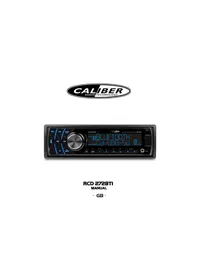
USER MANUAL RDD843BT CALIBER


Manual assistant
Powered by Anthropic
Waiting for your message
Product information
Brand : CALIBER
Model : RDD843BT
Category : Car radio