SX-4500 - Toys Bullet - Free user manual and instructions
Find the device manual for free SX-4500 Bullet in PDF.


Pick your language and provide your email: we'll send you a specifically translated version.
| Brand | Bullet |
| Model | SX-4500 |
| Category | Toy |
| Product type | Remote-controlled stunt car |
| Recommended age | 8 years and up |
| Scale | 1:16 |
| Dimensions (L x W x H) | Approx. 32 x 18 x 12 cm |
| Weight | Approx. 650 g (including battery) |
| Body material | ABS plastic |
| Radio frequency | 2.4 GHz |
| Control range | Up to 30 m (open area) |
| Maximum speed | Approx. 12 km/h |
| Stunt functions | 360° rotation, front and rear flips |
| Drive time | 20–30 minutes per full charge |
| Charging time | Approx. 120 minutes |
| Car power source | Built-in 7.4V Li-ion rechargeable battery |
| Remote power source | 2 x AA batteries (not included) |
| Charging connector | USB (cable included) |
| Included accessories | Car, remote controller, USB cable, user manual |
| Recommended terrain | Indoor flat floors and smooth pavement |
| Cleaning | Wipe with a soft dry cloth; do not use water |
| Maintenance | Remove batteries when idle; check wheels for debris |
| Safety note | Adult supervision recommended; contains small parts |
| Spare parts/repairability | Genuine parts via authorized Bullet service center |
| Certifications | Complies with EN71, FCC, RoHS standards |
Frequently Asked Questions - SX-4500 Bullet
How do I pair the remote control with the SX-4500 car?
Insert two AA batteries into the remote and switch on the car. Set both switches to ON, then press the pairing button on the remote and the car simultaneously. The LED lights will flash and then turn solid when pairing is complete, usually within 3 seconds.
What type of battery does the car use?
The SX-4500 uses a built-in rechargeable Li-ion battery with a voltage of 7.4V. Charge it only with the supplied USB cable and avoid charging for more than 3 hours.
How long does it take to charge the car?
A full charge takes approximately 120 minutes. The USB indicator lights red while charging and turns green when the battery is ready. Do not leave it charging unattended overnight.
Why does the car move slowly or stop suddenly?
Low battery is the most common cause. Charge the car fully and ensure the remote controller has fresh AA batteries. Also check that the wheels are not blocked by debris and that you are within 30 meters of the car.
Can the SX-4500 be used on carpet or grass?
The car is designed for flat indoor surfaces and smooth pavement. Short-pile carpets may work, but long carpets or thick grass can reduce speed and cause the car to get stuck.
What is the recommended age for this toy?
The recommended age is 8 years and older. Younger children may need adult supervision because the car contains small parts and a rechargeable battery that must be handled with care.
How should I clean and maintain my SX-4500?
Turn off all power, then wipe the exterior with a soft dry cloth. Do not use water or chemical cleaners, as they can damage the electronics. Store the car in a cool dry place and remove batteries from the remote if not used for a long time.
Are replacement parts available for the SX-4500?
Yes, Bullet offers genuine spare parts through its authorized service centers. Contact customer support with your model number to order tires, wheels, antennas, or battery packs.
What should I do if the car does not respond to the remote?
First, check the batteries in both the car and remote, then re-pair the connection. Remove any object blocking the 2.4GHz signal and test in an open area. If the problem persists, contact customer support.
Does this toy meet safety standards?
Yes, the SX-4500 complies with EN71, FCC, and RoHS toy safety requirements. It has passed drop, impact, and chemical safety tests for ages 8 and up.
User questions about SX-4500 Bullet
0 question about this device. Answer the ones you know or ask your own.
Ask a new question about this device
No questions yet. Be the first to ask one.
Download the instructions for your Toys in PDF format for free! Find your manual SX-4500 - Bullet and take your electronic device back in hand. On this page are published all the documents necessary for the use of your device. SX-4500 by Bullet.
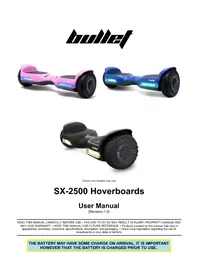
USER MANUAL SX-4500 Bullet



Manual assistant
Powered by Anthropic
Waiting for your message
Product information
Brand : Bullet
Model : SX-4500
Category : Toys