
XL-PM25 - Mp3 player JVC - Free user manual and instructions
Find the device manual for free XL-PM25 JVC in PDF.


Pick your language and provide your email: we'll send you a specifically translated version.
| Product Type | Portable MP3 CD player |
| Brand | JVC |
| Model | XL-PM25 |
| Media Compatibility | CD, CD-R, CD-RW, MP3 CD |
| Supported Formats | MP3, Audio CD |
| Playback Modes | Normal, repeat, random, programmed |
| Anti-skip Protection | Electronic shock protection with memory buffer |
| Audio Output | 1 x headphone jack (3.5 mm) |
| Power Supply | 2 AA batteries or optional AC adapter |
| Battery Life | Up to 15 hours of playtime |
| Dimensions | Approx. 130 x 130 x 25 mm |
| Weight | Approx. 210 g (without batteries) |
| Display | LCD with track number, elapsed time and mode |
| Frequency Response | 20 Hz to 20 kHz |
| Output Power | 4 mW per channel (headphones) |
| Signal-to-Noise Ratio | 85 dB |
| Battery Indicator | Low battery warning on display |
| Auto Power Off | Shuts off automatically after long idle |
| Cleaning | Clean the disc lens with a soft, dry cloth |
| Safety | Do not disassemble, keep away from water and heat |
| Repairability | Contact authorized service for parts and repair |
| General Information | This manual is available free in PDF format |
Frequently Asked Questions - XL-PM25 JVC
What types of discs are compatible with the JVC XL-PM25?
The XL-PM25 is designed for CD, CD-R and CD-RW discs, including MP3 discs. Scratched or low-quality media may not play correctly.
How do I play MP3 files on this player?
Burn MP3 files to a CD-R or CD-RW in MP3 format, insert the disc into the player, close the lid, and press play. The player reads compressed audio from compatible discs and displays track information on the LCD.
How long does the battery last?
With 2 fresh AA batteries, you can expect up to 15 hours of playback under normal conditions. Using the anti-skip feature heavily or high volume can reduce battery life.
What should I do if the disc skips during playback?
First, try cleaning the disc with a soft cloth and ensure it is balanced and not scratched. Also check the battery level and hold the player steady. The electronic shock protection helps reduce skipping while moving, but severe shocks can interrupt playback.
How can I program the tracks to play in a custom order?
Press the program button during stop mode, select the desired track numbers using the skip/search buttons, then press memory or enter on each track. Once all tracks are programmed, press play to start your custom sequence.
How do I clean the lens of my XL-PM25?
Turn off the player, open the lid, and use a soft, dry cotton swab to gently wipe the lens in one direction. Do not use any liquid or cleaning spray.
Can I use rechargeable batteries in the player?
Yes, the player can be powered by two AA NiMH rechargeable batteries. However, battery life may vary from alkaline batteries, and the low battery indicator may behave differently with rechargeables.
Does the player support random and repeat playback?
Yes, the XL-PM25 includes repeat all, repeat one, random play, and intro scan functions. These modes can be selected by pressing the play and mode buttons on the control panel.
What should I do if there is no sound from the headphones?
Check that the headphones are fully inserted in the headphone jack, the volume is turned up, and the disc is playing. If the issue continues, try another set of headphones and replace the batteries.
Is this manual available for different languages?
Yes, you can request a translated version of the XL-PM25 manual by selecting your preferred language and providing your email address on the manual download page, or download the original English PDF for free.
User questions about XL-PM25 JVC
0 question about this device. Answer the ones you know or ask your own.
Ask a new question about this device
No questions yet. Be the first to ask one.
Download the instructions for your Mp3 player in PDF format for free! Find your manual XL-PM25 - JVC and take your electronic device back in hand. On this page are published all the documents necessary for the use of your device. XL-PM25 by JVC.
USER MANUAL XL-PM25 JVC
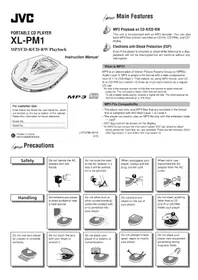
Manual assistant
Powered by Anthropic
Waiting for your message
Product information
Brand : JVC
Model : XL-PM25
Category : Mp3 player