
RF Manager Controller with 50-sensor License - Uncategorized HP - Free user manual and instructions
Find the device manual for free RF Manager Controller with 50-sensor License HP in PDF.


| Product type | RF manager controller |
| Brand | HP |
| Model | RF Manager Controller with 50-sensor License |
| Sensor capacity | Supports up to 50 wireless sensors with included license |
| Sensor compatibility | HP wireless sensors and third-party 2.4 GHz RF sensors |
| Form factor | 1U rack-mountable appliance |
| Dimensions (W x D x H) | 43.2 cm x 38.3 cm x 4.4 cm |
| Weight | 6.8 kg (15.0 lb) |
| Power supply | 100-240 V AC, 50/60 Hz, auto-sensing |
| Typical power consumption | 120 W |
| Operating temperature | 0 °C to 40 °C (32 °F to 104 °F) |
| Storage temperature | -20 °C to 60 °C (-4 °F to 140 °F) |
| Connectivity | Dual Gigabit Ethernet (RJ-45), 2 x USB 2.0, 1 x serial console |
| Wireless protocol | IEEE 802.15.4, 2.4 GHz RF, proprietary HP sensor protocols |
| Management interface | Web-based GUI, command-line interface (CLI), SNMP v3 |
| Primary functions | Real-time sensor monitoring, data logging, alerts, firmware provisioning |
| Security features | AES-128 encryption, role-based access control, secure boot |
| Maintenance | Clean with a dry microfiber cloth; keep air vents unobstructed |
| Safety | Operate on grounded outlet only; avoid moisture and static discharge |
| Repairability | Modular PSU and fans; replacement parts available from HP support |
| Included accessories | Rack ear kit, AC power cord, quick start guide |
Frequently Asked Questions - RF Manager Controller with 50-sensor License HP
User questions about RF Manager Controller with 50-sensor License HP
0 question about this device. Answer the ones you know or ask your own.
Ask a new question about this device
Download the instructions for your Uncategorized in PDF format for free! Find your manual RF Manager Controller with 50-sensor License - HP and take your electronic device back in hand. On this page are published all the documents necessary for the use of your device. RF Manager Controller with 50-sensor License by HP.
USER MANUAL RF Manager Controller with 50-sensor License HP
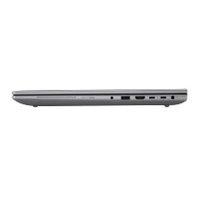
Brand : HP
Model : RF Manager Controller with 50-sensor License
Category : Uncategorized