
Engage Flex Pro-C G2 - Uncategorized HP - Free user manual and instructions
Find the device manual for free Engage Flex Pro-C G2 HP in PDF.


Pick your language and provide your email: we'll send you a specifically translated version.
| Type of product | Point-of-Sale (POS) retail system |
| Brand | HP |
| Model | Engage Flex Pro-C G2 |
| Processor | Intel Celeron J4125 Quad-core 2.0 GHz (up to 2.7 GHz burst) |
| Memory | 4 GB DDR4 (expandable up to 16 GB) |
| Storage | 256 GB M.2 SATA SSD (also supports 2.5\" HDD/SSD) |
| Operating system compatibility | Windows 10/11 IoT Enterprise, Linux |
| Cooling system | Fanless design for silent operation |
| Mounting | VESA 75 x 75 mm mount compatible |
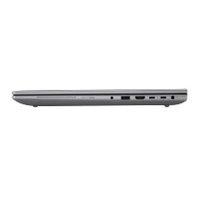
| Ports | 4 x USB 3.1, 2 x USB 2.0, 2 x HDMI, 1 x DisplayPort, 1 x Gigabit Ethernet, 1 x RS-232 |
| Connectivity | Wi-Fi 5 (802.11ac), Bluetooth 5.0 |
| Power supply | External AC adapter 100-240V, 50-60 Hz |
| Power consumption | Typical 35W |
| Dimensions | 190 x 190 x 40 mm (7.5 x 7.5 x 1.6 in) |
| Weight | 1.2 kg (2.6 lb) |
| Operating temperature | 0\u00b0C to 40\u00b0C (32\u00b0F to 104\u00b0F) |
| Certifications | CE, FCC, RoHS, UL |
| Warranty | 1-year limited hardware warranty |
| Box contents | HP Engage Flex Pro-C G2, power adapter, VESA mount brackets, quick start guide |
| Primary applications | Retail POS, kiosk controller, digital signage player |
Frequently Asked Questions - Engage Flex Pro-C G2 HP
How do I connect the HP Engage Flex Pro-C G2 to a power source?
Connect the included external AC adapter to the DC power jack on the device, then plug it into a standard wall outlet. The power adapter supports 100-240V, so it works worldwide.
What is the recommended way to clean the device?
Use a soft dry microfiber cloth to wipe the exterior. For stubborn dirt, lightly dampen the cloth with water. Do not use abrasive cleaners or spray liquids directly on the device.
Can I mount this device behind a display?
Yes, the Engage Flex Pro-C G2 supports VESA 75x75 mounting. Attach the included VESA bracket to the rear of a display and secure the device to the bracket.
Which operating systems are compatible?
The device works with Windows 10/11 IoT Enterprise and Linux. It is preconfigured for POS workloads, but you can install the OS of your choice.
How do I connect peripherals like cash drawers or barcode scanners?
The device offers multiple USB ports and a RS-232 serial port. Connect cash drawers via the RS-232 or USB adapter, and barcode scanners via USB or serial.
What should I do if the device overheats?
Although it has a fanless design, ensure proper ventilation. Keep the vents unobstructed and maintain an ambient temperature below 40°C. If overheating persists, power off and check for blockages.
Is the HP Engage Flex Pro-C G2 fanless?
Yes, it features a fanless design, making it quiet and suitable for retail environments. This also reduces dust buildup and improves reliability.
Can I upgrade the RAM or storage?
The memory and storage are user-accessible for upgrades. It supports up to 16 GB DDR4 RAM and M.2 SATA SSD, along with a 2.5" drive bay for additional storage.
How do I install the VESA mount?
First, secure the VESA bracket to the display (75x75 mm). Then, align the device with the bracket and slide it into place until it locks. Use the screws provided for a firm fit.
What is the power consumption of this device?
The typical power consumption is 35W under normal load. This may vary depending on connected peripherals and workload.
User questions about Engage Flex Pro-C G2 HP
0 question about this device. Answer the ones you know or ask your own.
Ask a new question about this device
No questions yet. Be the first to ask one.
Download the instructions for your Uncategorized in PDF format for free! Find your manual Engage Flex Pro-C G2 - HP and take your electronic device back in hand. On this page are published all the documents necessary for the use of your device. Engage Flex Pro-C G2 by HP.
USER MANUAL Engage Flex Pro-C G2 HP
Manual assistant
Powered by Anthropic
Waiting for your message
Product information
Brand : HP
Model : Engage Flex Pro-C G2
Category : Uncategorized