
ETPH 5660 IN/01 - Cooker BAUKNECHT - Free user manual and instructions
Find the device manual for free ETPH 5660 IN/01 BAUKNECHT in PDF.


Pick your language and provide your email: we'll send you a specifically translated version.
| Product type | Electric cooker |
| Brand | Bauknecht |
| Model | ETPH 5660 IN/01 |
| Power supply | 220-240 V, 50 Hz |
| Total power | 9,500 W |
| Number of cooking zones | 4 |
| Type of cooking zones | Radiant zones |
| Hob material | Ceramic glass |
| Oven cooking mode | Convection, static |
| Oven functions | Conventional cooking, convection, grill |
| Oven capacity | 65 L |
| Cleaning | Catalytic wall |
| Timer | Yes, with automatic shut-off |
| Safety | Control lock, automatic shut-off, child safety |
| Dimensions (H x W x D) | 85 x 50 x 60 cm |
| Net weight | 48 kg |
| Oven energy class | A |
| Repairability index | 8.2/10 |
| Spare parts | Available on request |
| Warranty | 2 years |
Frequently Asked Questions - ETPH 5660 IN/01 BAUKNECHT
How to turn on the oven?
To turn on the oven, turn the function selector to the desired mode (convection, grill, etc.) then set the temperature using the thermostat. The heating indicator lights up and turns off once the temperature is reached.
How to clean the ceramic glass hob?
Use a scraper for burnt residues, then a specific ceramic glass cleaner. Apply, leave to act, and wipe with a soft cloth. Avoid abrasive sponges.
What to do if the oven does not heat up?
Check the electrical connection and the circuit breaker. Make sure the timer is not programmed. If the problem persists, contact after-sales service.
How to set the clock?
When powering on, the clock flashes. Use the – and + buttons to set the time, then confirm. See the manual for details.
What is the energy consumption of the oven?
The oven is rated A, with a consumption of approximately 0.80 kWh in conventional mode and 0.70 kWh in convection. The exact values are on the energy label.
How to use convection cooking?
Select the convection mode using the selector, pre-set the temperature, and place the grid in the center of the oven. This mode allows even cooking on multiple levels.
How to replace the oven light bulb?
Cut off the power supply, unscrew the glass cover, replace the bulb with a halogen bulb 15 W. Screw the cover back on and turn the power back on.
What does error code E 01 mean?
Error code E 01 indicates a problem with the temperature sensor. Turn off the appliance and reset the circuit breaker. If the code persists, contact technical service.
How to activate child safety?
Hold down the Lock button (padlock) for 3 seconds. The symbol appears and the controls are locked. Repeat the operation to deactivate.
How to maintain the oven door gaskets?
Clean the gaskets regularly with soapy water and check their condition. Do not pull on the gaskets and avoid abrasive products to ensure sealing.
User questions about ETPH 5660 IN/01 BAUKNECHT
0 question about this device. Answer the ones you know or ask your own.
Ask a new question about this device
No questions yet. Be the first to ask one.
Download the instructions for your Cooker in PDF format for free! Find your manual ETPH 5660 IN/01 - BAUKNECHT and take your electronic device back in hand. On this page are published all the documents necessary for the use of your device. ETPH 5660 IN/01 by BAUKNECHT.
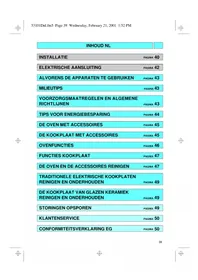
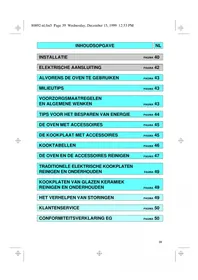
USER MANUAL ETPH 5660 IN/01 BAUKNECHT
Manual assistant
Powered by Anthropic
Waiting for your message
Product information
Brand : BAUKNECHT
Model : ETPH 5660 IN/01
Category : Cooker