
5OP 610 BM - Oven GRAM - Free user manual and instructions
Find the device manual for free 5OP 610 BM GRAM in PDF.


Pick your language and provide your email: we'll send you a specifically translated version.
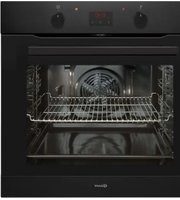
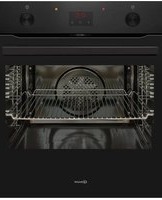
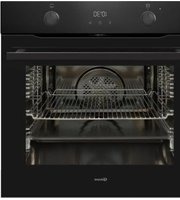
| Product Type | Built-in Electric Oven |
| Brand | GRAM |
| Model | 5OP 610 BM |
| Installation Type | Built-in under counter or column |
| Energy Source | Electric |
| Oven Volume | 71 liters (est.) |
| Energy Efficiency Class | A (est.) |
| Number of Functions | 8 cooking functions (conventional, grill, fan oven, etc.) |
| Temperature Range | 50-250 °C |
| Control Type | Mechanical knobs with electronic timer |
| Display | LED timer display |
| Door Design | Triple-glazed cool-touch door |
| Cleaning | Enamel catalytic interior for easy cleaning |
| Safety | Child lock and automatic switch-off |
| Dimensions (H x W x D) | 595 x 595 x 545 mm |
| Built-in Dimensions (H x W x D) | 560 x 550 x 550 mm (typical) |
| Net Weight | 30 kg |
| Rated Power | 2.7 kW |
| Mains Voltage | 220-240 V, 50/60 Hz |
| Cord Length | 1.5 m |
| Spare Parts Availability | 10 years |
| Repairability | Heating elements, door glass, thermostat replaceable |
Frequently Asked Questions - 5OP 610 BM GRAM
How do I set the cooking time on the GRAM 5OP 610 BM oven?
Turn the timer knob clockwise to the desired minutes, up to 120 minutes. The oven will switch off automatically when the set time is reached. Make sure to select a cooking mode and temperature separately.
What should I do before using the oven for the first time?
Remove all packaging, clean the interior with a damp cloth, and run the oven empty at 200 °C for about 30 minutes to burn off any protective residues. Ventilate the room during this process.
How do I clean the oven interior without damaging it?
Use warm water with mild detergent and a soft sponge. The catalytic enamel helps break down grease; for stubborn soil, run an empty oven at 250 °C for 20 minutes before wiping. Avoid abrasive cleaners or steel wool.
Why is the oven not heating up even though the knob is turned?
Check that the oven is connected to the power supply and the circuit breaker has not tripped. Verify that the timer is not set to '0' which can block heating. If the problem persists, the heating element or thermostat may need replacement.
Can I replace the door glass myself?
Yes, replacement is possible. First, ensure the oven is cool and disconnected. Remove the inner glass panel by unscrewing its retainers, then slide it out. Contact GRAM service for the exact spare part and follow the manual's guidance.
Which cooking functions are available on this model?
The oven offers 8 functions including conventional heat, top and bottom heating, fan-assisted convection, grill, fan grill, defrosting, and pizza mode. Refer to the control panel symbols for selecting the appropriate function.
How do I activate the child lock?
Press and hold the timer '+' and '-' buttons simultaneously for 3 seconds. The lock symbol appears on the display. To deactivate, repeat the operation. While locked, all functions except the clock are disabled.
What is the automatic switch-off and how does it work?
For safety, the oven turns off automatically after prolonged operation without any setting changes - typically after 12 hours. You can restart it by turning any knob. This prevents accidents if you forget to turn it off.
How can I bake more energy-efficiently?
Use the fan-assisted convection mode as it allows lower temperatures and shorter cooking times. Avoid opening the door frequently, and switch off the oven 5-10 minutes before the end of cooking to use residual heat.
Where can I find spare parts for my GRAM oven?
Spare parts are available for 10 years from authorized GRAM service centers. Visit the GRAM website or contact your local dealer with the model number 5OP 610 BM and the part you need. Installation can be done by a qualified technician.
User questions about 5OP 610 BM GRAM
0 question about this device. Answer the ones you know or ask your own.
Ask a new question about this device
No questions yet. Be the first to ask one.
Download the instructions for your Oven in PDF format for free! Find your manual 5OP 610 BM - GRAM and take your electronic device back in hand. On this page are published all the documents necessary for the use of your device. 5OP 610 BM by GRAM.
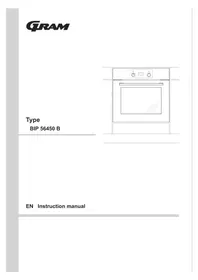
USER MANUAL 5OP 610 BM GRAM


Manual assistant
Powered by Anthropic
Waiting for your message
Product information
Brand : GRAM
Model : 5OP 610 BM
Category : Oven