
HPBT015DP - Uncategorized LEXIBOOK - Free user manual and instructions
Find the device manual for free HPBT015DP LEXIBOOK in PDF.


Pick your language and provide your email: we'll send you a specifically translated version.
| Product type | Educational tablet for children |
| Brand | LEXIBOOK |
| Model | HPBT015DP |
| Color | Pink and white |
| Screen size | 7 inches |
| Screen type | Capacitive LCD |
| Screen resolution | 1024 x 600 pixels |
| Processor | Quad-core 1.3 GHz |
| RAM memory | 1 GB |
| Storage capacity | 16 GB expandable via microSD |
| Operating system | Child version of Android |
| Battery | Lithium-ion 3000 mAh |
| Power supply | 5V/1A USB power adapter |
| Battery life | Up to 4 hours |
| Camera | Front 0.3 MP |
| Connectivity | Wi-Fi, USB port, headphone jack |
| Main functions | Educational games, videos, music, pre-installed apps |
| Security | Built-in parental control |
| Care and cleaning | Soft, dry cloth, no liquids |
| Spare parts | Available via Lexibook after-sales service |
| Repairability | Repair by an approved center |
| General information | 2-year warranty |
Frequently Asked Questions - HPBT015DP LEXIBOOK
How to download the user manual for my Lexibook HPBT015DP?
You can download the PDF manual for free from our site notice-facile.com. Click on the Download button at the top of the page. The 42-page PDF file is in French.
How to recharge the device's battery?
Plug the supplied USB power adapter into the device's charging port, then connect it to a wall outlet. The red light indicates charging is in progress. Once the battery is full, the light turns off. A full charge takes about 3 hours.
What to do if the screen stays black?
If the screen does not turn on, first check that the battery is charged. Hold down the Power button for 10 seconds to force a restart. If the problem persists, perform a reset by inserting a paperclip into the Reset hole located on the back of the device.
How to reset my device?
For a soft reset, turn off the device, then restart it. If the device is frozen, use the Reset button. For a factory reset, go to system settings and choose 'Restore factory settings'. Note that this erases all data.
What educational features are offered?
The device offers educational games to learn math, French, science and logic. It also includes drawing and music activities.
From what age is this device suitable?
This product is recommended for children aged 3 to 7 years. It includes content suitable for each age group and parental control to secure usage.
How to clean the screen without damaging it?
Turn off the device, then use a soft, dry microfiber cloth to wipe the screen. Avoid any liquid or solvent that could damage the screen's coating.
Can I use any USB charger?
It is recommended to use only the charger supplied with the device (5V/1A). A charger that is too powerful could damage the battery or the electronics. Always use a certified adapter.
How to replace the battery if it is defective?
The battery is built-in and should only be replaced by a certified technician. Contact Lexibook customer service for a repair quote. Do not open the device yourself, as this would void the warranty.
Does the warranty cover malfunctions?
Yes, the device is warranted 2 years against any manufacturing defects. The warranty does not cover damage due to misuse or accident. Keep the purchase receipt for any claim.
User questions about HPBT015DP LEXIBOOK
0 question about this device. Answer the ones you know or ask your own.
Ask a new question about this device
No questions yet. Be the first to ask one.
Download the instructions for your Uncategorized in PDF format for free! Find your manual HPBT015DP - LEXIBOOK and take your electronic device back in hand. On this page are published all the documents necessary for the use of your device. HPBT015DP by LEXIBOOK.
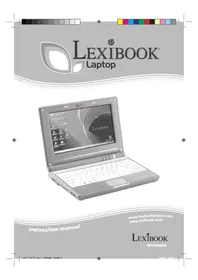
USER MANUAL HPBT015DP LEXIBOOK
Manual assistant
Powered by Anthropic
Waiting for your message
Product information
Brand : LEXIBOOK
Model : HPBT015DP
Category : Uncategorized