
RVC477790 - Refrigerator GAGGENAU - Free user manual and instructions
Find the device manual for free RVC477790 GAGGENAU in PDF.


Pick your language and provide your email: we'll send you a specifically translated version.
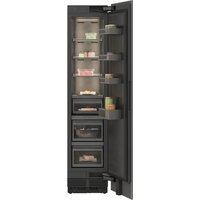
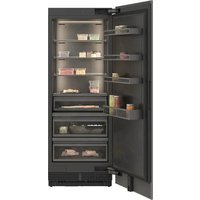
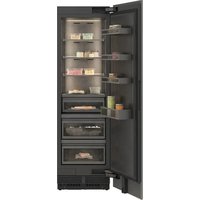
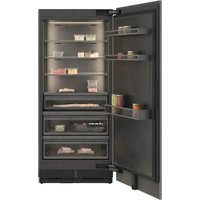
| Product type | Refrigerator |
| Brand | GAGGENAU |
| Model | RVC477790 |
| Total capacity | 350 L |
| Dimensions (H x W x D) | 177 cm x 75 cm x 66 cm |
| Net weight | 78 kg |
| Power supply | 220-240 V, 50 Hz |
| Energy class | D |
| Noise level | 42 dB |
| Defrosting | No Frost |
| Air distribution | Multi-air |
| Lighting | LED |
| Control | Electronic |
| Alarm | Temperature and door |
| Display | LCD screen |
| Maintenance and cleaning | Removable condensation tray |
| Safety | Child lock |
| Spare parts and repairability | 15-year availability |
| General information | Manual in French, downloadable as PDF |
Frequently Asked Questions - RVC477790 GAGGENAU
How do I set the temperature on my GAGGENAU RVC477790 refrigerator?
Use the electronic control panel to set the temperature. Press the Temp key until the desired value is displayed, then confirm. The ideal temperature for the refrigerator is 4°C.
What should I do if the refrigerator stops cooling?
Check that the appliance is properly plugged in and that the door is closed correctly. Then check the temperature settings. If the problem persists, the compressor may be at fault; contact a professional.
How do I clean the inside of the refrigerator?
Unplug the appliance and remove the shelves. Wash with a sponge dampened with warm water and mild soap. Rinse and dry before plugging it back in. Avoid abrasive products.
Why does water accumulate at the bottom of the refrigerator?
This is often due to a blocked drain hole. Clean it with a cotton swab or a small brush. Also check that the condensation tray is correctly positioned.
How does the No Frost function work?
The No Frost system sprays cold, dry air that prevents frost formation. Moisture is removed automatically, so there is no need to defrost manually.
What does the error code displayed on the screen mean?
Refer to the Troubleshooting chapter in the manual to identify the code. The codes usually indicate a temperature anomaly, an open door, or a faulty sensor.
How do I install the refrigerator correctly?
Place the appliance in a ventilated room, away from heat sources. Use a spirit level to level it. Leave at least 5 cm of space at the back for ventilation.
What are the recommended temperatures for each zone?
The cold zone (bottom) is ideal for meats at 0-2°C. The middle zone (middle) for dairy products at 4°C. The temperate zone (door) for eggs and drinks.
How can I save energy with this appliance?
Open the door as little as possible and do not leave it open. Set the temperature to the recommended value. Check that the door seals are airtight.
What should I do in case of a breakdown or maintenance?
Unplug the appliance and empty its contents. Never attempt to repair it yourself without expertise. Contact the authorized GAGGENAU after-sales service for any intervention.
User questions about RVC477790 GAGGENAU
0 question about this device. Answer the ones you know or ask your own.
Ask a new question about this device
No questions yet. Be the first to ask one.
Download the instructions for your Refrigerator in PDF format for free! Find your manual RVC477790 - GAGGENAU and take your electronic device back in hand. On this page are published all the documents necessary for the use of your device. RVC477790 by GAGGENAU.
USER MANUAL RVC477790 GAGGENAU

Manual assistant
Powered by Anthropic
Waiting for your message
Product information
Brand : GAGGENAU
Model : RVC477790
Category : Refrigerator