
SFSR 72 A1 - Vacuum Cleaner SILVERCREST - Free user manual and instructions
Find the device manual for free SFSR 72 A1 SILVERCREST in PDF.


Pick your language and provide your email: we'll send you a specifically translated version.
| Product type | Robot vacuum cleaner with mopping function |
| Brand | SILVERCREST |
| Model | SFSR 72 A1 |
| Application area | Indoor floors, hard floors and low-pile carpets |
| Navigation system | Random navigation with anti-collision and anti-drop sensors |
| Cleaning modes | Auto, edge, spot and manual remote control |
| Dust bin capacity | 300 ml |
| Water tank capacity | 150 ml |
| Battery type | Rechargeable lithium-ion |
| Battery voltage | 14.4 V |
| Charging time | Around 4 hours |
| Operating time | Up to 90 minutes |
| Remote control | Included, runs on a 9 V battery (not included) |
| Filter system | Washable HEPA filter |
| Programming | 24-hour timer for scheduled cleaning |
| Charging dock | Automatic return and recharge function |
| Noise level | Approx. 60 dB |
| Dimensions (approx.) | 32 cm diameter, 7.5 cm height |
| Weight (approx.) | 2.4 kg |
| Maintenance | Empty dust bin, clean filter and brushes regularly |
| Included accessories | Charging dock, remote control, cleaning brush, user manual |
Frequently Asked Questions - SFSR 72 A1 SILVERCREST
How do I start the SILVERCREST SFSR 72 A1 robot vacuum?
Press the power button on the robot or on the remote control. The robot will start cleaning automatically. If it is in standby, make sure it is switched on and connected to the charging dock.
Can I schedule cleaning in advance?
Yes. Use the timer function on the remote control or the device itself. Set the desired time and the robot will start automatically once per day.
How do I change the battery of the remote control?
Open the battery compartment on the back of the remote control, insert a 9 V battery (not included) and close the compartment. The remote control is ready to use immediately.
Why does the robot not return to the charging dock?
Ensure that the charging dock is connected to the mains and placed on a stable, level surface. Check that the robot is not too far away or blocked by obstacles. If necessary, place the robot manually close to the dock to trigger recharging.
How often should I clean the filter?
Clean the HEPA filter after every 3 to 5 cleaning cycles to maintain strong suction. Rinse it with water and let it dry completely before putting it back.
Can I use the mopping function on carpets?
No, the water tank and mopping cloth should only be used on hard floors. On carpets, remove the water tank and rely on vacuuming only.
What should I do if the robot gets stuck?
Turn off the robot, carefully remove it from the obstacle. Check that wheels and sensors are not blocked. Restart and try again. Rearrange furniture or use anti-collision sensors if needed.
What does the anti-drop sensor do?
The anti-drop sensors under the robot detect stairs and steep drops. This prevents the robot from falling and causing damage or injury.
Is the battery replaceable?
The battery is integrated and not intended to be replaced by the user. If the battery wears out, contact an authorised SILVERCREST service centre for repair or replacement.
How do I clean the water tank?
Empty the remaining water from the tank after each use. Rinse the tank with clean water and allow it to air dry. Do not use cleaning agents, as they may damage the tank or harm floors.
User questions about SFSR 72 A1 SILVERCREST
0 question about this device. Answer the ones you know or ask your own.
Ask a new question about this device
No questions yet. Be the first to ask one.
Download the instructions for your Vacuum Cleaner in PDF format for free! Find your manual SFSR 72 A1 - SILVERCREST and take your electronic device back in hand. On this page are published all the documents necessary for the use of your device. SFSR 72 A1 by SILVERCREST.
USER MANUAL SFSR 72 A1 SILVERCREST
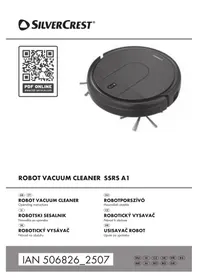
Manual assistant
Powered by Anthropic
Waiting for your message
Product information
Brand : SILVERCREST
Model : SFSR 72 A1
Category : Vacuum Cleaner