
EyePilot RTKn KR251E - Lawn mower KRESS - Free user manual and instructions
Find the device manual for free EyePilot RTKn KR251E KRESS in PDF.


Pick your language and provide your email: we'll send you a specifically translated version.
| Product type | Autonomous robotic lawnmower |
| Brand | KRESS |
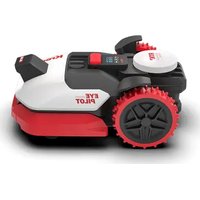
| Model | EyePilot RTKn KR251E |
| Dimensions (L × W × H) | 55 × 40 × 25 cm |
| Weight | 8.5 kg |
| Recommended mowing area | 250 m² |
| Cutting width | 18 cm |
| Adjustable cutting height | 20 to 60 mm |
| Maximum slope | 25% |
| Power supply | Rechargeable 20 V lithium-ion battery |
| Average battery runtime | 60 minutes |
| Charging time | 90 minutes |
| Automatic return to charging base | Yes |
| Navigation system | EyePilot RTK with perimeter sensors |
| Mowing schedule programming | Yes, via mobile app |
| Obstacle detection | Integrated collision sensors |
| Integrated display | LCD screen |
| Sound level | Approximately 58 dB(A) |
| Protection rating | IPX5 |
| Child safety | PIN code and automatic blade stop |
| Routine maintenance | Cleaning of the housing, wheels and blades |
| Recommended cleaning | Damp cloth, never a pressure washer |
| Spare parts available | Blades, wheels, battery, charging station |
| Repairability | Modular design, repair manual accessible online |
| General information | 240-page user manual available in French |
Frequently Asked Questions - EyePilot RTKn KR251E KRESS
How to install the charging base of the KRESS KR251E?
Place the charging base on a flat surface, leave a space of at least 1 m on the sides and 2 m in front. Plug in the power and unroll the perimeter cable according to the supplied plan. The mower must return to the base automatically after each cycle.
What is the maximum area the EyePilot RTKn KR251E can mow?
It is designed for lawns up to 250 m². For best results, divide mowing into several daily cycles depending on grass growth.
How to adjust the cutting height?
The cutting height is adjusted manually using the central knob. The adjustable range is from 20 to 60 mm. Adapt it to the season and the length of your grass.
What to do if the mower gets stuck while mowing?
Turn off the power, remove obstacles around the wheels and blades. Check that the perimeter cable is not cut. Restart and use the app to launch a new cycle.
What regular maintenance does the mower require?
After each use, clean the housing with a damp cloth. Check the condition of the blades weekly and replace them if they are dull. Check the wheels and remove debris.
Can it mow in the rain?
The IPX5 rating protects it from water splashes, but it is better to avoid mowing in heavy rain. Wet grass can stick to the housing and reduce cutting quality.
How to program mowing schedules?
Log in to the KRESS mobile app, select the schedule and set the time slots. The mower automatically returns to the base at the end of the cycle and recharges its batteries.
What to do in winter or during long periods of inactivity?
Clean the mower thoroughly, charge the battery to approximately 60%, then store it in a dry, frost-free place. Unplug the charging base and protect the perimeter cable.
Is the battery removable and replaceable?
Yes, the lithium-ion battery is removable and can be replaced with a genuine KRESS part. Replacement is done without any special tools, after turning off the mower.
What are the safety precautions for children and pets?
The mower has a PIN code to prevent unauthorized use, and the blades stop automatically as soon as the device is lifted. Never let children play nearby while mowing.
User questions about EyePilot RTKn KR251E KRESS
0 question about this device. Answer the ones you know or ask your own.
Ask a new question about this device
No questions yet. Be the first to ask one.
Download the instructions for your Lawn mower in PDF format for free! Find your manual EyePilot RTKn KR251E - KRESS and take your electronic device back in hand. On this page are published all the documents necessary for the use of your device. EyePilot RTKn KR251E by KRESS.
USER MANUAL EyePilot RTKn KR251E KRESS


Manual assistant
Powered by Anthropic
Waiting for your message
Product information
Brand : KRESS
Model : EyePilot RTKn KR251E
Category : Lawn mower