
DSC162 - Uncategorized MAKITA - Free user manual and instructions
Find the device manual for free DSC162 MAKITA in PDF.


Pick your language and provide your email: we'll send you a specifically translated version.
| Product type | Portable circular saw |
| Brand | MAKITA |
| Model | DSC162 |
| Supply voltage | 230 V |
| Frequency | 50 Hz |
| Power consumption | 1200 W |
| No-load speed | 5500 rpm |
| Blade diameter | 162 mm |
| Blade bore | 20 mm |
| Cutting depth at 90° | 55 mm |
| Cutting depth at 45° | 40 mm |
| Cable length | 2.5 m |
| Net weight | 3.6 kg |
| Dimensions (L x W x H) | 285 x 210 x 240 mm |
| Sound level | 92 dB(A) |
| Vibration level | 3.2 m/s² |
| Protection class | Class II |
| Main functions | Straight and bevel cutting |
| Safety features | Protective guard, spindle lock, dual safety switch |
| Maintenance and cleaning | Clean ventilation slots, replace worn carbon brushes |
| Spare parts and repairability | Blade, flanges, carbon brushes, base plates available |
| Warranty | 2 years |
Frequently Asked Questions - DSC162 MAKITA
How to change the blade of the DSC162 circular saw?
Unplug the saw, press the spindle lock to immobilize the blade, then use a wrench to unscrew the central screw. Remove the flange and the blade, place the new blade respecting the rotation direction, then screw back and tighten firmly.
What type of blade to use for cutting metal?
To cut metal, use a metal-specific blade, typically made of tungsten carbide with a low number of teeth. Make sure the diameter and bore match the DSC162 saw.
How to adjust the cutting depth?
Unlock the sole adjustment knob, place the saw on the workpiece and adjust the desired depth according to the material thickness. Tighten the knob to lock the position. The maximum depth is 55 mm at 90°.
How to make a bevel cut?
Unlock the bevel lever, tilt the sole to the desired angle (usually up to 45°) and retighten the lever. The cutting depth is then reduced to 40 mm. Make sure the workpiece is properly stabilized.
Why does the saw not start?
First check the power source and the cable. If the cable is in good condition, the problem may come from worn motor carbon brushes or the spindle lock accidentally activated. Consult the manual to replace the brushes.
How to clean the saw after use?
Unplug the tool, blow the inside with compressed air to remove dust, clean the blade with a damp non-abrasive cloth and check that the ventilation slots are not blocked. Avoid aggressive solvents.
What safety precautions should be taken?
Always wear safety goggles, a dust mask and hearing protectors. Check that the blade is not damaged and that the protective guard works properly. Do not wear loose clothing and maintain a stable posture.
How to replace motor carbon brushes?
Unscrew the brush caps located on the motor housing, remove the old brushes, insert the new ones respecting their direction, then screw the caps back on. After replacement, let the saw run idle for a few minutes for a break-in.
What suction power to connect the vacuum cleaner?
The saw's dust extraction outlet accepts a 36 mm diameter hose. Use a vacuum cleaner with sufficient suction power to collect the sawdust. A shop vacuum is recommended for optimal results.
How to transport the saw safely?
Before transport, wait until the blade has completely stopped and store the saw in a carrying case. If you use the protective guard, make sure it is locked. Remove the battery if the device is cordless, or unplug the cable.
User questions about DSC162 MAKITA
0 question about this device. Answer the ones you know or ask your own.
Ask a new question about this device
No questions yet. Be the first to ask one.
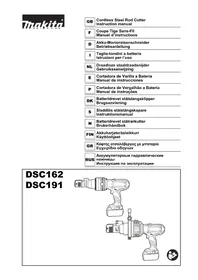
Download the instructions for your Uncategorized in PDF format for free! Find your manual DSC162 - MAKITA and take your electronic device back in hand. On this page are published all the documents necessary for the use of your device. DSC162 by MAKITA.
USER MANUAL DSC162 MAKITA
Manual assistant
Powered by Anthropic
Waiting for your message
Product information
Brand : MAKITA
Model : DSC162
Category : Uncategorized