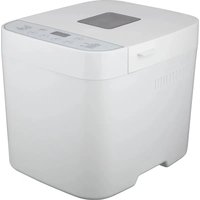
POBM400GS - Bread maker Point - Free user manual and instructions
Find the device manual for free POBM400GS Point in PDF.


Pick your language and provide your email: we'll send you a specifically translated version.
| Product Type | Bread Maker |
| Brand | Point |
| Model | POBM400GS |
| Capacity | Max 2.5 lbs (1.2 kg) loaf |
| Programmes | 12 automatic programmes incl. Basic, Whole Wheat, French, Sweet, Gluten-Free, Dough, Jam, Cake |
| Crust Control | 3 colour settings (Light, Medium, Dark) |
| Delay Timer | Up to 15 hours |
| Keep Warm | Up to 1 hour |
| Display | LCD with backlight |
| Power Consumption | 680 W |
| Voltage | 220-240 V, 50 Hz |
| Dimensions | 32 x 36 x 28 cm (W x D x H) |
| Weight | 6 kg |
| Material | Stainless steel exterior, polypropylene casing |
| Baking Pan | Non-stick coated aluminium |
| Kneading Blade | Removable stainless steel |
| Viewing Window | Steam-resistant clear glass |
| Safety Features | Overheat protection, cool-touch handle, non-slip feet |
| Cleaning | Baking pan and kneading blade are dishwasher-safe |
| Accessories Included | Measuring cup and spoon |
| Reparability | Spare parts available (baking pan, kneading blade, control board) |
| Warranty | 2 years standard |
Frequently Asked Questions - POBM400GS Point
How do I set the delay timer on my Point POBM400GS bread maker?
To set the delay timer, first program your ingredients and select the desired cycle. Then press the Timer button and use the +/− buttons to set the number of hours until the bread will be ready. The timer can be set up to 15 hours in advance.
Why is my bread loaf stuck in the pan?
If the loaf is difficult to remove, let it cool for 10-15 minutes in the pan. Then gently shake the pan upside down. To prevent sticking, ensure the kneading blade is properly in place and lightly grease the pan with oil before baking. Never use metal utensils that can damage the non-stick coating.
Can I use my own recipes with the POBM400GS?
Yes, you can adapt your own recipes by following the ingredient ratios recommended in the manual. Weigh ingredients carefully and use the rapid bake or custom settings if available. It's best to start with a basic white bread recipe from the manual before experimenting.
How do I clean the bread maker?
After unplugging and cooling, remove the pan and kneading blade. Wash them in warm soapy water or in the dishwasher. Wipe the inside of the baking chamber with a damp cloth. Never immerse the appliance in water. Dry all parts thoroughly before reassembling.
Why does my bread have a dense texture?
A dense loaf often results from too little yeast, old flour, or insufficient kneading. Check the freshness of your ingredients. Measure liquids accurately and use the correct cycle for your flour type (e.g., whole wheat requires a longer cycle). Also, avoid opening the lid during baking.
Is the Point POBM400GS suitable for gluten-free baking?
Yes, this model features a dedicated gluten-free program that adjusts kneading and rising times for gluten-free flours. Use a gluten-free flour blend and follow the recipe included in the manual for best results.
How long does a basic bread cycle take?
A standard basic bread cycle on the POBM400GS typically takes about 3 hours including kneading, rising, and baking. The exact duration may vary depending on crust setting and ambient temperature. Use the rapid cycle for a loaf in under two hours if you're in a hurry.
Can I bake a cake or make jam with this machine?
Yes, the bread maker includes programs for cake and jam. For cake, use the cake program which has a shorter knead time and lower baking temperature. For jam, combine fruit and sugar, then select the jam program to automatically stir and cook.
How do I store leftover homemade bread?
Store bread in a bread box or a paper bag at room temperature for up to 3 days. For longer storage, slice the bread and freeze it in an airtight bag. Thaw slices as needed or toast them directly from the freezer.
What is the warranty and where can I find spare parts?
General warranty typically covers 2 years for home use. For spare parts like the baking pan, kneading blade, or control board, contact Point customer service or authorized service centers. Visit the Point official website for a list of approved dealers and online spare parts ordering.
User questions about POBM400GS Point
0 question about this device. Answer the ones you know or ask your own.
Ask a new question about this device
No questions yet. Be the first to ask one.
Download the instructions for your Bread maker in PDF format for free! Find your manual POBM400GS - Point and take your electronic device back in hand. On this page are published all the documents necessary for the use of your device. POBM400GS by Point.
USER MANUAL POBM400GS Point


Manual assistant
Powered by Anthropic
Waiting for your message
Product information
Brand : Point
Model : POBM400GS
Category : Bread maker