
MATRIX-44-CAT - Router DVDO - Free user manual and instructions
Find the device manual for free MATRIX-44-CAT DVDO in PDF.


Pick your language and provide your email: we'll send you a specifically translated version.
| Type de produit | Matrix router |
| Brand | DVDO |
| Modèle | MATRIX-44-CAT |
| Dimensions | 440 x 220 x 44 mm |
| Poids | 2.5 kg |
| Alimentation | 100-240V AC, 50/60Hz |
| Consommation électrique | 30W max |
| Entrées vidéo | 4x HDMI |
| Sorties vidéo | 4x HDMI over CAT6 |
| Résolutions supportées | Up to 4K@60Hz |
| Format vidéo | HDMI 2.0, HDCP 2.2 |
| Contrôle | IR, RS-232, LAN |
| Distances maximales | 50 m via CAT6 |
| Montage en rack | Oui, 1U |
| Entretien et nettoyage | Chiffon doux et sec |
| Sécurité | Ne pas exposer à l'humidité |
| Pièces détachées | Adaptateur secteur, télécommande IR |
| Réparabilité | Conception modulaire |
| Contenu de l'emballage | Unité principale, télécommande, câble secteur, manuel |
Frequently Asked Questions - MATRIX-44-CAT DVDO
How do I connect the MATRIX-44-CAT to my setup?
Connect HDMI sources (e.g., Blu-ray players, game consoles) to the four input ports on the matrix. Then use CAT6 cables to link the outputs to the included receiver units near your displays. Finally, power on the matrix and receivers.
What maximum resolution and refresh rate are supported?
The MATRIX-44-CAT supports resolutions up to 4K@60Hz with 4:4:4 chroma subsampling, ensuring sharp and detailed images for compatible displays and sources.
How can I control the matrix via RS-232?
Use the RS-232 port on the rear panel. Connect it to a PC or home automation system, and send standard ASCII commands for switching inputs, selecting outputs, and querying status. The full command list is provided in the manual.
Does the device support HDR (High Dynamic Range)?
Yes, the matrix is HDR10 and Dolby Vision compatible, allowing you to enjoy high-contrast, vibrant colors when your source and display both support HDR.
What is the maximum cable length for the CAT6 connections?
With standard CAT6a cabling, the signal can be transmitted up to 50 meters without loss of quality. For best performance, use shielded twisted-pair cables.
How do I reset the MATRIX-44-CAT to factory defaults?
To reset, press and hold the RS-232/LAN reset button on the rear panel for about 10 seconds. The device will reboot with default settings. Alternatively, send the factory reset command via the serial interface.
Can I use this matrix to extend 4K signals over long distances?
Yes, the MATRIX-44-CAT transmits 4K signals up to 50 meters over CAT6. For distances beyond that, consider using fiber optic converters.
How do I program the IR remote for custom switching?
The IR remote comes pre-programmed for basic functions. To assign a specific input to a specific output, press the OUTPUT button on the remote, then the desired INPUT button. The LED will blink to confirm.
Is the matrix compatible with HDCP 2.2?
Yes, all HDMI inputs and outputs are HDCP 2.2 compliant, ensuring seamless compatibility with 4K streaming devices, cable boxes, and Ultra HD Blu-ray players.
How can I update the firmware?
Firmware updates are performed via the LAN port. Download the latest firmware file from the DVDO website, connect to the matrix's IP address, and use the built-in web interface to upload and install the update.
User questions about MATRIX-44-CAT DVDO
0 question about this device. Answer the ones you know or ask your own.
Ask a new question about this device
No questions yet. Be the first to ask one.
Download the instructions for your Router in PDF format for free! Find your manual MATRIX-44-CAT - DVDO and take your electronic device back in hand. On this page are published all the documents necessary for the use of your device. MATRIX-44-CAT by DVDO.
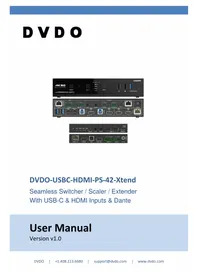
USER MANUAL MATRIX-44-CAT DVDO


Manual assistant
Powered by Anthropic
Waiting for your message
Product information
Brand : DVDO
Model : MATRIX-44-CAT
Category : Router