5400 Series EP5143 - Coffee maker PHILIPS - Free user manual and instructions
Find the device manual for free 5400 Series EP5143 PHILIPS in PDF.


Pick your language and provide your email: we'll send you a specifically translated version.
| Product type | Fully automatic espresso machine |
| Model name | Philips 5400 Series EP5143 |
| Pump pressure | 15 bar |
| Wattage | 1500 W |
| Water tank capacity | 1.8 L |
| Bean container capacity | 275 g |
| Dimensions (W x H x D) | 24.6 x 37.2 x 43.3 cm |
| Weight | 8.5 kg |
| Milk frother | LatteGo milk system |
| Grinder | Ceramic grinder with 12 settings |
| Beverages | Espresso, coffee, cappuccino, latte macchiato |
| Water hardness setting | Adjustable via AquaClean filter |
| Cleaning and maintenance | Automatic descaling, cleaning and rinsing cycles |
| Energy saving | Eco-mode with automatic switch-off |
| Safety features | Child-safe lock, anti-drip system |
| Spare parts availability | Accessories available from Philips website |
| Manual language | English, Spanish, German, French, Dutch, etc. |
Frequently Asked Questions - 5400 Series EP5143 PHILIPS
How often should I descale my Philips 5400 Series EP5143?
Descale the machine every 3 to 6 months, depending on your water hardness and usage. You can check the descaling indicator on the display. It is important to use the Philips descaling solution to ensure optimal performance.
Can I use pre-ground coffee instead of coffee beans?
Yes, the EP5143 has a pre-ground coffee compartment that allows you to use ground coffee. Simply add pre-ground coffee into the designated funnel and select the pre-ground function in the menu.
How do I adjust the grinder setting?
Open the bean container lid and rotate the grind setting knob to choose from 12 different fineness levels. We recommend starting with a medium setting and adjusting to fine for a stronger espresso or coarser for a milder cup.
How do I clean the LatteGo milk frother?
The LatteGo has no tubes and is easy to clean. Rinse it under running water immediately after each use, and regularly clean it in the dishwasher or by hand with warm soapy water. The milk frother is also simple to disassemble.
What is the AquaClean filter and how does it work?
The AquaClean filter reduces limescale build-up and allows you to brew up to 5000 cups before descaling. It continuously cleans the water through activated carbon, improving the taste of your coffee. The machine will indicate when to replace the filter.
How do I set the water hardness?
Press the menu button, navigate to the water hardness setting, and select the appropriate level (1 to 4) based on the test strip provided with the machine. This ensures accurate descaling interval notifications and optimal water quality.
Why is my espresso not hot enough?
Make sure the machine has warmed up completely. You can increase the coffee temperature in the settings menu, and always use warm cups to retain heat. Also, check that the coffee spout is not blocked by stale coffee residues.
How do I program the drink volumes?
Press and hold the button of the beverage you wish to program until the display shows 'programming mode'. Then brew your preferred quantity and save the setting. The new volume will be stored for future use.
How do I switch the machine off and save energy?
Press the on/off button for 3 seconds to fully power down, or simply let the machine enter Eco-mode after a period of inactivity. The automatic switch-off time can be adjusted in the settings to save energy.
What does the child lock do and how do I activate it?
The child lock prevents unintended operation of the machine by locking the touch interface. Go to the settings menu, select 'Child lock' and activate it. To unlock, press and hold the lock icon for a few seconds.
User questions about 5400 Series EP5143 PHILIPS
0 question about this device. Answer the ones you know or ask your own.
Ask a new question about this device
No questions yet. Be the first to ask one.
Download the instructions for your Coffee maker in PDF format for free! Find your manual 5400 Series EP5143 - PHILIPS and take your electronic device back in hand. On this page are published all the documents necessary for the use of your device. 5400 Series EP5143 by PHILIPS.
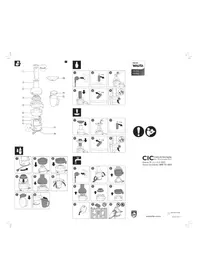
USER MANUAL 5400 Series EP5143 PHILIPS

Manual assistant
Powered by Anthropic
Waiting for your message
Product information
Brand : PHILIPS
Model : 5400 Series EP5143
Category : Coffee maker