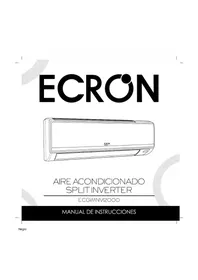
ECPGWI2000 - Air conditioner Ecron - Free user manual and instructions
Find the device manual for free ECPGWI2000 Ecron in PDF.


Pick your language and provide your email: we'll send you a specifically translated version.
| Product Type | Portable Air Conditioner |
| Brand | Ecron |
| Model | ECPGWI2000 |
| Cooling Capacity | 7000 BTU/h (2000 W) |
| Recommended Room Size | Up to 200 sq ft (18 m²) |
| Power Supply | 115 V / 60 Hz |
| Rated Power Consumption | 900 W (Cooling) |
| Rated Current | 7.5 A |
| Refrigerant | R410A |
| Airflow Volume | 250 m³/h |
| Noise Level | ≤ 55 dB (High), ≤ 45 dB (Low) |
| Control Type | Touch panel and remote control |
| Operating Modes | Cool, Fan, Dehumidify |
| Timer | 24-hour programmable |
| Air Filter | Washable dust filter |
| Drainage System | Self-evaporating with continuous drain option |
| Dimensions (W x D x H) | 350 x 350 x 700 mm |
| Weight | 25 kg |
| Maintenance | Clean filter every 2 weeks; wipe with damp cloth |
| Safety Features | Overheat protection, auto restart |
| Spare Parts Availability | Replacement filters and remote controls available |
Frequently Asked Questions - ECPGWI2000 Ecron
How do I install the exhaust hose for my Ecron ECPGWI2000?
Connect the exhaust hose to the unit's rear outlet and attach the window seal plate to the exhaust hose's other end. Ensure the hose is as short and straight as possible for optimal cooling efficiency.
How often should I clean the air filter?
Clean the washable dust filter every two weeks to maintain airflow and cooling performance. Remove it, rinse with water, and let it dry before reinserting.
Why is water leaking from my air conditioner?
Leaks usually occur if the unit is not tilted correctly, the drainage hose is blocked, or the internal water tank is full. Check the continuous drain option and empty the tank if necessary.
Can I use an extension cord with this unit?
It is not recommended. Use a dedicated outlet matching the power supply (115V/60Hz) to avoid voltage drop and potential overheating.
What is the recommended room size for the ECPGWI2000?
The unit is designed for rooms up to approximately 200 sq ft (18 m²). Larger rooms may require multiple units or longer cooling periods.
How do I set the 24-hour timer?
Press the TIMER button on the remote or control panel, then use +/- to adjust the desired off or on time in one-hour increments. Confirm with the MODE button.
What do error codes like E1 or E2 mean?
E1 indicates a sensor fault, while E2 points to a freeze protection issue. Turn off the unit, unplug it for 10 minutes, and restart. If the code persists, contact support.
How do I drain condensed water?
Use the continuous drain feature by connecting a hose to the drainage port, or manually empty the internal tank when the water level fills. Refer to the manual for the exact location.
Is the Ecron ECPGWI2000 energy-efficient?
With a cooling capacity of 7000 BTU/h and a rated power of 900W, it offers a reasonable Energy Efficiency Ratio (EER) of about 7.8, making it quite efficient for a portable unit.
How should I store the unit in winter?
Drain all water, clean the filter, dry the interior, and disconnect the exhaust hose. Cover the unit and store it in a dry, dust-free place to prevent mold and corrosion.
User questions about ECPGWI2000 Ecron
0 question about this device. Answer the ones you know or ask your own.
Ask a new question about this device
No questions yet. Be the first to ask one.
Download the instructions for your Air conditioner in PDF format for free! Find your manual ECPGWI2000 - Ecron and take your electronic device back in hand. On this page are published all the documents necessary for the use of your device. ECPGWI2000 by Ecron.
USER MANUAL ECPGWI2000 Ecron

Manual assistant
Powered by Anthropic
Waiting for your message
Product information
Brand : Ecron
Model : ECPGWI2000
Category : Air conditioner