
WV-SC385PJ - Surveillance Camera PANASONIC - Free user manual and instructions
Find the device manual for free WV-SC385PJ PANASONIC in PDF.


Pick your language and provide your email: we'll send you a specifically translated version.
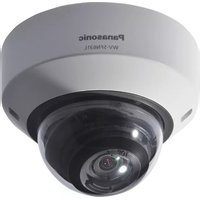
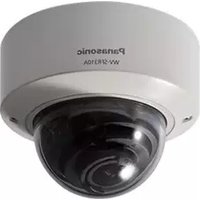
| Product Type | Network Pan/Tilt/Zoom Surveillance Camera |
| Brand | Panasonic |
| Model | WV-SC385PJ |
| Image Sensor | 1/3-inch Progressive Scan CMOS |
| Resolution | Up to 1280x960 (1.3 Megapixel) |
| Optical Zoom | 36x optical zoom lens |
| Pan Range | 360° endless |
| Tilt Range | -90° to +90° |
| Video Compression | H.264 and JPEG dual stream |
| Day/Night Function | ICR auto switching with infrared sensitivity |
| Power Supply | PoE (IEEE 802.3af) or AC 24V |
| Power Consumption | Approx. 12W |
| Dimensions (HxWxD) | 200 mm x 160 mm x 160 mm |
| Weight | Approx. 1.5 kg |
| Ingress Protection | IP66 weatherproof housing |
| Storage | SD/SDHC/SDXC memory card slot |
| Security Features | User authentication, HTTPS encryption, IP filtering |
| Maintenance | Clean outer dome with soft dry cloth; check seals |
| Spare Parts & Repairability | Authorized service centers; replaceable camera head and PCB |
| Operating Temperature | -30°C to +60°C |
Frequently Asked Questions - WV-SC385PJ PANASONIC
How do I access the camera remotely?
Ensure the camera is connected to your network. Use the IP address assigned by your router, and enter it in a web browser. You may need to configure port forwarding on your router for access from the internet.
How do I perform a factory reset?
Locate the reset button on the camera. Press and hold it for about 5 seconds until the status LED flashes. This restores the camera to its default network settings and administrator password.
What is the default IP address?
The default IP address is typically 192.168.0.10. If it does not respond, use the Panasonic IP Setup Software to detect the camera on your network.
How do I set up motion detection?
Log in to the camera's web interface and go to the Motion Detection settings. You can configure up to 4 detection areas, adjust sensitivity, and set which actions (e.g., email alerts or recording) should be triggered.
How do I record video to an SD card?
Insert a compatible SD card into the slot. In the camera settings, enable SD recording and choose the recording mode (continuous, motion, or schedule). Format the card via the interface before use.
How do I clean the camera?
Turn off the power before cleaning. Use a soft, dry microfiber cloth to wipe the dome and housing. Avoid water or harsh chemicals. Periodically inspect the rubber seals to maintain IP66 waterproofing.
What should I do if the image is blurry?
Check if the focus is set correctly. Use the manual focus ring or trigger auto-focus through the web interface. Also ensure the dome is clean and free of condensation.
Can the camera be used outdoors at night?
Yes, the WV-SC385PJ has a day and night function with ICR (Infrared Cut Removable). It automatically switches to monochrome mode in low light. For total darkness, add an external IR illuminator.
How do I update the firmware?
Download the latest firmware from the Panasonic support website. In the camera's web interface, go to Maintenance and select 'Firmware Update'. Upload the file and wait for the reboot.
How do I connect to a network switch?
Connect the camera's Ethernet cable to a PoE-capable switch port. If your switch does not support PoE, use the supplied AC 24V adapter. Then wait for the camera to get an IP address via DHCP.
User questions about WV-SC385PJ PANASONIC
0 question about this device. Answer the ones you know or ask your own.
Ask a new question about this device
No questions yet. Be the first to ask one.
Download the instructions for your Surveillance Camera in PDF format for free! Find your manual WV-SC385PJ - PANASONIC and take your electronic device back in hand. On this page are published all the documents necessary for the use of your device. WV-SC385PJ by PANASONIC.
USER MANUAL WV-SC385PJ PANASONIC


Manual assistant
Powered by Anthropic
Waiting for your message
Product information
Brand : PANASONIC
Model : WV-SC385PJ
Category : Surveillance Camera