
ECTM 8145/1 SW - Oven BAUKNECHT - Free user manual and instructions
Find the device manual for free ECTM 8145/1 SW BAUKNECHT in PDF.


Pick your language and provide your email: we'll send you a specifically translated version.
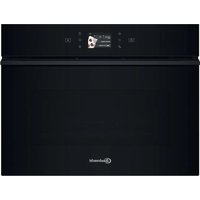
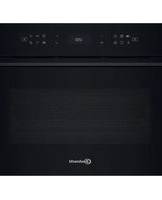
| Product type | Built-in electric oven |
| Brand | Bauknecht |
| Model | ECTM 8145/1 SW |
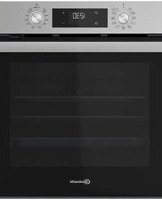
| Color | Black stainless steel |
| Oven capacity | 71 L |
| Energy efficiency class | A |
| Power supply | 220-240 V, 50/60 Hz |
| Rated power | 3.0 kW |
| Number of cooking modes | 8 |
| Main functions | Convection, grilling, defrosting, bottom heat, fan-assisted grilling |
| Temperature range | 50°C to 250°C |
| Display | Digital LED display |
| Controls | Touch controls |
| Cleaning type | Easy-to-clean catalytic enamel |
| Safety features | Child lock, safety thermostat, automatic shut-off |
| Dimensions (H x W x D) | 595 x 594 x 548 mm |
| Oven cavity dimensions (H x W x D) | 450 x 430 x 400 mm |
| Net weight | 35 kg |
| Door type | Cool-front triple glazing |
| Accessories included | Baking tray, wire rack, grill pan |
| Spare parts availability | Up to 10 years after end of production |
| Installation type | Built-in under worktop |
Frequently Asked Questions - ECTM 8145/1 SW BAUKNECHT
How do I set the clock on my Bauknecht ECTM 8145/1 SW oven?
Press the clock button until the time flashes, then use the plus and minus buttons to adjust. Confirm with the clock button.
How do I activate the child lock on this oven?
Hold the child lock button for 3 seconds until the symbol appears. To deactivate, repeat the same action.
What is the maximum temperature of the ECTM 8145/1 SW?
The maximum temperature is 250°C, suitable for baking and grilling.
How do I clean the oven cavity easily?
The catalytic enamel helps break down grease and food residues. Wipe with a damp cloth after each use. Avoid abrasive cleaners.
Can I set a timer or automatic shut-off?
Yes, you can set a cooking timer and the oven will shut off automatically at the end of the programmed time.
How do I replace the oven light bulb?
Disconnect the oven from power, remove the lamp cover located at the rear of the cavity, unscrew the old bulb, and replace with a suitable high-temperature bulb.
What accessories come with the ECTM 8145/1 SW?
The oven includes a baking tray, a wire rack, and a grill pan for versatile cooking.
Is this oven energy efficient?
The energy efficiency class A ensures low power consumption while delivering excellent cooking performance.
What should I do if the oven does not heat up?
Check the power supply, ensure the timer is not set, and verify that the oven is not in standby mode. If the problem persists, contact customer support.
Where can I find spare parts for this Bauknecht oven?
Spare parts are available through Bauknecht service centers or authorized online retailers, and are guaranteed for up to 10 years after production.
User questions about ECTM 8145/1 SW BAUKNECHT
0 question about this device. Answer the ones you know or ask your own.
Ask a new question about this device
No questions yet. Be the first to ask one.
Download the instructions for your Oven in PDF format for free! Find your manual ECTM 8145/1 SW - BAUKNECHT and take your electronic device back in hand. On this page are published all the documents necessary for the use of your device. ECTM 8145/1 SW by BAUKNECHT.
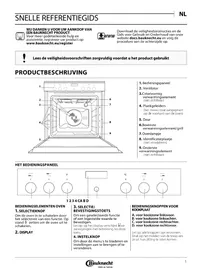
USER MANUAL ECTM 8145/1 SW BAUKNECHT
Manual assistant
Powered by Anthropic
Waiting for your message
Product information
Brand : BAUKNECHT
Model : ECTM 8145/1 SW
Category : Oven