
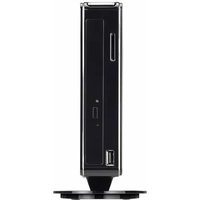
XPC DH170 - Compact computer Shuttle - Free user manual and instructions
Find the device manual for free XPC DH170 Shuttle in PDF.


Pick your language and provide your email: we'll send you a specifically translated version.
| Product type | Barebone compact computer |
| Brand | Shuttle |
| Model | XPC DH170 |
| Supported processor | Intel Core i3/i5/i7 (LGA1151, 6th Gen Skylake) |
| Chipset | Intel H170 |
| Memory | 2× DDR4 SO-DIMM, up to 32GB |
| Storage | 1× 3.5" SATA + 1× 2.5" SATA |
| Optical drive | Optional slim slot-in SATA ODD |
| Graphics | Integrated Intel HD Graphics (CPU dependent) |
| Audio | 8-channel HD Audio, S/PDIF out |
| Ethernet | 1× Gigabit Ethernet |
| USB ports | 4× USB 3.0, 2× USB 2.0 |
| Video outputs | 2× DisplayPort, 1× HDMI |
| Expansion slot | 1× PCIe x16 (low profile) |
| Power supply | External 180 W AC adapter |
| Dimensions (W×H×D) | Approx. 300 × 190 × 210 mm |
| Weight | Approx. 4 kg |
| Operating temperature | 0°C to 40°C |
| Cleaning method | Wipe exterior with dry cloth; use compressed air for vents |
| Safety features | Overcurrent protection, anti-slip feet |
| Maintenance | Tool-free access to RAM, storage, CPU and fan |
| Spare parts availability | Memory, storage, CPU, fan and power adapter are user-replaceable |
Frequently Asked Questions - XPC DH170 Shuttle
What CPU can I install in the Shuttle XPC DH170?
The DH170 supports Intel Core i3/i5/i7 processors for the LGA1151 socket, primarily 6th generation (Skylake). Some BIOS revisions may support 7th gen (Kaby Lake), but check the latest BIOS. Use a CPU with a maximum TDP of 65 watts for optimal cooling.
How do I install additional memory?
Remove the side cover or top lid, locate the two DDR4 SO-DIMM slots and insert memory modules at a 30-degree angle, then press down until they click. The system supports up to 32 GB non-ECC DDR4.
Does the XPC DH170 support 2.5" SSDs?
Yes, it has dedicated bays for both 2.5" and 3.5" drives. You can install one 2.5" SSD and one 3.5" HDD simultaneously.
What is the power consumption?
With a typical Core i5 CPU and integrated graphics, the system draws approximately 35-70 watts under load. The included 180W adapter provides ample headroom.
Can I use it for 4K video playback?
Since the integrated Intel HD Graphics 530 supports hardware decoding of H.265/HEVC and VP9, you can enjoy smooth 4K video playback on compatible outputs (DisplayPort or HDMI).
How do I clean the dust inside?
Use a soft brush or compressed air to remove dust from the heatsink and airflow paths. Do not open the PSU; only clean the accessible fan filter and motherboard area with the system unplugged. For deep cleaning, refer to the user manual.
What operating systems are supported?
Windows 10 64-bit, Windows 7 64-bit (with USB 3.0 drivers), and various Linux distributions such as Ubuntu 18.04 or later are compatible.
Can I install a dedicated graphics card?
The case has a PCIe x16 slot internally, but due to low-profile height constraints, only low-profile graphics cards can be installed. Power must be under 75W unless a supplemental power connector is available.
Is there any maintenance for the cooling fan?
The CPU fan is a ball bearing type that rarely requires maintenance. If it becomes noisy, clean it and verify the fan curve in BIOS. You can replace the fan assembly using standard parts.
How do I reset the BIOS password?
Clear the CMOS by moving the jumper on the motherboard to “Clear” for a few seconds, or by removing the internal CR2032 battery for 10 minutes. This resets all BIOS settings to defaults.
User questions about XPC DH170 Shuttle
0 question about this device. Answer the ones you know or ask your own.
Ask a new question about this device
No questions yet. Be the first to ask one.
Download the instructions for your Compact computer in PDF format for free! Find your manual XPC DH170 - Shuttle and take your electronic device back in hand. On this page are published all the documents necessary for the use of your device. XPC DH170 by Shuttle.
USER MANUAL XPC DH170 Shuttle


Manual assistant
Powered by Anthropic
Waiting for your message
Product information
Brand : Shuttle
Model : XPC DH170
Category : Compact computer