
Mi Note Pro - Smartphone Xiaomi - Free user manual and instructions
Find the device manual for free Mi Note Pro Xiaomi in PDF.


Pick your language and provide your email: we'll send you a specifically translated version.
| Product Type | Smartphone |
| Brand | Xiaomi |
| Model | Mi Note Pro |
| Display | 5.7-inch Quad HD (2560 x 1440) IPS LCD |
| Processor | Qualcomm Snapdragon 810 Octa-core |
| RAM | 4 GB |
| Internal Storage | 64 GB (non-expandable) |
| Rear Camera | 13 MP with optical image stabilization |
| Front Camera | 4 MP UltraPixel |
| Battery Capacity | 3090 mAh non-removable |
| Operating System | Android 5.0.1 Lollipop with MIUI 6 |
| Dimensions | 155.1 x 77.6 x 6.95 mm |
| Weight | 161 g |
| Connectivity | Dual SIM, 4G LTE, Wi-Fi 802.11ac, Bluetooth 4.1, GPS |
| Sensors | Fingerprint, accelerometer, gyroscope, proximity, compass |
| Charging | Qualcomm Quick Charge 2.0 |
| SIM Type | Nano-SIM (dual standby) |
| Audio | 3.5 mm headphone jack, Hi-Fi audio |
| Cleaning and Maintenance | Wipe with a soft, dry cloth; avoid water and extreme temperatures |
| Safety Warnings | Do not disassemble; use only certified charger and cables |
| Repairability | Authorized Xiaomi service centers; genuine spare parts available |
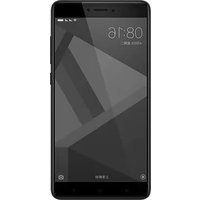
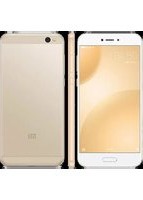
| General Information | Released in 2015; available in black and white color options |
Frequently Asked Questions - Mi Note Pro Xiaomi
How do I insert a SIM card into the Xiaomi Mi Note Pro?
Use the included SIM eject tool to open the SIM tray on the side of the phone. Insert the Nano-SIM cards properly and push the tray back in.
Can I expand the storage on the Mi Note Pro?
No, the Xiaomi Mi Note Pro does not have a microSD card slot. It comes with a fixed 64 GB of internal storage.
How do I charge the phone quickly?
The device supports Qualcomm Quick Charge 2.0. Use the original charger and a compatible USB cable to enable fast charging.
Is the Mi Note Pro water-resistant?
No, the phone does not have an official waterproof rating. Avoid exposure to water and liquids to prevent damage.
What should I do if the screen freezes or the phone becomes unresponsive?
Press and hold the power button for about 10 seconds to force a restart. If the problem persists, try a factory reset after backing up important data.
How can I take a screenshot on the Mi Note Pro?
Press the volume down and power buttons simultaneously for about 2 seconds. The screenshot will be saved in the gallery.
Does the camera support 4K video recording?
Yes, the 13 MP rear camera can record 4K videos at 30 fps, offering high-resolution video capture.
How do I clean the phone safely?
Use a soft, lint-free cloth, slightly dampened with water if needed. Do not use harsh chemicals or abrasive materials that could damage the screen.
Can I replace the battery myself?
The battery is non-removable and should be replaced only by an authorized service center to avoid safety risks.
What should I do to extend battery life?
Reduce screen brightness, disable unused wireless features, close background apps, and enable battery saver mode in settings.
User questions about Mi Note Pro Xiaomi
0 question about this device. Answer the ones you know or ask your own.
Ask a new question about this device
No questions yet. Be the first to ask one.
Download the instructions for your Smartphone in PDF format for free! Find your manual Mi Note Pro - Xiaomi and take your electronic device back in hand. On this page are published all the documents necessary for the use of your device. Mi Note Pro by Xiaomi.
USER MANUAL Mi Note Pro Xiaomi


Manual assistant
Powered by Anthropic
Waiting for your message
Product information
Brand : Xiaomi
Model : Mi Note Pro
Category : Smartphone