
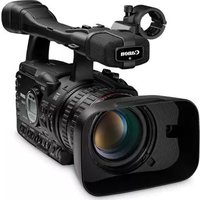
PowerShot SD870 IS - Camcorder CANON - Free user manual and instructions
Find the device manual for free PowerShot SD870 IS CANON in PDF.


Pick your language and provide your email: we'll send you a specifically translated version.
| Product type | Compact digital camera with video recording |
| Brand | Canon |
| Model | PowerShot SD870 IS |
| Effective pixels | 8.0 megapixels |
| Image sensor | 1/2.5-inch CCD |
| Optical zoom | 3.8x optical zoom |
| Digital zoom | 4x digital zoom (up to 15x combined) |
| LCD screen | 3.0-inch TFT color LCD |
| Video recording | VGA (640x480) at 30 fps with sound |
| Memory card compatibility | SD/SDHC/MMC memory cards |
| Dimensions (W x H x D) | 90.5 x 56.5 x 21.5 mm (3.54 x 2.22 x 0.87 in) |
| Weight (with battery and card) | Approximately 202 g (7.1 oz) |
| Power supply | Rechargeable lithium-ion battery NB-5L |
| Battery life | Approx. 300 shots per charge (CIPA standard) |
| Key features | Optical image stabilizer, Face Detection, Red-eye Correction, DIGIC III image processor |
| Connectivity | USB 2.0 high-speed, AV output |
| Focus range | Normal: 50 cm to infinity; Macro: 3 cm at wide angle |
| Shutter speed | 15 to 1/1600 seconds |
| ISO sensitivity | Auto, 80, 100, 200, 400, 800, 1600 |
| Exposure control | Program AE, Manual, etc. with +/-2 EV compensation |
| Main functions | Shooting modes (Auto, Manual, Scene), Movie mode, Continuous shooting, Self-timer |
| Maintenance and cleaning | Use a soft dry cloth; clean lens with a blower or lens tissue; keep the camera dry and away from dust |
| Safety warnings | Use only specified battery and charger; avoid water exposure; keep memory card away from magnets |
| Spare parts and repairability | Replacement battery, charger, cables, and memory cards available; authorized service centers |
Frequently Asked Questions - PowerShot SD870 IS CANON
How do I transfer photos to my computer?
Connect the camera to your computer using the provided USB cable, then turn the camera on. Your computer should recognize it as a mass storage device, allowing you to copy files using ZoomBrowser EX (for Windows) or ImageBrowser (for Mac).
How do I set the date and time?
Press the Menu button, go to the Setup tab, select Date/Time, and use the arrow keys to adjust. Press Func./Set to confirm.
Can I record videos with this camera?
Yes, the PowerShot SD870 IS supports VGA video recording at 30 fps with sound. Select the Movie mode on the mode dial and press the shutter button to start/stop recording.
How do I change the battery?
Slide the battery lock in the direction of the arrow, then open the cover. Remove the old NB-5L battery and insert a new one, ensuring the contacts align. Close the cover until it clicks.
What type of memory card does the camera use?
The camera is compatible with SD/SDHC memory cards. For best performance, use a high-speed card (Class 4 or higher) for video recording.
How do I use the image stabilization feature?
The Image Stabilizer is automatically enabled in most shooting modes. To manually disable or enable it, press the Image Stabilizer button on the top of the camera. A hand icon will appear on the LCD.
How do I clean the lens?
Use a soft, dry cloth or a lens blower to remove dust. For smudges, use a lens cleaning pen or a microfiber cloth with a small amount of lens fluid. Do not apply liquid directly to the lens.
What is the battery life of the PowerShot SD870 IS?
With a fully charged NB-5L battery, you can take approximately 300 shots (according to CIPA standards) or about 2 hours of playback.
How do I reset the camera to factory settings?
Press Menu, go to the Setup tab, select Reset All, and confirm with Func./Set. This restores default settings but does not delete your photos.
Is there a self-timer on this camera?
Yes, press the Disp./Self-timer button to cycle through options: 2-second timer, 10-second timer, and Custom using the Face Self-timer. Then press the shutter button halfway to focus, and fully to begin the countdown.
User questions about PowerShot SD870 IS CANON
0 question about this device. Answer the ones you know or ask your own.
Ask a new question about this device
No questions yet. Be the first to ask one.
Download the instructions for your Camcorder in PDF format for free! Find your manual PowerShot SD870 IS - CANON and take your electronic device back in hand. On this page are published all the documents necessary for the use of your device. PowerShot SD870 IS by CANON.
USER MANUAL PowerShot SD870 IS CANON

Manual assistant
Powered by Anthropic
Waiting for your message
Product information
Brand : CANON
Model : PowerShot SD870 IS
Category : Camcorder