
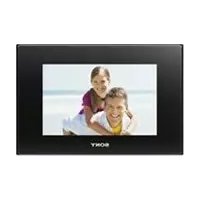
DPF-D1010 - Digital photo frame SONY - Free user manual and instructions
Find the device manual for free DPF-D1010 SONY in PDF.


Pick your language and provide your email: we'll send you a specifically translated version.
| Product Type | Digital Photo Frame |
| Brand | Sony |
| Model | DPF-D1010 |
| Display Size | 10.1 inches |
| Display Resolution | 1024 x 600 pixels |
| Aspect Ratio | 16:10 |
| Internal Memory | 1 GB |
| Memory Card Slots | SD, SDHC, Memory Stick PRO Duo |
| USB Port | USB 2.0 for PC connection |
| Supported Image Formats | JPEG, BMP, PNG |
| Slideshow Modes | Various transition effects and interval settings |
| Clock and Calendar | Built-in with automatic time synchronization |
| Auto Rotation | Automatic image orientation based on sensor |
| Power Supply | AC adapter (100-240V, 50/60Hz) |
| Power Consumption | Approximately 7W |
| Dimensions (without stand) | 263 x 175 x 23 mm |
| Weight | Approximately 500 g |
| Cleaning and Care | Wipe with a soft dry cloth; avoid harsh solvents |
| Safety Precautions | Keep away from moisture and extreme heat; do not disassemble |
| Spare Parts and Repairability | Contact authorized Sony service center for repairs |
| Package Contents | Digital photo frame, AC adapter, stand, user manual |
Frequently Asked Questions - DPF-D1010 SONY
How can I transfer photos to my Sony DPF-D1010?
You can transfer photos by connecting the frame to a computer via the USB 2.0 port or by inserting a compatible memory card (SD, SDHC, Memory Stick PRO Duo) into the slot. Once connected, the frame appears as a removable drive, allowing you to copy images directly into the internal memory.
What image file formats are supported by the DPF-D1010?
The frame supports JPEG, BMP, and PNG formats. For best results, use images with a resolution close to the screen's native 1024 x 600 pixels to avoid cropping or stretching.
Can I play videos on this digital photo frame?
No, the DPF-D1010 is designed for still photo playback only. It does not support video files. You can enjoy slideshows with transition effects and adjustable intervals.
How do I set up automatic slideshow transitions?
Press the Menu button, select Slideshow Settings, and choose from available transition effects (e.g., fade, zoom, wipe). You can also set the interval time between images and the display order (normal, random, etc.).
Is there an auto power-off feature to save energy?
Yes, the frame includes a timer function. Through the settings menu, you can enable automatic power-off after a selected period of inactivity. This helps reduce power consumption and prolongs the lifespan of the display.
How should I clean the LCD screen without damaging it?
Use a soft, lint-free cloth slightly dampened with water or a mild screen cleaner. Gently wipe the display area. Do not spray liquids directly on the screen, and avoid alcohol or ammonia-based cleaners that can strip the anti-glare coating.
Does the DPF-D1010 have internal memory for storing photos?
Yes, the frame comes with 1 GB of internal memory, enough to store a large number of JPEG photos. You can copy or delete files directly from the frame when connected to a computer.
Can the orientation of photos be adjusted automatically?
Yes, the frame features auto rotation using a built-in orientation sensor. When you tilt the frame, the display automatically rotates the image to the correct orientation. You can also manually rotate via the menu.
What is the power supply specification for this device?
The frame operates with the included AC adapter that supports 100-240V AC worldwide. The typical power consumption is approximately 7W, making it energy-efficient for continuous display.
Where can I find spare parts or get my frame repaired?
For any repairs or replacement parts, please contact an authorized Sony service center. Do not attempt to disassemble the device yourself, as this may void the warranty. Spare parts such as the AC adapter and stand can be acquired through Sony support.
User questions about DPF-D1010 SONY
0 question about this device. Answer the ones you know or ask your own.
Ask a new question about this device
No questions yet. Be the first to ask one.
Download the instructions for your Digital photo frame in PDF format for free! Find your manual DPF-D1010 - SONY and take your electronic device back in hand. On this page are published all the documents necessary for the use of your device. DPF-D1010 by SONY.
USER MANUAL DPF-D1010 SONY


Manual assistant
Powered by Anthropic
Waiting for your message
Product information
Brand : SONY
Model : DPF-D1010
Category : Digital photo frame