
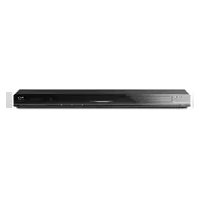
NSZ-GT1 - Blu-ray player SONY - Free user manual and instructions
Find the device manual for free NSZ-GT1 SONY in PDF.


Pick your language and provide your email: we'll send you a specifically translated version.
| Product Type | Blu-ray Disc Player with Google TV |
| Brand | Sony |
| Model | NSZ-GT1 |
| Disc Playback Support | Blu-ray, DVD, CD |
| Video Output | HDMI 1080p, 1080i, 720p |
| Audio Decoding | Dolby Digital, Dolby Digital Plus, DTS |
| Smart TV Platform | Google TV with access to streaming apps |
| Built-in Wi-Fi | Yes, IEEE 802.11b/g/n |
| Ethernet Port | 10/100 BASE-T |
| HDMI Output | 1 x HDMI |
| USB Ports | 2 x USB 2.0 |
| Optical Audio Output | 1 x digital optical |
| Dimensions (W x H x D) | 15.5 x 1.8 x 9.8 inches (approx) |
| Weight | Approx. 5.5 lbs (2.5 kg) |
| Power Supply | AC 120V, 60Hz |
| Power Consumption | 42 W (standby 0.5 W) |
| Remote Control | QWERTY remote with optical trackpad |
| Included Accessories | Remote control, batteries, AC power cord |
| Maintenance and Cleaning | Wipe with a soft dry cloth; do not use solvents |
| Safety Precautions | Do not expose to moisture; keep away from direct sunlight |
| Spare Parts and Reparability | Sony offers service parts and repair support |
Frequently Asked Questions - NSZ-GT1 SONY
How do I connect the NSZ-GT1 to my TV?
Use an HDMI cable from the HDMI output on the player to any HDMI input on your TV. Select the corresponding input source to see the display.
Can I use the NSZ-GT1 to stream Netflix?
Yes, the player includes Google TV with a dedicated Netflix app. Connect to the internet via Wi-Fi or Ethernet, sign in, and start streaming.
How do I update the firmware on the Sony NSZ-GT1?
Go to Settings > Network Update in the main menu. Ensure the player is connected to the internet, then follow the on-screen instructions to download and install the latest firmware.
Does the NSZ-GT1 support 4K playback?
No, the NSZ-GT1 is a 1080p Full HD player. It does not support 4K Ultra HD discs or streaming services.
How do I clean the disc drive?
Wipe the exterior with a soft, dry cloth. For the disc tray, use a disc cleaning kit to gently remove dust. Never insert liquid or abrasive cleaners.
What types of discs can I play on NSZ-GT1?
It supports Blu-ray Disc, DVD, and CD formats, including commercial and burned discs that are properly finalized.
Can I use the USB port to play media files?
Yes, connect a USB storage device to one of the USB 2.0 ports and navigate to the Media section to play compatible video, audio, and photo files.
How do I reset the device to factory settings?
In Settings > System, select Factory Reset. This will erase all personal data and restore the original software configuration. Confirm when prompted.
Is the NSZ-GT1 compatible with all regions?
This model is designed for Region A Blu-ray discs and Region 1 DVD discs, typical for North America. Discs from other regions may not play.
What should I do if the remote is not working?
First, replace the batteries and ensure nothing is blocking the infrared sensor. If issues persist, try re-pairing the remote or resetting the player via the power button.
User questions about NSZ-GT1 SONY
0 question about this device. Answer the ones you know or ask your own.
Ask a new question about this device
No questions yet. Be the first to ask one.
Download the instructions for your Blu-ray player in PDF format for free! Find your manual NSZ-GT1 - SONY and take your electronic device back in hand. On this page are published all the documents necessary for the use of your device. NSZ-GT1 by SONY.
USER MANUAL NSZ-GT1 SONY


Manual assistant
Powered by Anthropic
Waiting for your message
Product information
Brand : SONY
Model : NSZ-GT1
Category : Blu-ray player