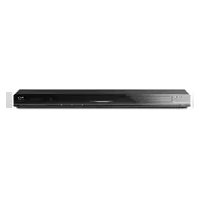
BDP-BX620 - Blu-ray player SONY - Free user manual and instructions
Find the device manual for free BDP-BX620 SONY in PDF.


Pick your language and provide your email: we'll send you a specifically translated version.
| Product Type | Blu-ray Disc Player |
| Model Name | BDP-BX620 |
| Brand | Sony |
| Dimensions (W x D x H) | 430 x 199 x 43 mm (16.9 x 7.8 x 1.7 in) |
| Weight | Approx. 2.2 kg (4.9 lb) |
| Power Supply | 120 V AC, 60 Hz (US) / 220-240 V AC, 50/60 Hz (EU) |
| Power Consumption | 20 W (standby: 0.3 W) |
| Video Playback | Blu-ray Disc, DVD, CD (3D playback capable) |
| Video Upscaling | Up to 1080p |
| Network Features | Built-in Wi-Fi, Ethernet port |
| Streaming Services | Netflix, YouTube, Hulu, Amazon Instant Video |
| Audio Formats | Dolby TrueHD, DTS-HD Master Audio |
| USB Input | 1x USB 2.0 (front) |
| HDMI Output | 1x HDMI 1.4 |
| Other Connections | Digital optical audio output, LAN (Ethernet) |
| Disc Types Supported | BD-ROM, BD-R/RE, DVD±R/RW, CD-R/RW |
| Maintenance & Cleaning | Wipe with a soft, dry cloth. Do not use solvents. |
| Safety Warnings | Do not expose to moisture or extreme temperatures. |
| Spare Parts & Repairability | Contact Sony support or authorized service centers. |
| Manufacturing Year | 2014 |
Frequently Asked Questions - BDP-BX620 SONY
How do I connect the BDP-BX620 to the internet?
Connect via Wi-Fi by going to Settings > Network Setup > Wireless Setup. Alternatively, use an Ethernet cable to the LAN port.
Can I play 3D Blu-ray discs on this player?
Yes, the BDP-BX620 supports 3D Blu-ray playback. You need a 3D-capable TV and compatible 3D glasses.
What video resolutions does the player output?
It outputs up to 1080p via HDMI. Standard DVDs are upscaled to near HD quality.
Does the player support Netflix or other streaming apps?
Yes, it supports Netflix, YouTube, Hulu, and Amazon Instant Video. Connect to the internet to access them.
How do I update the firmware?
Go to Settings > System Update > Update via Internet. Ensure the player is connected to the internet.
Can I play USB drives with movies?
Yes, connect a USB drive to the front USB port. Supported formats: MP4, AVI, MKV (see manual for full list).
What audio formats are supported?
The player supports Dolby TrueHD and DTS-HD Master Audio. For CDs, it plays standard audio CD.
How do I reset the player to factory settings?
Press HOME, select Setup, then choose Reset > Factory Default. Confirm with Enter.
Does the BDP-BX620 have built-in Wi-Fi?
Yes, it has built-in Wi-Fi for wireless network connection.
What is the power consumption in standby?
Standby power consumption is approximately 0.3 W.
User questions about BDP-BX620 SONY
0 question about this device. Answer the ones you know or ask your own.
Ask a new question about this device
No questions yet. Be the first to ask one.
Download the instructions for your Blu-ray player in PDF format for free! Find your manual BDP-BX620 - SONY and take your electronic device back in hand. On this page are published all the documents necessary for the use of your device. BDP-BX620 by SONY.
USER MANUAL BDP-BX620 SONY


Manual assistant
Powered by Anthropic
Waiting for your message
Product information
Brand : SONY
Model : BDP-BX620
Category : Blu-ray player