IMPRESSA F90 - Coffee machine JURA - Free user manual and instructions
Find the device manual for free IMPRESSA F90 JURA in PDF.


| Product type | Automatic coffee machine with grinder |
| Brand | JURA |
| Model | IMPRESSA F90 |
| Dimensions (W x H x D) | 28 x 34.5 x 44.5 cm |
| Weight | 9.7 kg |
| Power supply | 230 V AC, 1450 W, 10 A |
| Pump pressure | Max 15 bar static |
| Water tank capacity | 1.9 liters |
| Bean hopper capacity | 200 g |
| Grounds container capacity | Up to 16 portions |
| Main functions | Coffee, espresso, large cup, ground coffee, hot water, steam, cappuccino with professional frother |
| Touch screen | Yes, dialogue screen with navigation |
| Programming | Dosage, temperature, aroma, time, automatic shut-off, water quantity, steam portion |
| Cup lighting | Yes, automatic or button activation |
| Filtration system | CLARIS plus filter (optional, 50 L or 2 months) |
| Maintenance and cleaning | Automatic cleaning program, integrated descaling, rinsing at power on/off |
| Safety | Automatic shut-off, child safety (monitoring), overheating protection |
| Connectivity | Optional via kit (PC/Internet communication) |
| Standby consumption | Approx. 3.5 Wh |
| Ready-to-use consumption | Approx. 11.5 Wh |
Frequently Asked Questions - IMPRESSA F90 JURA
User questions about IMPRESSA F90 JURA
0 question about this device. Answer the ones you know or ask your own.
Ask a new question about this device
Download the instructions for your Coffee machine in PDF format for free! Find your manual IMPRESSA F90 - JURA and take your electronic device back in hand. On this page are published all the documents necessary for the use of your device. IMPRESSA F90 by JURA.
USER MANUAL IMPRESSA F90 JURA
IMPRESSA F90/F9
Instructions for use
natural_image
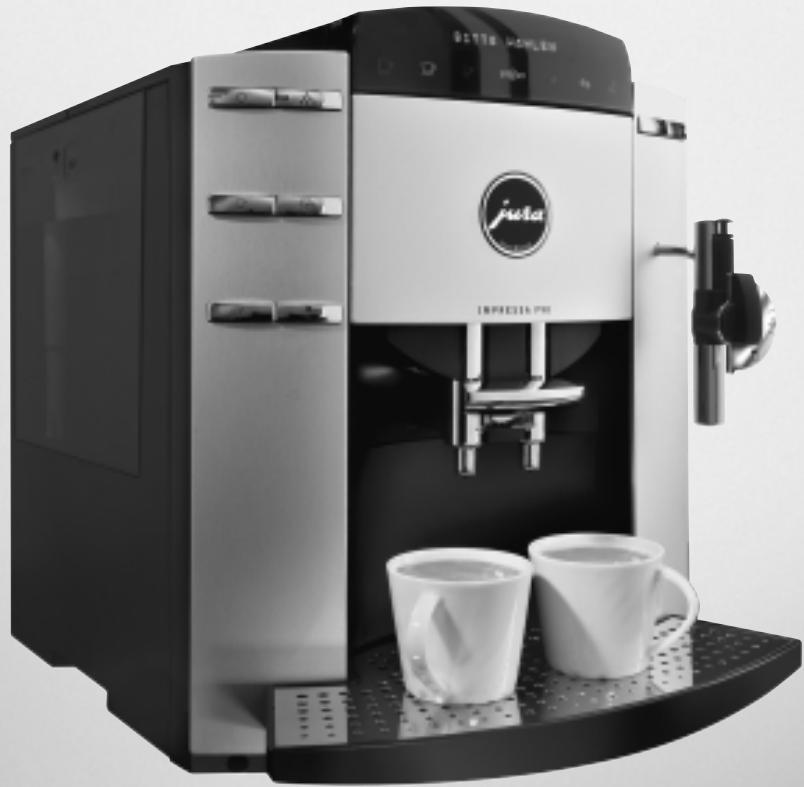
Exterior view of a Juta coffee machine with two cups on the tray (no visible text or symbols)Art. Nr. 66379
Legend:
■ DISPLAY DISPLAY: serves as information.
■ DISPLAY DISPLAY: please follow the instructions shown.
natural_image
Close-up of a hand inserting a coin into a printer (no visible text or symbols)Fig. 1
natural_image
Black and white photo of a box containing various small objects, possibly tools or containers (no visible text or symbols)Fig. 2
natural_image
Two white cups on a wooden surface with a 3D printer in the background (no visible text or symbols)Fig. 3
natural_image
Pure electrical circuit lines without any symbolsFig. 4
natural_image
Hand holding a small electronic device with a warning symbol on top (no readable text or symbols)Fig. 5
natural_image
Hand placing a black box with icons (no visible text or symbols)Fig. 6
natural_image
Hand inserting a black key into a white beverage machine (no visible text or symbols)Fig. 7
natural_image
Exterior view of a modern coffee machine with open lid and control panel (no visible text or symbols)Fig. 8
natural_image
Hand holding a small object against a wall-mounted device (no visible text or symbols)Fig. 9
natural_image
Exterior view of a modern coffee maker with two cups under focused lighting (no visible text or symbols)Fig. 10
natural_image
Exterior view of a coffee machine with a white stand mixer and water dispenser (no visible text or symbols)Fig. 11
natural_image
Exterior view of a modern coffee machine with a white cup on the front (no visible text or symbols)Fig. 12
natural_image
Two stainless steel kitchen equipment with a piping bag and control panel (no visible text or symbols)Fig. 13
natural_image
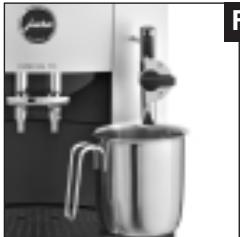
Exterior view of a modern coffee maker with a stand mixer (no visible text or symbols)Fig. 14
natural_image
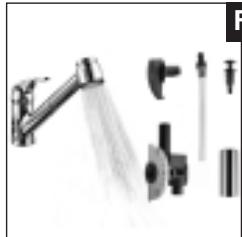
Product photo of a showerhead with spray and mechanical components (no visible text or symbols)Fig. 15
natural_image
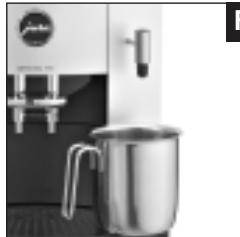
Exterior view of a modern coffee maker with a metal pitcher and control panel (no visible text or symbols)Fig. 16
PROGRAMMATION
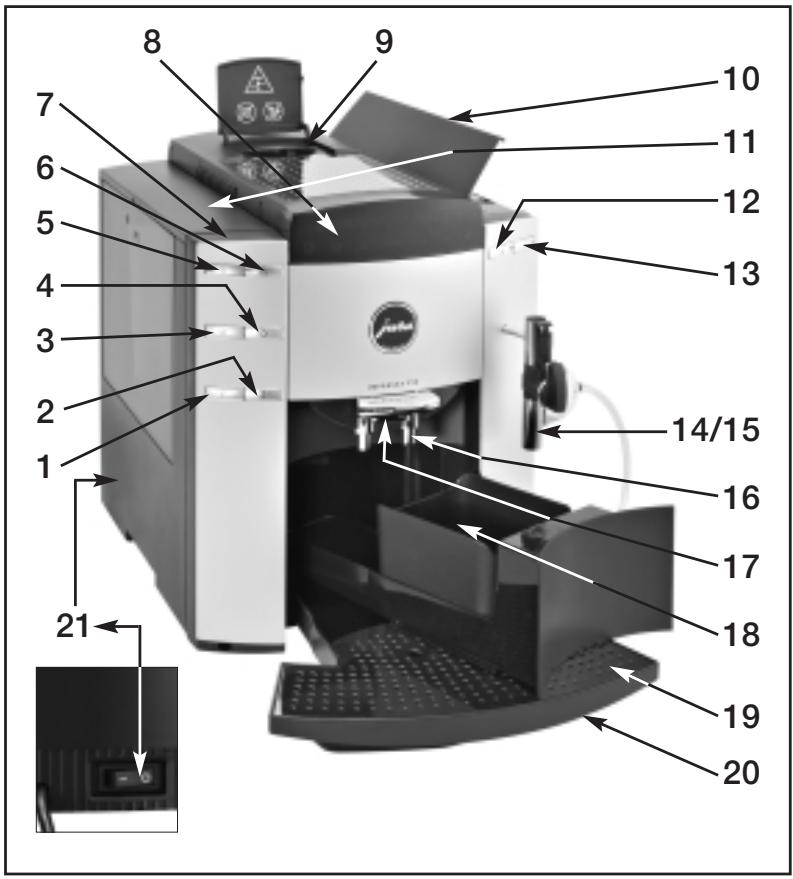
Control elements
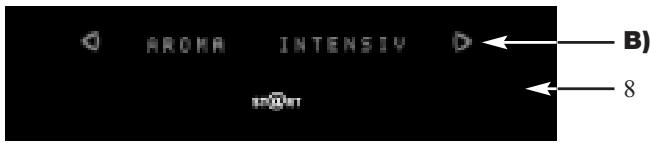
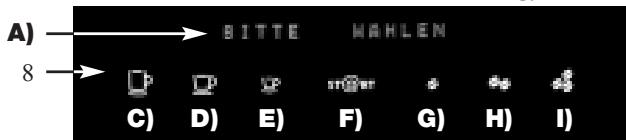
A) Display dialog system
B) Symbols ◀ ▷ (navigation in programming mode)
C) Large cup
D) Coffee
E) Espresso
F) Start (to start the draw-off operation)
G) Coffee strength «mild»
H) Coffee strength «Normal»
I) Coffee strength «strong»
1 Programming key
2 Selection key for pre-ground coffee
3 Draw-off key 1 cup
4 Draw-off key 2 cups
5 ON/OFF key
6 Maintenance key
7 Connectivity socket
8 Control panel
9 Filler funnel key for pre-ground coffee
10 Bean tank cover
11 Water tank with handle
12 Water portion draw-off key
13 Steam portion draw-off key
14 Professional Cappuccino Frother with milk pipe
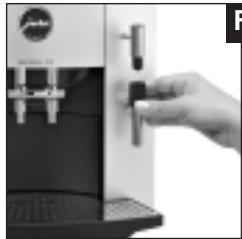
15 Interchangeable hot water nozzle (see Fig. 7)
16 Height-adjustable coffee spout
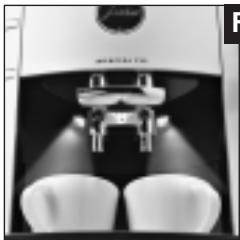
17 Cup illumination (Fig. 10)
18 Coffee grounds container
19 Drip grate
20 Drip tray
21 Power switch
Sensitive Touch Screen Technology
11.1 Dispensing Hot Milk with the Professional Cappuccino Frother......page 14
11.2 Cleaning of the Professional Cappuccino Frother ...... page 14
11.3 Rinsing the Professional Cappuccino
Frother ...... page 14
11.4 Cleaning the Professional-Cappuccino Frother ...... page 14
-
Switching off the coffee machine......page 15
-
Programming ......page 15
13.1 Programming the filter ......page 16
13.2 Programming the water hardness......page 16
13.3 Programming the aroma INTENSIVE or STANDARD......page 16
13.4 Programming the temperature ......page 16
13.5 Programming the water quantity ......page 16
13.6 Programming 1 cup ......page 17
13.7 Programming the steam portion ......page 17
13.8 Programming the water portion ......page 18
13.9 Programming the time......page 18
13.10 Programming the automatic switch-on time ...... page 18
13.11 Programming the automatic switch-off time ...... page 19
13.12 Cup counter......page 19
13.13 Programming the language ......page 19
13.14 Connectivity ......page 20
- Maintenance......page 20
14.1 Refilling water......page 20
14.2 Emptying the coffee grounds container......page 20
14.3 No Drip tray......page 20
14.4 Filling the bean tank ......page 20
14.5 Replacing the filter ......page 20
14.6 Cleaning the coffee machine......page 21
14.7 Coffee machine calcified......page 21
14.8 General cleaning instructions......page 21
14.9 Emptying the system ......page 21
- Cleaning......page 21
- De-scaling......page 22
- Disposal ......page 23
- Tips for perfect coffee......page 23
- Messages......page 24
- Problems......page 25
- Legal information......page 26
- Technical data ......page 26
Important information
Thank you very much for purchasing this IMPRESSA coffee machine.
Before using your new coffee machine for the first time, carefully read this operating manual and keep it for future reference.
Should you need more information or if you meet with particular problems not specified in these operating instructions in sufficient detail, either contact us directly or contact your local authorized dealer.

You will also find useful tips on operation and maintenance of your IMPRESSA on the website at www.jura.com.
Don't forget to check out the Knowledge Builder our animated operating instructions. LEO, our assistant, will take you through all the functions.
1. Description of control panel
A gentle push on the control panel will do, and the sensors will read your wish from your fingertips. The IMPRESSA offers Café à la Carte, coffee to the taste of everybody. You can select one of the programmed coffee specialities at a gentle touch on the touch screen.
As a result of high electromagnetic interference, the touch screen may become inactive. All the remaining draw-off keys, the selection key for pre-ground coffee, draw-off key 1 cup, draw-off key 2 cups, can still be used.
2. Safety information
2.1 Warning
■ Children do not realize the dangers involved in using electric appliances, for this reason always keep an eye on children when they use electric appliances.
■ The coffee machine may only be used by instructed persons.
■ Never use a defective coffee machine or a machine with a defective mains cable.
■ Never immerse the coffee machine in water.
■ Never repair or open the coffee machine yourself. Any repairs may only be carried out by authorized service shops using original spare parts and accessories.
2.2 Precautions
■ Never expose the coffee machine to weather (rain, snow, frost), never touch the machine when your hands are wet.
■ Place the IMPRESSA on a firm, level base that is resistant to any water that may leak. Never stand on hot or warm surfaces (oven hobs). Keep out of the reach of children.
If you don't use the machine for a longer time (holidays, etc.) always disconnect the mains cable.
■ Always disconnect mains cable before cleaning the machine.
■ When disconnecting the mains cable never pull on the mains cable or the machine itself.
■ The coffee machine is connected to mains supply via a mains cable. Make sure nobody can trip over the mains cable. Make sure children and pets cannot reach the machine
■ Never put the coffee machine or individual parts of it into a dishwasher.
■ Make sure to install the machine at a place with sufficient air circulation, to prevent overheating of the machine.
2.3 Power switch
Actuate the power switch (21) on your IMPRESSA before using the machine for the first time.
We recommend that you switch off your IMPRESSA with the power switch (21) if you intend not to use the machine for longer periods of time (e.g. during holidays)
3. Preparing the coffee machine for use
3.1 Check the mains voltage
The coffee machine is preset in the factory to the correct mains voltage. Check if your local mains supply voltage complies with the information given on the type plate on the underside of the coffee machine.
3.2 Check electrical fuse
The coffee machine is designed for an electric current of 10 Ampères. Check if the electrical fuse has sufficient capacity.
3.3 Refill water
Only use fresh, cold water. Never fill in milk, mineral water or other liquids.
■ Take out the water tank and thoroughly rinse it with cold tap water (Fig. 1).
■ Then fill the water tank and re-install it in the coffee machine. Make sure the tank is installed correctly and that it engages properly.
3.4 Filling the bean tank
To ensure that your machine will work perfectly for a long time and to avoid damage, please note that the grinding gear of your JURA coffee machine is not suitable for coffee beans which were treated, during or after roasting, with additives (e.g. sugar). Such coffee blends may damage the grinding gear. Any repair costs resulting from the use of such blends are not covered by warranty.
■ Open the cover of the bean tank (10).
■ Remove any dirt or foreign matter from the bean tank.
■ Fill coffee beans in the bean tank and close the cover.
3.5 Adjusting the grinding gear
You can adjust the grinding gear to the roast of your coffee. We recommend that you use
a fine adjustment → (the smaller the dots, the finer the grinding is) for a light roast
a coarse adjustment (the bigger the dots, the coarser the grinding is) for a dark roast
The grinding degree may only be adjusted while the grinding gear is running.
■ Open the cover of the bean tank (10).
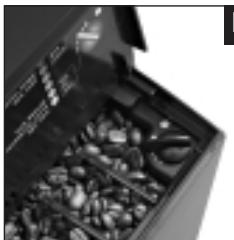
■ To adjust the grinding degree turn the rotary switch (Fig. 2) to the required position.
4. First use
■ Fill coffee beans in the bean tank (10).
■ Fill water tank.
■ Switch on your coffee machine using the key ⏻.
■ DISPLAY WWW.IMPRESSA-F-LINE.COM
■ DISPLAY HELLO, MACHINE HEATING UP
■ DISPLAY FILL SYSTEM / WATER PORTION
■ Place a receptacle under the Professional Cappuccino Frother (14) (Fig. 14).
■ Press water portion draw-off key ♦
■ DISPLAY SYSTEM FILLING
■ DISPLAY MACHINE HEATING UP
■ DISPLAY PRESS MAINTENANCE
■ DISPLAY MACHINE RINSING
■ DISPLAY PLEASE SELECT
■ Press symbol ST@RT.
■ DISPLAY COFFEE NORMAL

If FILL BEANS is displayed, touch the symbol ST@RT again. The mill was still empty.

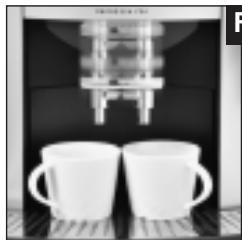
To get an excellent crema, adjust the coffee spout (16) to the size of your cup (Fig. 3).
4.1 Cup illumination
The cup illumination puts your coffee in a good light, making it a treat for the eyes.
When you plug in or switch on the machine or press any key, the cup illumination is activated for 1 minute. To switch on the cup illumination, with the machine switched off, press any key (Fig. 10).
5. Adjustment of water hardness

In the coffee machine water is heated up. As a result, calcification occurs during normal use and is indicated automatically. Before using the machine for the first time the hardness of the water used must be adjusted. Use the supplied test sticks for this.

1^ German hardness is equivalent to 1.79^ French hardness.
The coffee machine has 5 hardness degrees which can be used and are displayed while you are adjusting the water hardness.
The displayed information means the following:
WATER
HARDNESS — Water hardness function switched off
WATER German water hardness degree 1 to 7°
HARDNESS 1 French Water hardness degree 1.79 - 12.53°
WATER German water hardness degree 8 to 15°
HARDNESS 2 French Water hardness degree 14.32 - 26.85°
WATER German water hardness degree 16 to 23°
HARDNESS 3 French Water hardness degree 28.64 - 41.14°
WATER German water hardness degree 24 to 30°
HARDNESS 4 French Water hardness degree 42.96 - 53.7°
When the machine leaves the factory it is adjusted to WATER HARDNESS 3. You can adjust another hardness. To do this, proceed as follows:
Pull out the mains cable from the cable box on the rear side of the coffee machine and connect the machine to mains supply.
■ Press the key ⏻ to switch on the coffee machine.
■ DISPLAY WWW.IMPRESSA-F-LINE.COM
■ Your coffee machine is switched to start-up position.
■ DISPLAY HELLO, MACHINE HEATING UP
■ DISPLAY PRESS MAINTENANCE
■ DISPLAY MACHINE RINSING
■ DISPLAY PLEASE SELECT
■ Press programming key ☐ until you hear an acoustic signal.
■ DISPLAY FILTER NO
■ Press symbol ▷ until the following message is displayed:
■ DISPLAY WATER HARDNESS 3
■ Press symbol ST@RT, you will hear an acoustic signal and the hardness degree flashes.
■ Now, press symbols ◀ ▷ to adjust the required hardness degree.
■ Press symbol st@RT to confirm the new settings.
■ DISPLAY WATER HARDNESS 4
■ Press programming key ☐ to leave Programming Mode.
■ DISPLAY PLEASE SELECT
6. Installation of CLARIS plus filter cartridges

If the CLARIS plus filter cartridge is installed properly, de-scaling of the coffee machine is no longer required. For more information on the CLARIS plus filter cartridge refer to brochure «CLARIS plus». Hard on limescale. Gentle on your coffee machine.»
6.1 Installing the filter
■ Use the key ⏻ to switch on the coffee machine.
■ DISPLAY WWW. IMPRESSA-F-LINE.COM
■ DISPLAY HELLO, MACHINE HEATING UP
■ DISPLAY PRESS MAINTENANCE
■ DISPLAY MACHINE RINSING
■ DISPLAY PLEASE SELECT
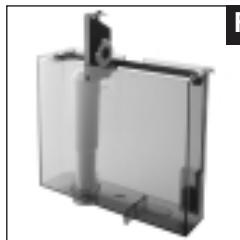
■ Fold up the cartridge holder. Insert the filter cartridge in the water tank (Fig. 4)
■ Close the cartridge holder until it engages audibly.
■ Fill the water tank with cold, fresh tap water and install it again.
■ Press Programming key ☐P until you hear an acoustic signal.
■ DISPLAY NO FILTER
■ Press symbol ST@RT, NO flashes on the display.
■ Press symbol ▷ until the following message is displayed:
■ DISPLAY FILTER YES (YES flashes)
■ Press symbol ST@RT.
■ DISPLAY INSTALL FILTER / WATER PORTION
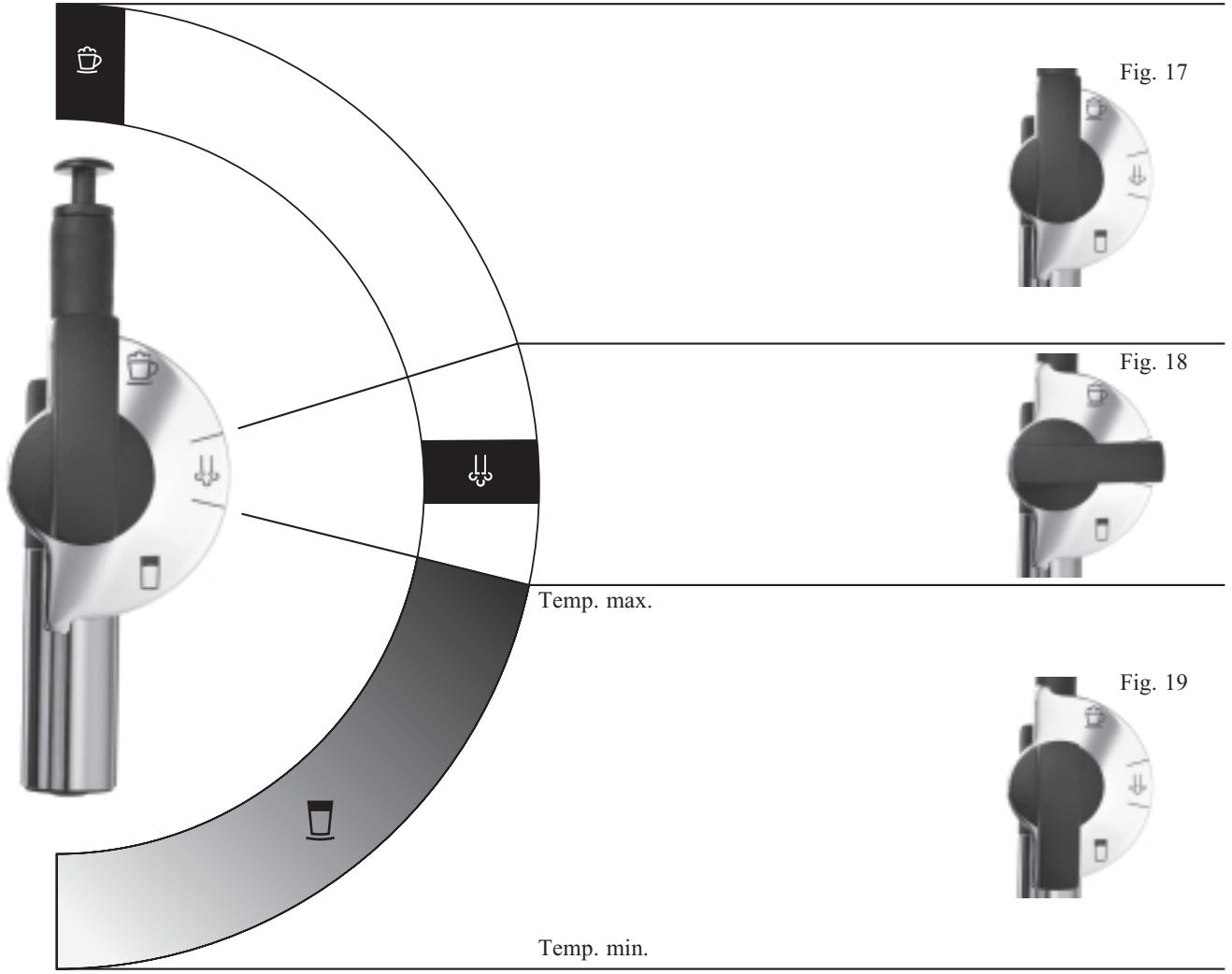
■ Turn the selector switch of the Professional Cappuccino Frother (14) to the steam position (Fig. 18).
■ Place a sufficiently large receptacle (at least 0.5 litre) under the Professional Cappuccino Frother (14) and press the water portion draw-off key ♦.
■ DISPLAY FILTER RINSING. The water draw-off operation is stopped automatically.
■ DISPLAY MACHINE HEATING UP
■ DISPLAY PLEASE SELECT

Now you have activated the filter. In Programming Mode the water hardness selection function is no longer displayed.
6.2 Replacing the filter

After 50 litres of water the filter cartridge will need to be replaced. The display will prompt you to change the filter. Please monitor the period of use of the CLARIS plus filter cartridge (max. 2 months) using the scale on the cartridge holder by the water tank.
■ DISPLAY REPLACE FILTER / PLEASE SELECT
■ Use the key ⏻ to switch off the coffee machine.
■ DISPLAY GOOD BYE
■ Press maintenance key ⚙ for some seconds, with the machine switched off.
■ DISPLAY INSTALL FILTER / WATER PORTION
■ Fold up the cartridge holder. Insert the filter cartridge in the water tank (Fig. 4)
■ Close the cartridge holder until it engages audibly.
■ Fill the water tank with cold, fresh tap water and reinstall it in the coffee machine.
■ Turn the selector switch of the Professional Cappuccino Frother (14) to the steam position (Fig. 18).
■ Place a sufficiently large receptacle (at least 0.5 litre) under the Professional Cappuccino Frother (14) and press the draw-off key ♦.
■ DISPLAY FILTER RINSING. The water draw-off operation is stopped automatically.
■ DISPLAY MACHINE HEATING UP
■ DISPLAY PLEASE SELECT
7. Rinsing the coffee machine

When the coffee machine was switched off and has cooled down in the meantime, a rinsing operation is started when the machine is switched on again. When the machine is switched off, a rinsing operation is started automatically.
■ Use the key ⏻ to switch on the coffee machine.
■ DISPLAY WWW. IMPRESSA-F-LINE.COM
■ DISPLAY HELLO, MACHINE HEATING UP
■ DISPLAY PRESS MAINTENANCE
■ DISPLAY MACHINE RINSING
■ DISPLAY PLEASE SELECT
8. Drawing off coffee

You can change the selected product at any time by pressing the symbols before starting the operation by pressing ST@RT. The selected product is displayed.
■ Use the key ⏻ to switch on the coffee machine.
■ DISPLAY WWW. IMPRESSA-F-LINE.COM
■ DISPLAY HELLO, MACHINE HEATING UP
■ DISPLAY PRESS MAINTENANCE
■ DISPLAY MACHINE RINSING
■ DISPLAY PLEASE SELECT
■ Place 1 cup under the adjustable coffee spout (16) and press symbol ☐.
■ DISPLAY COFFEE NORMAL
■ Press symbols ( ♦ / ♦♦ / ⚙️ ) to select the strength of your coffee.
■ DISPLAY COFFEE STRONG
■ Press symbol ST@RT.
■ DISPLAY COFFEE STRONG Your product is being prepared.
■ DISPLAY PLEASE SELECT
8.1 Drawing off espresso
■ Use the key ⏻ to switch on the coffee machine.
■ DISPLAY WWW. IMPRESSA-F-LINE.COM
■ DISPLAY HELLO, MACHINE HEATING UP
■ DISPLAY PRESS MAINTENANCE
■ DISPLAY MACHINE RINSING
■ DISPLAY PLEASE SELECT
■ Place 1 cup under the adjustable coffee spout (16) and press symbol ☐.
■ DISPLAY ESPRESSO NORMAL
■ Press (♂ / ♦♂ / ⚙️) to select the strength of your espresso.
■ DISPLAY ESPRESSO STRONG
■ Press symbol ST@RT.
■ DISPLAY ESPRESSO STRONG. Your product is being prepared.
■ DISPLAY PLEASE SELECT
8.2 Drawing off a large cup of coffee
■ Use the key ⏻ to switch on the coffee machine.
■ DISPLAY WWW. IMPRESSA-F-LINE.COM
■ DISPLAY HELLO, MACHINE HEATING UP
■ DISPLAY PRESS MAINTENANCE
■ DISPLAY MACHINE RINSING
■ DISPLAY PLEASE SELECT
■ Place 1 cup under the adjustable coffee spout (16) and press symbol □.
■ DISPLAY LARGE CUP NORMAL
■ Press (♂ / ♦♂ / ♂) to select the strength of your coffee.
■ DISPLAY LARGE CUP MILD
■ Press symbol ST@RT.
■ DISPLAY LARGE CUP MILD Your product is being prepared.
■ DISPLAY PLEASE SELECT
8.3 Drawing off pre-ground coffee

Never use instant coffee or quick-coffee. We recommend that you always use powder from fresh coffee beans or, pre-ground, vacuum-packed coffee. Never fill in more than 2 portions of powder. The pre-ground coffee tank is no storage tank. Make sure that the pre-ground you use is not too fine. This may cause blocking of the system. In this case the coffee only drips out of the coffee spout.
If you press the draw-off key unintentionally, you can stop the operation by pressing the maintenance key. Your coffee machine will carry out a rinsing operation.
■ Use the key ⏻ to switch on the coffee machine.
■ DISPLAY WWW. IMPRESSA-F-LINE.COM
■ DISPLAY HELLO, MACHINE HEATING UP
■ DISPLAY PRESS MAINTENANCE
■ DISPLAY MACHINE RINSING
■ DISPLAY PLEASE SELECT
■ Press selection key ⚙️.
■ DISPLAY FILL IN POWDER / PLEASE SELECT
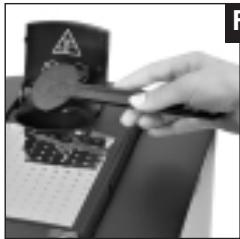
■ Now fill in 1 or 2 level dosing spoonfuls of pre-ground coffee in the filler funnel for pre-ground coffee (Fig. 5).
■ Place 1 cup under the adjustable coffee spout (16) and press the corresponding symbol (☐ / ☐ / ☐).
■ DISPLAY LARGE CUP POWDER
■ Press symbol ST@RT.
■ DISPLAY LARGE CUP POWDER Your powder coffee is being prepared.
■ DISPLAY PLEASE SELECT
9. Drawing off hot water
You can adjust the water portion individually (see Chapter 12 Programming). Install the hot water jet (Fig. 7) to obtain perfect water flow.
At the start of the water draw-off there can be splashing Avoid direct contact with the skin!
Do not replace the replaceable hot water jet directly after drawing off water, because the jet is hot after the draw-off operation.
■ Place a cup under the hot water jet (15).
■ Press water draw-off key ♣.
■ DISPLAY WATER PORTION
■ The programmed portion is being prepared. You can stop the draw-off operation at any time by pressing the draw-off key ↓↓.
■ DISPLAY PLEASE SELECT
10. Drawing off steam

The steam function is used for the preparation of milk foam and hot milk, as well as for the Professional Cappuccino Frother (14) cleaning programme.

With the optionally available 2-stage frothing nozzle, liquids can be heated and frothed using the steam function.

Make sure that the nozzle is correctly fitted when drawing steam. If the nozzle becomes blocked with particles of milk residue or is incorrectly assembled, a danger can arise during use whereby the nozzle may jump off.

Due to the system design, some water will escape at first when steam is drawn. However, this will not affect the result in any way.

When drawing steam, spluttering can occur at the start. The nozzle becomes hot in use. Avoid any direct skin contact.
■ DISPLAY PLEASE SELECT
■ Press steam portion draw-off key 🐎.
■ DISPLAY MACHINE HEATING UP
■ DISPLAY PLEASE SELECT
■ Press steam draw-off key 🎄 again.
■ DISPLAY STEAM PORTION. Your product is being prepared.
■ DISPLAY PLEASE SELECT

You can also abort the dispensing, by pressing the steam portion draw-off button ↓↓ early.
11. Dispensing Cappuccino with the Professional Cappuccino Frother

Cappuccino comprises one third each of Espresso, hot milk and milk foam. You produce the milk portion with the Professional Cappuccino Frother (14).
When steam is drawn, a vacuum is produced which, with the aid of the Professional Cappuccino Frother (14), draws in the milk and produces milk foam.

To ensure perfect function, the Professional Cappuccino Frother (14) must be cleaned regularly.

Make sure that the nozzle is correctly fitted. If the nozzle becomes blocked with particles of milk residue or is incorrectly assembled, a danger can arise during use whereby the nozzle may jump off.
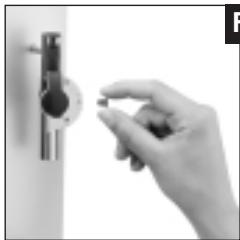
■ When using for the first time, remove the protective cover from the Professional Cappuccino Frother (14) (Fig. 9). The protective cover is used only during transport as protection to prevent the ingress of contaminated materials.
■ Remove the milk pipe from the Welcome Pack and connect it to the Professional Cappuccino Frother (14).
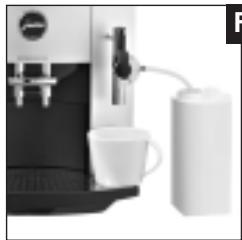
■ Insert the other end of the milk pipe into a Tetra Pak of milk or connect it to a milk container (Fig. 11).
■ Place a cup under the Professional Cappuccino Frother (14) (Fig. 11).

A useful addition is available for all lovers of milk specialities in the form of high-quality vacuum milk containers. They keep the milk cool the whole day long and are optimally suited to the design of your IMPRESSA. All original JURA accessories can be obtained from the specialist shop.
■ Turn the selector switch of the Professional Cappuccino Frother (14) to the milk foam position (Fig. 17).
■ DISPLAY PLEASE SELECT
■ Press the steam portion draw off key (13).
■ DISPLAY MACHINE HEATING UP
■ DISPLAY PLEASE SELECT
■ Press the steam portion draw off key (13) again.
■ DISPLAY STEAM PORTION
■ Preparation of milk foam will continue for the period you have programmed for the steam portion. (See “Programming steam portion” Chapter 13.7).

Adjust the steam dispensing time to suit the size of your cup.

You can also abort the dispensing, by pressing the steam portion draw-off button ↓↓ early.
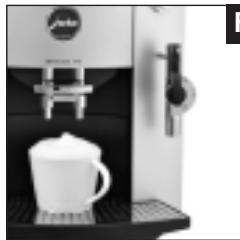
■ Now, move your cup with the milk foam and place it under the coffee spout and dispense the required coffee product (Fig. 12). Your Cappuccino is ready.
11.1 Dispensing Hot Milk with the Professional Cappuccino Frother

Turn the selector switch of the Professional Cappuccino Frother (14) to the milk range (Fig. 19).
The procedure for dispensing hot milk is the same as the procedure for dispensing milk foam for Cappuccino (Chapter 11).
11.2 Cleaning of the Professional Cappuccino Frother

To ensure that the Professional Cappuccino Frother functions perfectly, you should rinse it with water each time after preparing milk.

You will not be prompted by your IMPRESSA to rinse the Professional Cappuccino Frother.
11.3 Rinsing the Professional Cappuccino Frother
■ Carefully pull off the Professional Cappuccino Frother from your IMPRESSA.
■ Dismantle the Professional Cappuccino Frother (14) into its individual parts (Fig. 15).
■ Thoroughly rinse all parts of the nozzle under running water.
■ Reassemble the Professional Cappuccino Frother (14) and refit it on to your IMPRESSA.
11.4 Cleaning the Professional Cappuccino Frother

To ensure that the Professional Cappuccino Frother (14) functions perfectly, you should clean it daily if you have prepared milk foam or hot milk.

You will not be prompted by your IMPRESSA to clean the Professional Cappuccino Frother (14).

You can obtain the JURA Auto-Cappuccino Cleaner from the specialist shop.
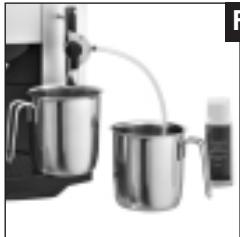
■ Place a receptacle under the Professional Cappuccino Frother (14) (Fig. 13).
■ Fill a second receptacle with 2.5 dl of fresh water and add one capful of the Auto-Cappuccino Cleaner.
■ Dip the milk pipe into the second receptacle with the Auto-Cappuccino Cleaner. (Fig. 13)
■ Turn the selector switch of the Professional Cappuccino Frother (14) to the milk position (Fig. 19) or to the milk foam position (Fig. 17).
■ DISPLAY PLEASE SELECT
■ Press the steam portion draw off key (13).
■ DISPLAY MACHINE HEATING UP
■ DISPLAY PLEASE SELECT
■ Press the steam portion draw off key (13) again.
■ DISPLAY STEAM PORTION. Your product is being prepared.
■ Draw steam until the receptacle with the Auto-Cappuccino Cleaner is empty. This procedure cleans the Professional Cappuccino Frother and the milk pipe.
- Fill the receptacle with 2.5 dl of fresh water. Dip the milk pipe into the receptacle with the fresh water.
■ Press steam portion draw-off key 🐎.
■ DISPLAY MACHINE HEATING UP
■ DISPLAY PLEASE SELECT
■ Press steam draw-off key 🌐 again.
■ DISPLAY STEAM PORTION
■ Draw steam until the receptacle with the fresh water is empty. This procedure rinses the Professional Cappuccino Frother (14) and the milk pipe with fresh water.
■ Cleaning of the Professional Cappuccino Frother (14) is now complete, your IMPRESSA is ready for use.
12. Switching off the coffee machine

To ensure perfect operation, please switch your IMPRESSA to standby mode with the ⏻ symbol first. Then switch the machine off with the power switch (21).
■ Use the key ⏻ to switch on the coffee machine.
■ DISPLAY PLEASE SELECT
■ Use ⏻ key to switch OFF your coffee machine.
■ DISPLAY GOOD BYE
■ The automatic rinsing operation is started.
13. Programming
When your coffee machine leaves the factory it is adjusted such that you can draw off coffee without having to change any settings. However, you can programme various parameters individually.
You can programme the following stages:
- Filter
- Water hardness
- Aroma
- Temperature
● Water quantity for coffee
• 1 Cup - Steam portion
- Water portion
- Time
● Automatic switch-on time
● Automatic switch-off time - Draw offs
- Language
13.1 Programming the filter
Refer to Chapter 6.1 «Inserting the filter».
13.2 Programming the water hardness
Refer to Chapter 5 «Adjusting the water hardness».
13.3 Programming the aroma INTENSIVE or STANDARD

The aroma for the powder quantities ( / / ) was adjusted to Intensive in the factory. If requested it can also be set to Standard.
■ Use the key ⏻ to switch on the coffee machine.
■ DISPLAY WWW. IMPRESSA-F-LINE.COM
■ DISPLAY HELLO, MACHINE HEATING UP
■ DISPLAY PRESS MAINTENANCE
■ DISPLAY MACHINE RINSING:
■ DISPLAY PLEASE SELECT
■ Press programming key ☐ until you hear an acoustic signal.
■ Touch symbol ▷ until the following message is displayed:
■ DISPLAY AROMA INTENSIVE
■ Press symbol ST@RT, you will hear an acoustic signal, INTENSIVE flashes.
■ Use the symbols ◀ ▷ to adjust the aroma to STANDARD.
■ Press symbol ST@RT to confirm the new settings.
■ DISPLAY AROMA STANDARD
■ Use the symbols ◀ ▷ to reach the next programming stage or press programming key □ to quit Programming Mode.
13.4 Programming the temperature
■ Use the key ⏻ to switch on the coffee machine.
■ DISPLAY WWW. IMPRESSA-F-LINE.COM
■ DISPLAY HELLO, MACHINE HEATING UP
■ DISPLAY PRESS MAINTENANCE
■ DISPLAY MACHINE RINSING
■ DISPLAY PLEASE SELECT
■ Press programming key ☐P until you hear an acoustic signal.
■ Touch symbol ▷ until the following message is displayed:
■ DISPLAY TEMP. HIGH
■ Press symbol ST@RT, you will hear an acoustic signal and HIGH flashes.
■ Use the symbol ▷ to adjust the temperature to NORMAL.
■ Press symbol ST@RT to confirm your settings.
■ DISPLAY TEMP. NORMAL
■ Use the symbols ◀ ▷ to reach the next programming stage or press programming key □ to quit Programming Mode.
13.5 Programming the water quantity
■ Use the key ⏻ to switch on the coffee machine.
■ DISPLAY WWW. IMPRESSA-F-LINE.COM
■ DISPLAY HELLO, MACHINE HEATING UP
■ DISPLAY PRESS MAINTENANCE
■ DISPLAY MACHINE RINSING:
■ DISPLAY PLEASE SELECT
■ Press programming key ☐ until you hear an acoustic signal.
■ Press symbol ▷ until the following message is displayed:
■ DISPLAY WATER QUANTITY
■ Press symbol ST@RT.
■ DISPLAY SELECT PRODUCT
■ Select the product, the water quantity of which you want to programme (☐ / ☐ / ☐)
■ DISPLAY COFFEE 90 ML
■ Press symbol ST@RT, the value flashes.
■ Use symbols ◀ ▷ to change the value in 5 ml increments.
■ Press symbol ST@RT to save the water quantity for this product.
■ DISPLAY WATER QUANTITY
■ Use the symbols ◀ ▷ to reach the next programming stage or press programming key P to quit Programming Mode.
13.6 Programming 1 cup

Now, you will program the draw-off key 1 cup (3). This has no influence on the touch screen.
■ Use the key ⏻ to switch on the coffee machine.
■ DISPLAY WWW. IMPRESSA-F-LINE.COM
■ DISPLAY HELLO, MACHINE HEATING UP
■ DISPLAY PRESS MAINTENANCE
■ DISPLAY MACHINE RINSING:
■ DISPLAY PLEASE SELECT
■ Press programming key ☐ until you hear an acoustic signal.
■ Press symbol ▷ until the following message is displayed:
■ DISPLAY 1 CUP 120 ML.
■ Press symbol ST@RT, the value flashes.
■ Use symbols ◀ ▷ to change the value in 5 ml increments.
■ Press symbol ST@RT to save the water quantity for 1 cup.
■ DISPLAY 1 CUP NORMAL
■ Press one of the symbols ( / / ) to select the strength of your coffee.
■ DISPLAY 1 CUP STRONG
■ Press symbol ST@RT to save the new settings.
■ DISPLAY 1 CUP 180 ML (for example)
■ Use the symbols ◀ ▷ to reach the next programming stage or press key □ to quit Programming Mode.

These settings were taken over for the draw-off key for 2 cups.
13.7 Programming the steam portion

The programmable steam portion time is between 3 and 60 seconds.
■ Use the key ⏻ to switch on the coffee machine.
■ DISPLAY WWW. IMPRESSA-F-LINE.COM
■ DISPLAY HELLO, MACHINE HEATING UP
■ DISPLAY PRESS MAINTENANCE
■ DISPLAY MACHINE RINSING:
■ DISPLAY PLEASE SELECT
■ Press programming key ☐ until you hear an acoustic signal.
■ Press symbol ▷ until the following message is displayed:
■ DISPLAY STEAM 20 SEC.
■ Press symbol st@RT, the value 20 flashes.
■ Press symbols ◀ ▷ to change the value.
■ Press symbol ST@RT to save the new value.
■ DISPLAY STEAM 40 SEC (Example)
■ Use the symbols ◀ ▷ to reach the next programming stage or press programming key □ to quit Programming Mode.
13.8 Programming the water portion
■ Use the key ⏻ to switch on the coffee machine.
■ DISPLAY WWW. IMPRESSA-F-LINE.COM
■ DISPLAY HELLO, MACHINE HEATING UP
■ DISPLAY PRESS MAINTENANCE
■ DISPLAY MACHINE RINSING
■ DISPLAY PLEASE SELECT
■ Press programming key ☐P until you hear an acoustic signal.
■ Press symbol ▷ until the following message is displayed:
■ DISPLAY WATER PORTION
■ Press symbol ST@RT, you will hear an acoustic signal.
■ DISPLAY PRESS KEY
■ Press water portion draw-off key ♣.
■ DISPLAY ENOUGH WATER? PRESS MAINTENANCE. When the required water quantity is reached press key ↘. The water draw-off operation is stopped, the water portion is programmed now.
■ Use the symbols ◀ ▷ to reach the next programming stage or press programming key ☐ to quit Programming Mode.
13.9 Programming the time

You must programme the time if you want to use the automatic switch-on function.
■ Use the key ⏻ to switch on the coffee machine.
■ DISPLAY WWW. IMPRESSA-F-LINE.COM
■ DISPLAY HELLO, MACHINE HEATING UP
■ DISPLAY PRESS MAINTENANCE
■ DISPLAY MACHINE RINSING:
■ DISPLAY PLEASE SELECT
■ Press programming key ☐ until you hear an acoustic signal.
■ Press symbol ▷ until the following message is displayed:
■ DISPLAY TIME —:—
■ Press symbol ST@RT, you will hear an acoustic signal and —:— flashes.
■ Use symbols ◀ ▷ to adjust the hours and confirm by pressing ST@RT.
■ Use symbols ◀ ▷ to adjust the minutes and confirm by pressing st@rt. The time is now programmed.
■ Use the symbols ◀ ▷ to reach the next programming stage or press programming key ☐ to quit Programming Mode.

If the machine is disconnected from mains supply, the time must be programmed again.
13.10 Programming the automatic switch-on time

You must programme the time (Chapter 13.9) if you want to use the automatic switch-on function.
■ Use the key ⏻ to switch on the coffee machine.
■ DISPLAY WWW. IMPRESSA-F-LINE.COM
■ DISPLAY HELLO, MACHINE HEATING UP
■ DISPLAY PRESS MAINTENANCE
■ DISPLAY MACHINE RINSING:
■ DISPLAY PLEASE SELECT
■ Press programming key ☐ until you hear an acoustic signal.
■ Press symbol ▷ until the following message is displayed:
■ DISPLAY MACHINE ON —:—
■ Press symbol ST@RT, you will hear an acoustic signal and —:— flashes.
■ Use the symbols ◀ ▷ to select the hours and confirm by pressing ST@RT.
■ Use symbols ◀ ▷ to adjust the minutes and confirm by pressing ST@RT. The switch-on time is now programmed.
■ Use the symbols ◀ ▷ to reach the next programming stage or press programming key P to quit Programming Mode.
13.11 Programming the automatic switch-off time

You can programme your coffee machine such that it will switch off automatically after a certain time. You can programme the switch-off time in a range between 0.5 and 9 hours, or select –:– (i.e. function switched off).
■ Use the key ⏻ to switch on the coffee machine.
■ DISPLAY WWW. IMPRESSA-F-LINE.COM
■ DISPLAY HELLO, MACHINE HEATING UP
■ DISPLAY PRESS MAINTENANCE
■ DISPLAY MACHINE RINSING:
■ DISPLAY PLEASE SELECT
■ Press programming key ☐ until you hear an acoustic signal.
■ Press symbol ▷ until the following message is displayed:
■ DISPLAY OFF AFTER 5.0 HOURS
■ Press symbol ST@RT, you will hear an acoustic signal and 5.0 flashes.
■ Use the symbols ◀ ▷ to select the hours and confirm by pressing ST@RT.
■ Use the symbols ◀ ▷ to reach the next programming stage or press programming key P to quit Programming Mode.
13.12 Cup counter

This function is available with the following products: In Aroma Select via symbols ☐, ☐, ☐ and via the pre-ground coffee draw-off key ☐, draw-off key for 1 cup ☐ and draw-off key for 2 cups ☐.
■ Use the key ⏻ to switch on the coffee machine.
■ DISPLAY WWW. IMPRESSA-F-LINE.COM
■ DISPLAY HELLO, MACHINE HEATING UP
■ DISPLAY PRESS MAINTENANCE
■ DISPLAY MACHINE RINSING
■ DISPLAY PLEASE SELECT
■ Press programming key ☐ until you hear an acoustic signal.
■ Press symbol ▷ until the following message is displayed:
■ DISPLAY DRAW OFFS ...... (Total number of draw offs)
■ To learn how often a function was selected, press the corresponding key or symbol.
■ Use the symbols ◀ ▷ to reach the next programming stage or press programming key □ to quit Programming Mode.
13.13 Programming the language
■ Use the key ⏻ to switch on the coffee machine.
■ DISPLAY WWW. IMPRESSA-F-LINE.COM
■ DISPLAY HELLO, MACHINE HEATING UP
■ DISPLAY PRESS MAINTENANCE
■ DISPLAY MACHINE RINSING
■ DISPLAY PLEASE SELECT
■ Press programming key ☐ until you hear an acoustic signal.
■ Press symbol ▷ until the following message is displayed:
■ DISPLAY SPRACHE DEUTSCH
■ Press symbol ST@RT, you will hear an acoustic signal and DEUTSCH flashes.
■ Press symbols ◀ ▷ to select the required language.
■ Press symbol st@RT to save the new settings.
■ DISPLAY LANGUAGE ENGLISH
■ Use the symbols to reach the next programming stage or press programming key ☐ to quit Programming Mode.
13.14 Connectivity
With the Connectivity system it is possible for your IMPRESSA F90 to communicate with your PC and the Internet. To use this feature, you will need a kit which you can order at www.impressaf-Line.com or your local authorized dealer. Available as an optional extra.
14. Maintenance
14.1 Refilling water
■ DISPLAY REFILL WATER
■ If this information is displayed, drawing off products is no longer possible. Refill water as described in Chapter 3.3.
■ DISPLAY PLEASE SELECT

The water tank should be rinsed daily and refilled with fresh water. Only fill in fresh, cold water. Never fill in milk, mineral water or other liquids.
14.2 Emptying the coffee grounds container
■ DISPLAY EMPTY COFFEE GROUNDS CONTAINER
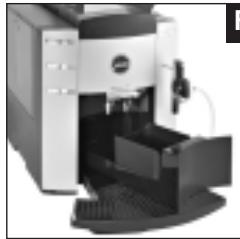
■ If this information is displayed, drawing off products is no longer possible and the coffee grounds container must be emptied (Fig.8).
Your coffee machine must be switched on.
■ Carefully take out the drip tray, it is filled with water.
■ DISPLAY NO TRAY
■ DISPLAY PLEASE SELECT

The red water level warning message appears when the coffee drip tray is full.
14.3 No Drip tray
■ DISPLAY NO TRAY
■ If this information is displayed, the drip tray is not installed properly or was not installed at all.
■ DISPLAY PLEASE SELECT
14.4 Filling the bean tank
■ DISPLAY REFILL BEANS
■ We recommend that you clean the bean tank regularly before refilling beans, using a dry cloth. Before doing this, switch off the coffee machine.
■ Refill beans as described in Chapter 3.4.

The message REFILL BEANS will disappear after you draw off your next cup of coffee.
14.5 Replacing the filter

After drawing off 50 liters the filter cartridge will be used up.
Refer to Chapter 6.2 «Replacing the filter».
14.6 Cleaning the coffee machine
After 200 draw-off operations or after 160 rinsing operations, the coffee machine must be cleaned. A message appears on the display, telling you to start the cleaning programme. You can still draw off coffee or hot water/steam. However, we recommend that you should clean the machine (Chapter 15) within the next few days.
■ DISPLAY CLEAN MACHINE / PLEASE SELECT
14.7 Coffee machine calcified
During normal use of the coffee lime scaling will occur. The degree of calcification depends on the hardness of the water you use. The machine will inform you when de-scaling is required. You can still draw off coffee or hot water/steam. However, we recommend that you should de-scale the machine (Chapter 16) within the next few days.
■ DISPLAY MACHINE CALCIFIED / PLEASE SELECT
14.8 General cleaning instructions
■ Never use scrapers, abrasive cloths, sponges or caustic chemicals for cleaning.
■ Clean the inside and outside of the case using a soft, moist cloth.
■ Clean the 2-stage frothing jet each time it was used.
■ Clean the control panel with a micro-fibre cloth.
■ To ensure that the Professional Cappuccino Frother functions perfectly, you should rinse it with water each time after preparing milk.
■ To ensure that the Professional Cappuccino Frother functions perfectly, you should clean it daily if you have prepared milk.
■ The water tank should be rinsed daily and refilled with fresh water.
If lime-scaling forms in the tank, remove it using a commercial de-scaling agent. Take out the water tank.
If you use a CLARIS plus filter cartridge, remove it before de-scaling the tank.
14.9 Emptying the system
This is necessary to protect the coffee machine against damage occurring during transport as a result of frost.
■ Use the ⏻ key to switch off the coffee machine.
■ Place a receptacle under the Professional Cappuccino Frother (14) (Fig. 14).
■ Turn the selector switch of the Professional Cappuccino Frother (14) to the steam position (Fig. 18).
■ Press the steam portion draw-off key ⏻ until the following message appears.
■ DISPLAY SYSTEM EMPTYING
■ The coffee machine is switched off.
15. Cleaning
The coffee machine features an integrated cleaning programme. The procedure takes some 15 minutes.
Original JURA cleaning tablets which are specially designed for the cleaning program of your IMPRESSA are available at your authorized dealer. Please note that machine defects or residues in the water cannot be excluded if you use inappropriate cleaning agents.
Once started, the cleaning operation must not be interrupted. After each cleaning operation the filler funnel for the 2nd coffee type should be cleaned.
■ DISPLAY CLEAN MACHINE / PLEASE SELECT
■ Press maintenance key ◆◆ until the following message appears.
■ DISPLAY EMPTY TRAY. Take out the tray, empty it and re-install it.
■ DISPLAY PRESS MAINTENANCE
■ Press maintenance key 🐘.
■ DISPLAY MACHINE CLEANING
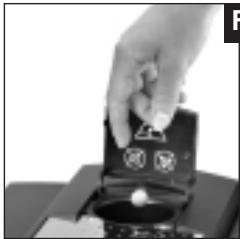
■ DISPLAY TABLET / PRESS MAINTENANCE (Fig. 6). You will hear an acoustic signal.
■ DISPLAY MACHINE CLEANING
■ DISPLAY EMPTY TRAY. You will hear an acoustic signal.
■ DISPLAY PRESS MAINTENANCE
■ DISPLAY MACHINE CLEANING
■ DISPLAY EMPTY TRAY. You will hear an acoustic signal.
■ DISPLAY PLEASE SELECT
■ Wipe coffee powder tank with a dry cloth after the cleaning program has finished.
■ Now the cleaning operation is complete.
16. De-scaling
The coffee machine features an integrated de-scaling programme. The procedure takes some 30 minutes.
Original JURA de-scaling tablets which are specially designed for the de-scaling program of your IMPRESSA are available at your authorized dealer. Please note that machine defects or residues in the water cannot be excluded if you use inappropriate de-scaling agents.
Your machine will inform you if it needs de-scaling. You can still draw off coffee or hot water / steam and start the de-scaling programme later.
Switch off the system before starting the de-scaling programme. Once started, the de-scaling programme must not be interrupted.
If acidic de-scaling agents are used, remove any splashes and drops from sensitive surfaces, in particular surfaces made of natural stone and wood, alternatively take appropriate preventive measures.
In any case wait until the de-scaling agent is used up and the tank is empty. Never refill de-scaling agent.
■ DISPLAY MACHINE CALCIFIED / PLEASE SELECT
■ Use the key ⏻ to switch off the coffee machine.
■ DISPLAY GOOD BYE
■ Remove the Professional Cappuccino Frother (14).
■ Take out the water tank.
■ Press maintenance key 🔊 until the following message appears.
■ DISPLAY EMPTY TRAY
■ DISPLAY AGENT IN TANK
Completely dissolve the content of one blister (3 tablets) in a jug containing 0.5 liters of water, and fill the mixture in the water tank. Reinstall the water tank.
■ Place a sufficiently large receptacle under the hot water spout (Fig. 16).
■ DISPLAY PRESS MAINTENANCE / AGENT IN TANK
■ DISPLAY Machine de-scaling
■ The de-scaling agent comes out of the hot water jet in intervals. After some intervals the de-scaling agent is discharged directly in the drip tray.
■ DISPLAY EMPTY TRAY. You will hear an acoustic signal.
■ DISPLAY REFILL WATER
Thoroughly rinse the water tank and fill it with fresh cold tap water. Then reinstall it.
■ Place a sufficiently large receptacle under the hot water spout (Fig. 16).
■ DISPLAY PRESS MAINTENANCE / REFILL WATER
■ DISPLAY MACHINE DE-SCALING
■ The water comes out of the hot water jet in intervals. After some intervals the water is discharged directly in the drip tray.
■ DISPLAY EMPTY TRAY. You will hear an acoustic signal.
■ DISPLAY PRESS MAINTENANCE
■ DISPLAY MACHINE RINSING:
■ DISPLAY PLEASE SELECT

After the de-scaling, clean the aluminium front using a slightly moist cloth.
17. Disposal
Please dispose of old machines in an environmentally compatible way
Old machines contain valuable materials capable of being recycled which should be salvaged for recycling. Please therefore dispose of old machines via suitable collection systems.
18. Tips for perfect coffee
Adjustable coffee spout
You can adjust the height of the coffee spout to the size of your cups
Grinding degree
Refer to Chapter 3.5 «Adjusting the grinding gear».
Preheating cups
You can preheat the cups using hot water or steam. The smaller the coffee you want to draw off, the more important preheating is.
Sugar and cream
Stirring coffee/tea will result in heat being released. Adding refrigerated cream or milk will reduce the temperature of the coffee significantly.
- Messages
| DISPLAY | Cause | Remedy |
| REFILL WATER | Water tank is empty. | Refill water |
| Float defective | Rinse or de-scale water tank | |
| REFILL BEANS | Bean tank is empty. | Refill beans |
| Although you have refilled beans, the message still appears. | Draw off a cup of coffee.The message will disappear only after you have drawn off a cup of coffee | |
| EMPTY COFFEE GROUNDS CONTAINER | Coffee grounds container full | Empty coffee grounds container |
| Tray reinstalled too early after emptying | Wait 10 sec. before reinstalling the tray | |
| NO TRAY | Drip tray not installed properly or missing | Install tray properly |
| CLEAN MACHINE | Cleaning required | Start cleaning programme (Chapter 15) |
| MACHINE CALCIFIED | De-scaling required | Start de-scaling programme (Chapter 16) |
| REPLACE FILTER | Filter empty | Change filter (Chapter 6.2) |
| FAULT | General fault | 1) - switch off- disconnect from mains supply- connect machine to mains supply- switch on machine2) Have machine checked by JURA Service |
- Problems
| Problem | Cause | Remedy |
| Very loud noise coming from the grinding gear | Foreign body in grinding gear | Drawing off pre-ground coffee is still possibleHave machine checked by JURA Service |
| Too little foam when frothing the milk | Professional Cappuccino Frother has become dirty | Clean the Professional Cappuccino Frother (Chapter 11) |
| Individual parts of the Professional Cappuccino Frother are incorrectly assembled | Check correct assembly of the Professional Cappuccino Frother | |
| Coffee only drips from the coffee spout | Grinding degree too fine | Coarser grinding gear adjustment |
| Pre-ground coffee too fine | Use a coarser pre-ground coffee |
If the messages or problems are still present, please contact your local authorized dealer or JURA Elektroapparate AG.
21. Legal information
These operating instructions contain all the information required for using, operating and maintaining the machine properly.
Knowledge of and compliance with the specifications contained in these operating instructions is required for using the machine safely as well as for operational safety and safety during maintenance.
These operating instructions cannot cover any conceivable application. The machine was designed for private household use.
Additionally we point out that the content of these operating instructions does not form part of any previous or existing agreement, consent or al legal relationship nor does it constitute a change of such a(n) agreement, consent or legal relationship. Any obligations to be fulfilled by JURA Elektroapparate AG are stipulated in the corresponding purchase contract, which also contains the full and solely applicable warranty stipulations. These contractual warranty stipulations are neither extended nor limited by the specifications contained in these operating instructions.
The operating instructions contain information, protected by Copyright. Photocopying or translations into other languages shall not be permissible without JURA Elektroapparate AG's written approval.
22. Technical data
Voltage: 230V AC
Power: 1450 W
Intensity of current: 10 A
Safety check: ⓢ CE
Energy consumption Standby: approx. 3.5 Wh
Energy consumption «Ready for draw-off»: approx. 11.5 Wh
Pump pressure: static max. 15 bar
Water tank: 1.9 litres
Bean tank capacity: 200gr
Coffee grounds container capacity: max. 16 portions
Length of mains cable: approx. 1.1 m
Weight: 9.7 kg
Dimensions (WxHxD): 28 x 34.5 x 44.5cm
The machine complies with the following EU directives:
73/23/EWG dated 19/02/1973 "Low Voltage Directive" including
Modification Directive 93/336/EWG
89/336/EWG dated 03/05/1989 “EMC Directive” including
Modification Directive 92/31/EWG
- IMPRESSA F90/F9
- Instructions for use
- Legend:
- Control elements
- Important information
- Description of control panel
- Safety information
- Warning
- Precautions
- Power switch
- Preparing the coffee machine for use
- Check the mains voltage
- Check electrical fuse
- Refill water
- Filling the bean tank
- Adjusting the grinding gear
- First use
- Cup illumination
- Adjustment of water hardness
- Installation of CLARIS plus filter cartridges
- Installing the filter
- Replacing the filter
- Rinsing the coffee machine
- Drawing off coffee
- Drawing off espresso
- Drawing off a large cup of coffee
- Drawing off pre-ground coffee
- Drawing off hot water
- Drawing off steam
- Dispensing Cappuccino with the Professional Cappuccino Frother
- Dispensing Hot Milk with the Professional Cappuccino Frother
- Cleaning of the Professional Cappuccino Frother
- Rinsing the Professional Cappuccino Frother
- Cleaning the Professional Cappuccino Frother
- Switching off the coffee machine
- Programming
- Programming the filter
- Programming the water hardness
- Programming the aroma INTENSIVE or STANDARD
- Programming the temperature
- Programming the water quantity
- Programming 1 cup
- Programming the steam portion
- Programming the water portion
- Programming the time
- Programming the automatic switch-on time
- Programming the automatic switch-off time
- Cup counter
- Programming the language
- Connectivity
- Maintenance
- Refilling water
- Emptying the coffee grounds container
- No Drip tray
- Filling the bean tank
- Replacing the filter
- Cleaning the coffee machine
- Coffee machine calcified
- General cleaning instructions
- Emptying the system
- Cleaning
- De-scaling
- Disposal
- Tips for perfect coffee
- Legal information
- Technical data
Brand : JURA
Model : IMPRESSA F90
Category : Coffee machine