
27B2U3601H - Monitor PHILIPS - Free user manual and instructions
Find the device manual for free 27B2U3601H PHILIPS in PDF.


Pick your language and provide your email: we'll send you a specifically translated version.
| Product type | 27-inch LED-backlit LCD monitor with 4K UHD resolution |
| Brand | Philips |
| Model | 27B2U3601H |
| Category | Monitor |
| Screen size | 27 inches (68.6 cm) |
| Panel type | IPS (In-Plane Switching) |
| Resolution | 3840 x 2160 pixels (4K UHD) |
| Aspect ratio | 16:9 |
| Brightness | 350 cd/m² |
| Contrast ratio | 1000:1 (typical) |
| Refresh rate | 60 Hz |
| Response time | 4 ms (grey to grey) |
| Viewing angle | 178 degrees horizontal / 178 degrees vertical |
| Color gamut | 99% sRGB |
| Connectivity | USB-C (DisplayPort Alt Mode with 90 W power delivery), HDMI 2.0, DisplayPort 1.4, USB 3.2 hub, Ethernet RJ-45, audio line out |
| Stand functions | Height adjustable, swivel, tilt |
| Power consumption | Approximately 35 W typical, < 0.5 W standby |
| Weight (with stand) | Approximately 7.4 kg |
| Dimensions (with stand) | Approximately 613 x 559 x 205 mm (width x height x depth) |
| Main functions | USB-C docking, PowerSensor, LightSensor, LowBlue mode, Flicker-free technology |
| Maintenance | Clean the screen with a soft dry microfiber cloth; do not use abrasive liquids |
| Safety | Use the supplied power adapter and keep ventilation slots clear |
| Spare parts and repairability | Authorized Philips service centers provide original spare parts and repairs |
| Mounting | VESA 100 x 100 mm compatible |
Frequently Asked Questions - 27B2U3601H PHILIPS
How can I connect my laptop and charge it with this Philips monitor?
Use the USB-C connection. It supports DisplayPort Alt Mode and delivers up to 90 W power delivery, so a single cable can transmit video, data and power to a compatible laptop.
Does the monitor have built-in speakers?
This model is designed with an audio line-out, so you can connect external speakers or headphones. Check the user manual for the exact audio settings in the OSD menu.
What is PowerSensor and how does it work?
PowerSensor uses a built-in infrared signal to detect whether the user is present. When you leave the screen, it automatically reduces brightness to save energy, and when you return, it restores full brightness.
How do I enable the LowBlue mode?
Press the menu button on the monitor, navigate to the Picture or Color settings, and select LowBlue mode. This reduces blue light emissions to protect your eyes.
Is this monitor compatible with VESA mounting?
Yes, it has a VESA 100 x 100 mm mounting pattern, so you can attach it to a compatible monitor arm or wall mount.
What is the refresh rate and response time?
The display runs at a 60 Hz refresh rate and has a 4 ms grey-to-grey response time, suitable for office productivity and general use.
Does the USB-C connection support data transfer and networking at the same time?
Yes. The USB-C port carries video, data, and power. The monitor also has an Ethernet RJ-45 port, allowing a wired network connection through the USB-C dock when your laptop is connected.
How do I clean the screen safely?
Use a soft, dry microfiber cloth. If necessary, slightly dampen the cloth with water only. Do not use alcohol, ammonia, or abrasive cleaners because they can damage the anti-glare coating.
What should I do if the monitor does not turn on?
First check the power cable and that the power outlet is live. Press the power button, then use the OSD to verify the correct input source is selected. If the issue persists, contact an authorized Philips service center.
What is the typical power consumption in standby mode?
The monitor consumes approximately 35 W in typical use and less than 0.5 W in standby mode. Using PowerSensor and Eco mode can reduce energy consumption further.
User questions about 27B2U3601H PHILIPS
0 question about this device. Answer the ones you know or ask your own.
Ask a new question about this device
No questions yet. Be the first to ask one.
Download the instructions for your Monitor in PDF format for free! Find your manual 27B2U3601H - PHILIPS and take your electronic device back in hand. On this page are published all the documents necessary for the use of your device. 27B2U3601H by PHILIPS.
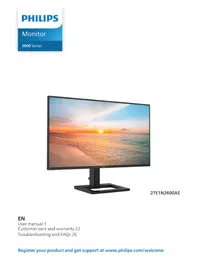
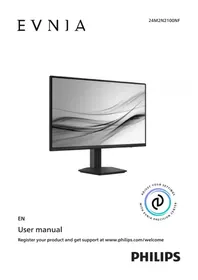
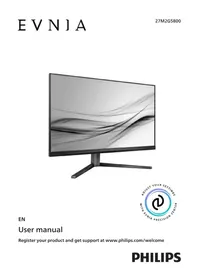
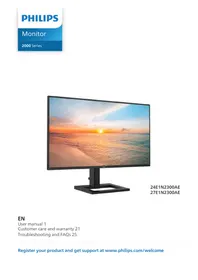
USER MANUAL 27B2U3601H PHILIPS

Manual assistant
Powered by Anthropic
Waiting for your message
Product information
Brand : PHILIPS
Model : 27B2U3601H
Category : Monitor