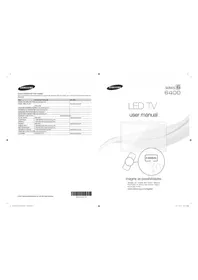
UN46D6400 - Television SAMSUNG - Free user manual and instructions
Find the device manual for free UN46D6400 SAMSUNG in PDF.


Pick your language and provide your email: we'll send you a specifically translated version.
| Brand | Samsung |
| Model | UN46D6400 |
| Product Type | LED TV |
| Series | 6400 Series |
| Screen Size | 46 inches (16:9 aspect ratio) |
| Display Resolution | 1920 x 1080 (Full HD) |
| Backlight Type | LED edge-lit |
| Motion Rate | 240 Hz Clear Motion Rate |
| Smart TV | Yes, Samsung Smart Hub |
| Connectivity | Wi-Fi built-in, Ethernet, 4 HDMI, 2 USB, component, composite |
| Audio Output | 2 x 10 W speakers with Dolby Digital Plus |
| Digital Tuner | ATSC/NTSC |
| Power Supply | AC 100-240 V, 50/60 Hz |
| Power Consumption | 110 W typical, less than 0.3 W standby |
| Eco Features | Eco Sensor, energy saving mode |
| Dimensions without Stand | 43.1 x 26.6 x 1.2 inches |
| Dimensions with Stand | 43.1 x 29.2 x 10.6 inches |
| Weight with Stand | 38.1 lb |
| Wall Mount Pattern | VESA 400 x 400 mm |
| Cleaning | Use soft dry microfiber cloth; never spray liquids directly |
| Safety | Keep adequate ventilation; avoid moisture and heat sources |
| Repair and Spare Parts | Use genuine Samsung parts; contact authorized service |
| Manual | Free PDF manual with 43 pages available in English |
| Installation | Can be placed on a stand or mounted on a wall |
Frequently Asked Questions - UN46D6400 SAMSUNG
How do I connect the Samsung UN46D6400 to the internet?
You can connect using the built-in Wi-Fi or an Ethernet cable. Press Menu, go to Network and choose Network Settings. Select your connection type and enter your wireless password if needed.
How do I update the software on my TV?
From the Menu, go to Support and select Software Upgrade. Use Auto Upgrade over the internet or USB with a file downloaded from the Samsung support page.
How can I reset the TV to factory settings?
Press Menu, open Support, then Self Diagnosis, and choose Reset. Enter your PIN (default is 0-0-0-0) and confirm.
What should I do if the remote control stops working?
First replace the batteries and make sure no objects block the sensor. Press the Power button for about 6 seconds to reset the remote, then try again.
Can I wall mount this TV?
Yes. The TV has a VESA 400 x 400 mm mounting pattern. Use a certified wall mount and follow the safety instructions in the manual.
How do I use Smart Hub to watch streaming services?
Press the Smart Hub button on your remote. Scroll through the Apps section, open your streaming service, log in, and start watching. You may need to update apps first.
How do I clean the screen without damaging it?
Turn off the TV, wait for it to cool, and gently wipe with a soft microfiber cloth. Never spray liquid directly on the screen; dampen the cloth slightly if needed.
Why is the picture not sharp when watching regular channels?
Check your cable/box output and set the TV to the correct resolution. Try the HDMI input instead of composite and switch the picture mode to Standard or Movie for cleaner images.
What cables do I need to connect a Blu-ray player?
Use an HDMI cable. Connect it to any HDMI port on the back or side of the TV. Make sure the player is switched on and select the correct HDMI source.
How can I save power with this TV?
Enable Eco Sensor in the Menu under Eco Solution. Lower the Backlight level and use Energy Saving modes. Also, unplug the TV when not in use for a long time.
User questions about UN46D6400 SAMSUNG
0 question about this device. Answer the ones you know or ask your own.
Ask a new question about this device
No questions yet. Be the first to ask one.
Download the instructions for your Television in PDF format for free! Find your manual UN46D6400 - SAMSUNG and take your electronic device back in hand. On this page are published all the documents necessary for the use of your device. UN46D6400 by SAMSUNG.
USER MANUAL UN46D6400 SAMSUNG
Manual assistant
Powered by Anthropic
Waiting for your message
Product information
Brand : SAMSUNG
Model : UN46D6400
Category : Television