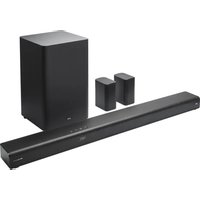
SP-NXF3 - Hi-Fi System JVC - Free user manual and instructions
Find the device manual for free SP-NXF3 JVC in PDF.


Pick your language and provide your email: we'll send you a specifically translated version.
| Product Type | Hi-Fi System |
| Brand | JVC |
| Model | SP-NXF3 |
| Design | Compact mini stereo system |
| Power Output | 50 W RMS (2 x 25 W) |
| Supported Media | CD, USB, Bluetooth, FM/AM tuner |
| Connectivity | Bluetooth, USB, AUX input, headphone output |
| Tuner | FM/AM with 30 preset stations |
| Audio Features | Bass and treble control, 4 EQ presets |
| Speakers | 2-way bass reflex speaker system |
| Display | LCD with backlight |
| Remote Control | Included |
| Dimensions (W x H x D) | 200 x 250 x 300 mm (main unit) |
| Weight | 3.5 kg (main unit) |
| Power Supply | AC 220-240 V, 50/60 Hz |
| Power Consumption | 30 W (typical), less than 1 W in standby |
| Maintenance | Wipe with a soft dry cloth; do not use solvents |
| Safety | Do not expose to moisture; ensure adequate ventilation |
| Repair and Spare Parts | Available through authorized JVC service centers |
| General Information | Full user manual available for free download |
Frequently Asked Questions - SP-NXF3 JVC
How do I pair my phone via Bluetooth?
Press the Bluetooth button on the remote or top panel to enter pairing mode. Then on your phone, enable Bluetooth and select JVC SP-NXF3 from the list. If prompted, enter 0000 as the PIN code.
Can I play music from a USB drive?
Yes, the USB port supports playback of MP3 and WMA files. Insert your USB drive, then press USB as the source. Use the navigation buttons to browse folders and tracks.
What should I do if there is no sound?
First, check that the volume is not set to 0 and the mute function is off. Ensure the correct source is selected. Verify that the speaker wires are properly connected and not damaged. If the problem persists, try a system reset.
How do I set the clock?
Press and hold the CLOCK/TIMER button on the remote. Use the +/- buttons to set the hour, then press ENTER. Repeat for minutes. The clock will start automatically.
Can I connect a TV or DVD player?
Yes, the system has an AUX input (3.5 mm stereo jack or RCA via adapter). Connect the audio output of your TV or DVD player to the AUX IN port, then select AUX as the source.
How do I store radio stations?
Tune to the desired station using the TUNING buttons. Press MEMORY, then select a preset number with the numeric buttons or +/-. Press MEMORY again to save. Repeat for other stations.
What is the maximum supported USB capacity?
The system supports USB drives up to 32 GB formatted in FAT16/FAT32. Larger drives may not be recognized due to power and file system limitations.
How do I clean and maintain the system?
Disconnect the power before cleaning. Use a soft, dry cloth to wipe the exterior. Do not use alcohol, benzene, or other solvents. Clean the disc lens with a special lens cleaner if necessary.
Does it come with a remote control?
Yes, the JVC SP-NXF3 includes a remote control for all main functions, including power, volume, source selection, and playback. Batteries (not included) are IEC R03/AAA size.
How do I reset the system to factory settings?
To reset, put the system in standby mode, then press and hold the BAND and VOLUME + buttons simultaneously for at least 3 seconds. The display will show RESET. All settings will return to defaults.
User questions about SP-NXF3 JVC
0 question about this device. Answer the ones you know or ask your own.
Ask a new question about this device
No questions yet. Be the first to ask one.
Download the instructions for your Hi-Fi System in PDF format for free! Find your manual SP-NXF3 - JVC and take your electronic device back in hand. On this page are published all the documents necessary for the use of your device. SP-NXF3 by JVC.
USER MANUAL SP-NXF3 JVC


Manual assistant
Powered by Anthropic
Waiting for your message
Product information
Brand : JVC
Model : SP-NXF3
Category : Hi-Fi System